LibreSprite: Open-Source 2D Sprite Animation Tool
libresprite.github.io · checked 15 Oct 2026
Open-source, no-cost tools for building and animating 2D sprites.
How it plugs in
Signal on Pixel Art Software7.7#1 of 70
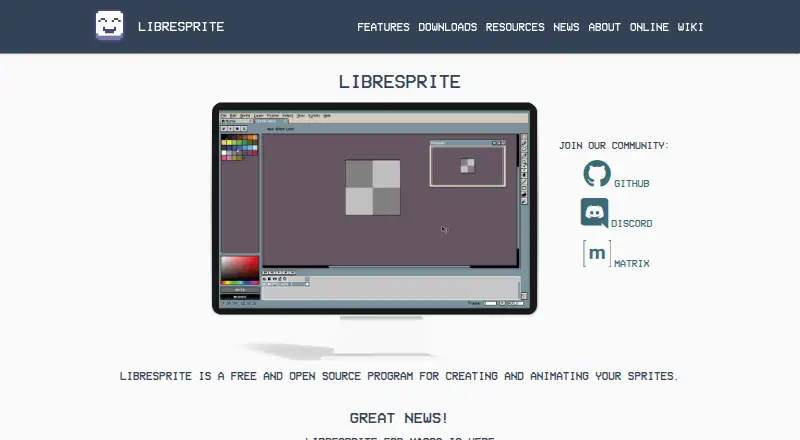
LibreSprite provides a no-cost, open-source workspace for drawing and animating 2D graphics. Its toolkit centers on pixels, layers, frames, tiled drawing, palettes, live previews, and onion skinning. You can edit several sprites together, export common image and animation formats, run scripts, and use official builds on desktop, Android, or in a browser.
Review
In a line
LibreSprite is an open-source sprite application that costs nothing and handles 2D creation and animation. It is also described as a pixel-art tool and animated sprite editor.
What it does
Sprites are organized through layers and frames. Live animation previews appear during editing, while onion skinning lets you see neighboring frames as you draw.
For pattern work, the editor has a tiled mode, along with pixel-precise filled contour, polygon, and shading modes. Ready-made palettes are included, and you can create your own.
Multiple sprites can remain open for simultaneous editing. Sprite-sheet output is available, along with formats such as PNG, GIF, JPEG, BMP, PCX, TGA, ICO, FLI/FLC, WebP, and ASE.
How it connects
The software uses the GNU General Public License version 2 and is open source. Releases target Windows, macOS, Linux, and Android, while LibreSprite Online works through a web browser.
Its scripting API exposes objects for sprites, images, palettes, documents, commands, and the application. The project documents JavaScript and Lua scripting, including loading palettes, resizing or cropping sprites, and saving them. Scripts can ask for filesystem, network, or process access, which the app presents for approval.
Source builds use CMake 3.4 or newer and Ninja; Windows builds also require MSYS2.
Good fit
LibreSprite suits people making pixel-based game art, animated sprites, repeating textures, or sprite sheets. Its animation timeline, indexed-color tools, palettes, and frame previews support this kind of work.
It may fit projects that need editable source code or automation through scripts. See other options in pixel art software and 2D game animation software.
Watch for
The project security policy currently supports version 1.0 only. Its security page reports no published advisories, and the v1.3 notes describe fixes for zip-slip, shell injection, codec memory safety, and script sandbox escapes.
Building for Android requires making a native build first, placing ls-android-deps in the repository, and then opening the Android project in Android Studio. System guides list Windows 10, macOS 11 Big Sur, and Linux requirements for source builds.
LibreSprite began as a fork of the last Aseprite commit covered by GPLv2 and is developed independently.
Pricing
LibreSprite is free. The listed plan describes a GPLv2 open-source program at no cost, and no paid plan is stated.
Verdict
Choose LibreSprite if you want a no-cost sprite editor with frame animation, pixel tools, palette control, common exports, and scriptable workflows across desktop, Android, or a browser.
Look elsewhere if you need a different animation type, a paid support plan, or a project with broader stated security-version coverage. People comparing tools can also review game animation software or Pixelc.
Our take
LibreSprite is a practical choice for creators seeking straightforward 2D sprite drawing and animation at no cost. Its open license, multiple platform options, browser edition, export choices, and scripting support give it room in both personal and technical workflows. The main checks are practical: confirm your target platform, review the listed build steps if compiling, and consider the project’s stated security support for version 1.0. It is a poor match when your work falls outside sprite and pixel-art editing or when you require a commercial plan with defined support terms.
- No-cost source code under GPLv2
- Live previews and onion-skin views for frame work
- Pixel tools, palettes, layers, and tiled drawing
- Sprite and animation output in many formats
- Desktop, Android, and browser options
- Only version 1.0 receives support under the security policy
- Android compilation requires several setup steps
- Source builds have specific tool and system requirements
- Developed independently from Aseprite after the fork
- Pick it ifPixel-art and 2D game sprite creation; Animating and exporting sprite sheets; Projects needing scriptable, open-source tooling
- Skip it ifYour work is outside 2D sprite and pixel-art editing; You require paid support or wider stated security coverage; You want to avoid build steps for source or Android versions
Pricing
There is no charge for LibreSprite; the listed offering is open source with no paid tier specified.
- Freefree and open source programFree
- LibreSpriteFree and open source · GNU General Public License Version 2Free
As github.com lists them, checked 15 Oct 2026.
Questions
Is LibreSprite available at no cost?
Yes. The project lists LibreSprite as open source under the GNU General Public License version 2 and free to use.
Where can LibreSprite be run?
Official packages are provided for Windows, macOS, Linux, and Android, and LibreSprite Online offers browser access.
Does it handle sprite animation?
Yes. An animation timeline works with real-time previews, onion skinning, layers, and frames.
Which export formats are supported?
It can write PNG, GIF, JPEG, BMP, PCX, TGA, ICO, FLI/FLC, WebP, and ASE, and it supports sprite-sheet output.
Are scripts supported in LibreSprite?
Documentation covers JavaScript and Lua. The API provides sprite, image, palette, document, command, and application objects.
What open-source licence does LibreSprite use?
GPL version 2 covers the distribution, and the project continues independently after forking the last Aseprite commit under that licence.