
PixelWall: Local Pixel-Art and Animation Studio
pixelwall.dev · checked 15 Oct 2026
Local pixel-art and animation studio for drawing, game tiles, and scripted workflows.
How it plugs in
Signal on Pixel Art Software6.7#4 of 70
PixelWall is a browser and desktop studio for pixel-art drawing, animation, and tilemaps. It runs on web, macOS, Windows, and Linux, keeps projects on your device, and offers a free editor without an account. Pro costs $15 once and adds several export formats and presets.
Review
In a line
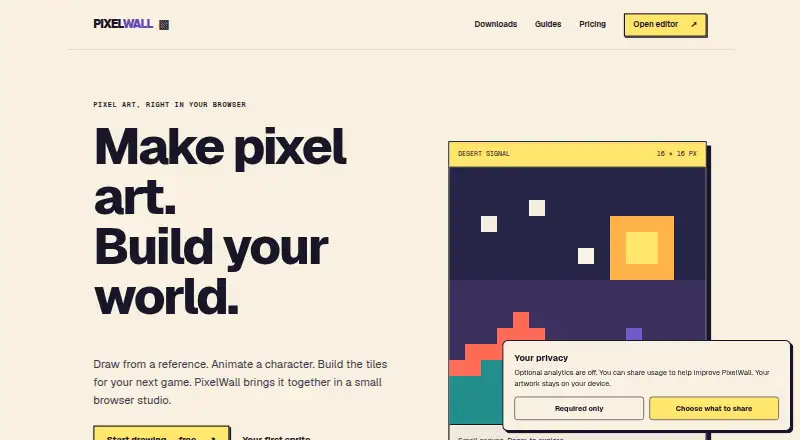
PixelWall is a local pixel-art and animation studio from CapLock. You can use it in a browser or as a desktop app to make sprites, animations, and game tiles.
What it does
The editor includes drawing tools, layers, groups, references for manual tracing, animation clips, frame timing, and onion-skin overlays. It also provides a timeline, indexed-color tools, palettes, and conversion between RGBA, indexed, and grayscale artwork.
For game work, PixelWall offers independent tilesets, tilemap layers, and 2D motion tools. Projects can export as PNG, BMP, TGA, GIF, JSON, ZIP, .pixelwall, and editable sprite files.
How it connects
PixelWall works on the web, macOS, Windows, and Linux. Desktop downloads support Apple-silicon and Intel Macs on macOS 12 or newer, plus 64-bit Windows and Linux PCs. A portable local browser version and the command-line bundle require Node.js 22.13 or newer.
A running browser editor exposes version 1 of window.pixelwall for edits, previews, saves, and exports. Batch requests accept 1 to 2,000 commands and up to 16 MiB of command data. Automation can also use the local CLI, bounded Lua 5.4 scripts, JSON batches, or deliberate computer control.
PixelWall exports Tiled-compatible tilemap packages and includes guidance for using classic sprite packages with Phaser. It has no standalone MCP server, public REST editing API, JavaScript SDK, or Python SDK. The pages describe ownership licenses and do not state an open-source license.
Good fit
PixelWall suits artists and game makers who want drawing, animation, and tilemap work in one local workspace. The browser editor allows free editing and PNG export without an account.
It also fits scripted workflows: the CLI can create, inspect, render, import, and apply JSON commands to native projects, and can run JavaScript or Lua scripts. External agents can connect through the CLI, browser API, or computer control.
Watch for
Projects stay on your device, and PixelWall has no cloud project sync. Keep your own downloaded backups. Clearing browser or app data removes local documents and licenses; recovering a purchase does not restore artwork.
Browser recovery defaults to 40 revisions per document with an estimated 96 MiB library budget. Lua runs in a restricted worker that cannot access arbitrary files, networks, or processes.
Animated GIF, sprite-sheet, atlas, and game-package exports require Pro, including when used through the API or CLI.
Pricing
The Free studio plan costs $0. It includes drawing, layers, groups, references, animation, scripting, API and CLI access, tilemap editing, PNG/BMP/TGA frame exports, recovery, and editable project files.
PixelWall Pro is $15 USD once. It adds animated GIFs at 1×, 2×, 4×, and 8×, sprite-sheet PNGs, sprite ZIPs with PNG and JSON, Tiled-compatible tilemap packages, and named export presets. A signed PW2 ownership license does not expire and can unlock listed Pro features offline in a compatible app.
Verdict
Choose PixelWall if you want local storage, browser access without an account, and a single tool for pixel art, animation, and tilemaps. Its command API, CLI, and script support make it suitable for repeatable production tasks.
Look elsewhere if cloud project syncing, a public REST service, or official JavaScript or Python SDKs are essential. Before relying on browser storage, plan backups because clearing app data removes local work.
Our take
PixelWall is a practical choice for people making pixel sprites, animations, or tilemaps who prefer files kept on their own computer. The free plan covers core editing and several frame exports, while a one-time Pro purchase handles larger export needs. Its local browser mode avoids account setup, and its API, CLI, and scripts support automated jobs. It is a poor match for teams expecting cloud syncing or a broad public developer platform, and browser users should keep backups because clearing local data can remove projects and licenses.
- Free browser editing and PNG export without an account
- Runs on web, macOS, Windows, and Linux
- Animation, tilemap, layer, and indexed-color tools
- CLI, browser API, JSON batches, and bounded Lua scripts
- Pro license works offline and does not expire
- No cloud project sync
- Clearing app data removes local documents and licenses
- Pro is required for GIF, sprite-sheet, atlas, and game-package exports
- No public REST editing API, JavaScript SDK, or Python SDK
- Browser recovery defaults to 40 revisions and 96 MiB
- Pick it ifPixel-art, animation, and tilemap projects; Local or scripted game-art workflows; Users wanting free browser editing without an account
- Skip it ifYou need cloud syncing or shared online project storage; You require a public REST API or official JavaScript/Python SDK; You need advanced export formats without paying for Pro
Pricing
Free studio costs $0. PixelWall Pro costs $15 USD once, with no recurring billing stated; Pro adds advanced animation, sprite, tilemap-package, and preset exports.
- Free studio$0 · Drawing, layers, groups, references · Animation, scripting, API, CLI · Tilemap editing · PNG/BMP/TGA frame exports · Recovery and editable project filesFree
- PixelWall Pro$15 USD once · Animated GIFs at 1×/2×/4×/8× · Sprite-sheet PNGs · Sprite ZIPs with PNG and JSON · Tiled-compatible tilemap packages · Named export presets$15 one-time
As pixelwall.dev lists them, checked 15 Oct 2026.
Questions
Does PixelWall require an account?
No. The browser editor supports free editing and PNG export without an account.
Where are PixelWall projects stored?
Artwork stays on your device. PixelWall has no cloud project sync, so keep downloaded backups.
What systems can run PixelWall?
It supports web, macOS, Windows, and Linux. Desktop downloads cover Apple-silicon and Intel Macs on macOS 12 or newer, plus 64-bit Windows and Linux.
What does PixelWall Pro cost?
PixelWall Pro costs $15 USD once. The Free studio plan costs $0.
Which exports need Pro?
Animated GIF, sprite-sheet PNG, sprite ZIP, Tiled-compatible tilemap packages, atlas, game-package exports, and named export presets require Pro.
Does PixelWall include an AI model?
No. PixelWall has no embedded AI model, but external agents can connect through its CLI, browser API, or computer control.
Can scripts access my files or network?
Lua scripts run in a bounded worker and cannot access arbitrary files, networks, or processes.