
Mobile Device Management Software
Mobile Device Manager Plus by ManageEngine
manageengine.com · checked 14 Oct 2026
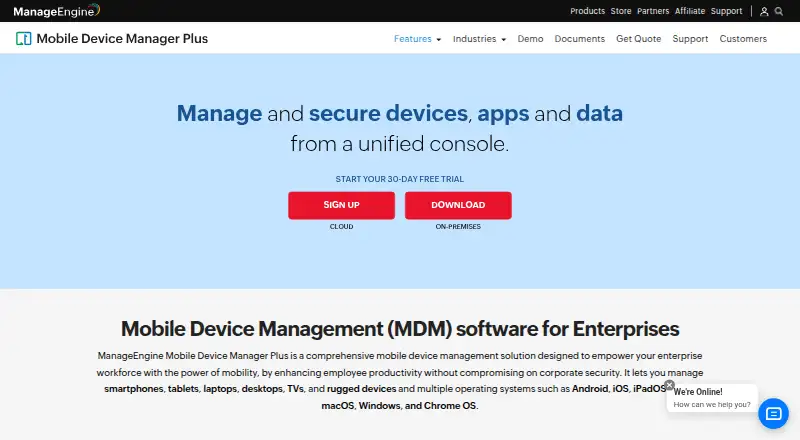
Manage and secure company and personal devices, apps, and data from one console.
How it plugs in
Signal on Mobile Device Management Software6.7#2 of 28
For enterprise IT, ManageEngine Mobile Device Manager Plus enrolls, configures, monitors, and protects phones, tablets, computers, TVs, and rugged equipment. It supports major mobile and desktop operating systems, cloud or on-premises deployment, app and content controls, remote troubleshooting, and REST APIs. Pricing includes a free tier for 25 devices, with paid plans from $1.28/mo.
Review
In a line
IT teams can use ManageEngine Mobile Device Manager Plus to administer mobile devices. The central console handles equipment, applications, and company information.
What it does
Administrators enroll and configure smartphones, tablets, laptops, desktops, TVs, and rugged devices running Android, iOS, iPadOS, tvOS, macOS, Windows, or Chrome OS.
It supports Wi-Fi and VPN policies, app distribution, inventory checks, kiosk setups, work-and-personal separation, and managed email. Remote lock, wipe, access controls, and detection of rooted or jailbroken devices help protect equipment.
The system can remotely view and control devices for troubleshooting. Inventory scans record apps, restrictions, certificates, and hardware; location and battery tracking are also available. Documents and media can be sent to devices, viewed securely, and revoked.
How it connects
You can run it as a cloud service or on a self-hosted Windows server. Enrollment options include email or SMS, self-service, Apple Business Manager, Windows Autopilot, Android zero-touch, and Samsung Knox.
Beyond ServiceDesk Plus, ServiceNow, and Zendesk, the integration list names Jira, Active Directory, Entra ID, Google Workspace, Zoho Directory, and Zoho Creator.
Its REST interface includes endpoints for devices, certificates, restrictions, firmware, locations, profiles, apps, actions, privacy, and content. API examples use Zoho OAuth tokens and include Java, Python, and cURL. It is proprietary, not open source.
Good fit
This setup targets IT departments responsible for both company-issued and employee-owned equipment. Enrollment, configuration, application delivery, monitoring, security responses, email, and content handling are brought together.
It is a fit when a company needs kiosk restrictions, a managed app catalog, containerized work data, or integrations with directory and service-desk tools. See Mobile Device Management Software for related products.
Watch for
The self-hosted edition runs on a Microsoft Windows server. Published tiers range from 2 GB of RAM and 5 GB of disk for up to 250 devices to 16 GB of RAM and 60 GB of disk for 5,001–10,000 devices.
Once an on-premises release passes its support end date, technical assistance, security fixes, and other updates stop. For self-hosting, check HTTPS, current builds, strong passwords, two-factor authentication, and administrator roles.
The management console lists Internet Explorer 7+, Chrome 20+, Firefox 4+, and Safari 5+ as browser requirements.
Pricing
The no-cost tier provides the full Professional feature set for as many as 25 devices, and a 30-day trial is offered.
Cloud Standard is $64 per month on monthly billing, while Cloud Professional is $119 per month on the same billing cycle.
On-premises Standard is priced at $495 per year for 50 devices, and On-premises Professional is $895 per year for 50 devices. The advertised entry point for paid plans is $1.28/mo.
Verdict
Mobile Device Manager Plus fits organizations seeking a single console for varied fleets, BYOD phones, application and content delivery, and remote security measures. Its cloud and Windows-server options cover different hosting preferences, while the API and listed integrations can connect it to existing service desks and directories.
Look elsewhere if you need open-source software or cannot operate a Windows server for an on-premises setup. Check the device count, edition features, browser requirements, and support lifecycle before selecting a paid plan.
Our take
For IT departments, ManageEngine Mobile Device Manager Plus can handle diverse corporate and personal fleets, apply policies, deliver apps, and address security issues remotely. A free tier supports smaller deployments, while cloud and on-premises editions are available for larger ones. Its REST API and directory, service-desk, and productivity integrations may fit established systems. Buyers should confirm hosting, browser, server, device-count, and lifecycle requirements, especially for on-premises editions.
- The free tier supports as many as 25 devices.
- Covers phones, tablets, computers, TVs, and rugged equipment.
- Available as a cloud service or self-hosted deployment.
- Includes a REST API along with directory and service-desk connections.
- Offers remote lock, wipe, troubleshooting, and kiosk features.
- Self-hosting needs a Microsoft Windows server.
- Releases past support end lose fixes, assistance, and other updates.
- Cloud pricing is $64 or $119 per month.
- The software is proprietary rather than open source.
- Pick it ifIT teams managing corporate and BYOD fleets; Organizations needing app, kiosk, email, and content controls; Businesses wanting cloud or Windows-server deployment
- Skip it ifYou require open-source device-management software.; You cannot meet the Windows server or browser requirements for on-premises use.; Your fleet exceeds a plan's stated device billing basis.
Pricing
A no-cost tier supports up to 25 devices, with a 30-day trial. Cloud plans are $64 or $119 monthly. On-premises plans are $495 or $895 annually for 50 devices/year.
- Free editionFully featured Professional edition · up to 25 devicesFree
- Standard Edition (Cloud)per month · App, asset, audit/report, content, enrollment, email, integration, kiosk, profile, remote troubleshooting, rugged-device and security management$64/mo
- Professional Edition (Cloud)per month · App, asset, enrollment, email, integration, kiosk, profile and remote troubleshooting$119/mo
- Standard Edition (on-premises)50 devices/year · Basic mobile device management · on-premises Windows server$495/yr
- Professional Edition (on-premises)50 devices/year · Enterprise fleet management features · on-premises Windows server$895/yr
As manageengine.com lists them, checked 14 Oct 2026.
Questions
What devices can it manage?
It supports smartphones, tablets, laptops, desktops, TVs, and rugged devices running Android, iOS, iPadOS, tvOS, macOS, Windows, or Chrome OS.
Is there a free version?
Yes. The no-cost tier includes the Professional feature set for up to 25 devices, and a 30-day trial is offered.
Can it run on my own servers?
Yes. The self-hosted edition uses Microsoft Windows servers; a cloud option is available as well.
Does it have an API?
Yes. REST endpoints cover devices, apps, profiles, actions, privacy, and content, with Java, Python, and cURL examples in the documentation.
Which services does it integrate with?
The listed connections are ServiceDesk Plus, ServiceNow, Zendesk, Jira, Active Directory, Entra ID, Google Workspace, Zoho Directory, and Zoho Creator.
What happens after on-premises support ends?
Technical support, security updates, and other updates and enhancements are no longer provided.
Near it
All alternatives →- F
 FileWave#1 on this board
- R
 Relution#3 on this board
- MM
 Mosyle Manager#4 on this board
- AE
 AppTec360 Enterprise Mobility Management#5 on this board
- M
 Miradore#6 on this board
- MDMicrosoft Defender for Business#7 on this board
- HMHeadwind MDM#8 on this board
- E
 Esper#9 on this board
- HBHCL BigFix#10 on this board
- HU
 Hexnode UEM#11 on this board