
Mobile Device Management Software
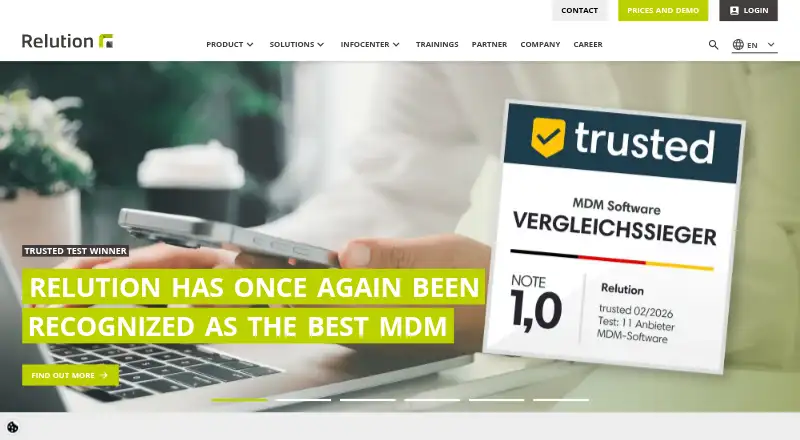
Relution device management software review
relution.io · checked 15 Oct 2026
Relution manages and secures mobile and stationary devices across cloud or on-premises deployments.
How it plugs in
Signal on Mobile Device Management Software6.7#3 of 28
Relution is a unified endpoint and mobile-device management platform for phones, tablets, computers and other endpoints. It configures devices, distributes apps and content, applies security policies, and reports on compliance. You can run it as a shared or dedicated cloud service, or in your own infrastructure. The free tier supports five devices indefinitely.
Review
In a line
Relution provides unified endpoint and mobile-device management for central setup, provisioning, oversight and protection of mobile and stationary equipment.
Smartphones, tablets, laptops, computers and interactive whiteboards are covered, with hosting available through Relution or within the customer's infrastructure.
What it does
Administrators enroll devices, configure password, Wi-Fi, VPN and certificate settings, verify compliance, and can lock or erase equipment remotely. Enrollment options include Apple DEP, Android Zero Touch, QR-code registration, BYOD and COPE workflows.
Relution catalogs public-store apps and native packages, lets administrators review and approve them, then publishes them; supported formats include .exe, .msi, .msix, .msixbundle and .app. It can also distribute documents and other content, provide a branded app store, and restrict Android devices to selected apps with kiosk mode.
Device, application and compliance dashboards provide live status views and detailed reports. Shared Device mode gives each user group only its designated apps and settings, with Apple Shared Device Mode and Windows Shared PC support.
How it connects
Relution handles Apple, Android, Windows, Linux and ChromeOS endpoints, plus iPadOS, macOS, tvOS, watchOS and visionOS. It works with Apple Business Manager, Managed Google Play, Android Enterprise, Samsung Knox, Android Zero Touch and Windows Autopilot.
Active Directory and LDAP integrations are available, as are SAML and OpenID Connect sign-in. Each server provides an interactive REST API matched to its version; tokens, portal permissions and audit records govern API access.
You can run Relution in a shared or dedicated cloud, or on premises. It is not open source. Customer-hosted installations use supported Linux systems with Docker Compose recommended, and PostgreSQL 14 or newer is supported. See unified endpoint management software
Good fit
Relution suits organizations managing mixed fleets of Apple, Android, Windows and other supported devices. Its stated focus areas are education, public administration, healthcare and enterprise.
It is aimed at teams seeking centralized app and content delivery, shared-device management, automated enrollment, compliance reporting and security controls. Its own infrastructure option and German encrypted cloud support organizations with specific data-location requirements. Compare mobile device management software
Watch for
Verify operating-system compatibility before deployment: the documentation lists Android 10+, iOS and iPadOS 18+, macOS 14+, tvOS 18+, visionOS and watchOS 26+, and Windows 10 Professional/Education or newer.
On-premises buyers must provide server resources and supported software, including AlmaLinux or Rocky Linux 9/10 or RHEL 9+, Java 21 for native installs, NGINX and a supported database. MariaDB LTS 10.11 or newer is deprecated through the end of 2027.
The free option is limited to five devices. Decon, an AI-based iOS and iPadOS web and app filtering add-on, and Shield, which combines VPN, PKI and UEM/MDM, are separate add-ons.
Pricing
Relution follows a freemium pricing approach. Its Free plan costs nothing, remains available indefinitely, supports Shared Cloud or On Premises deployment, and covers up to five devices.
Cloud pricing is quote-based and delivered as SaaS through either a shared or dedicated server. Dedicated servers can include multi-tenancy and user-directory integration.
On Premises pricing is quote-based and runs in your infrastructure on Linux with Docker. A free trial is not offered. Device licenses are purchased from Relution or a partner; documentation describes perpetual, subscription and device-bound lifetime licenses.
Verdict
Relution is a reasonable choice for organizations that need one control system for varied device fleets, app and content distribution, enrollment, reporting and security policies. The free plan offers a way to manage a very small setup without a time limit.
Larger deployments should confirm operating-system versions, server and database requirements, license type, and any add-ons they need. Choose another product if you require open-source code, a trial period, or a published paid price. Review Mac management software alternatives
Our take
Choose Relution for centralized management of Apple, Android, Windows and other supported endpoints, including app delivery, shared-device features, compliance reporting and remote security actions. Its cloud and on-premises options can suit different hosting rules, and the free tier covers five devices indefinitely. Plan carefully for supported operating-system versions, Linux server requirements and database setup. Buyers should also request quotes for Cloud or On Premises plans and clarify whether perpetual, subscription or device-bound licenses fit their fleet.
- The no-cost tier supports up to five devices indefinitely
- Cloud or customer-infrastructure deployment
- REST API with permissions and audit logging
- Supports major Apple, Android, Windows and Linux platforms
- Remote lock, wipe and compliance controls
- The free plan supports only five devices
- Cloud and On Premises prices are available by quote
- No free trial
- Not open source
- On-premises setup requires supported Linux and database software
- Pick it ifSchools, public agencies, healthcare and enterprises; Teams managing mixed mobile and stationary device fleets; Organizations needing cloud or German-hosted deployment
- Skip it ifYou need open-source software or a free trial; You require published prices instead of a quote; Your devices are outside the documented operating-system versions
Pricing
Shared Cloud or On Premises access costs nothing for up to five devices and has no stated expiry. Cloud and On Premises plans require a quote. There is no free trial; licensing may be perpetual, subscription or device-bound lifetime.
- Freeunlimited time · Shared Cloud or On Premises · up to five devicesFree
- CloudSaaS; shared server or dedicated server · multi-tenancy and user-directory integration available on dedicated serverOn request
- On Premisesin your infrastructure · Linux · DockerOn request
As relution.io lists them, checked 15 Oct 2026.
Questions
Does Relution have a free plan?
Yes. The Free plan remains available without an end date, runs in Shared Cloud or On Premises, and supports up to five devices.
Can Relution run on our own servers?
Yes. On Premises runs in your infrastructure on supported Linux systems, with Docker Compose recommended. A cloud service is also available.
Which devices and systems does it support?
Relution lists iOS, iPadOS, macOS, tvOS, watchOS, visionOS, Android, Windows 10 and 11, Linux and ChromeOS among its supported systems.
Does Relution offer an API?
Each Relution server provides an interactive REST API aligned with its version. Access tokens authenticate calls, portal permissions apply, and security-relevant actions are written to the audit log.
Can it manage apps and documents?
Yes. Administrators can catalog and distribute public-store apps and native packages, offer a branded app store, and send documents and other content.
Is Relution open source?
No. Relution is proprietary software.
What do Cloud and On Premises cost?
Both plans require a quote. Cloud uses SaaS billing, while On Premises runs within your infrastructure.
Near it
All alternatives →- MM
 ManageEngine Mobile Device Manager Plus#2 on this board
- MM
 Mosyle Manager#4 on this board
- F
 FileWave#1 on this board
- AE
 AppTec360 Enterprise Mobility Management#5 on this board
- M
 Miradore#6 on this board
- MDMicrosoft Defender for Business#7 on this board
- HMHeadwind MDM#8 on this board
- E
 Esper#9 on this board
- HBHCL BigFix#10 on this board
- HU
 Hexnode UEM#11 on this board