MarkText: Markdown Editor Review
marktext.me · checked 2 Oct 2026
A desktop Markdown app that renders your formatting as you write, available at no cost and with open-source code.
How it plugs in
Signal on Markdown editors7.3#3 of 31
MarkText is an open-source Markdown editor for Linux, macOS, and Windows offered at no charge. Formatting appears while you type, and a source view is available too. It works with files stored locally and handles tables, math, diagrams, footnotes, highlighted code, and front matter. Output can be saved as PDF or as standalone HTML. No account is needed, and the homepage says there is no tracking.
Review
In a line
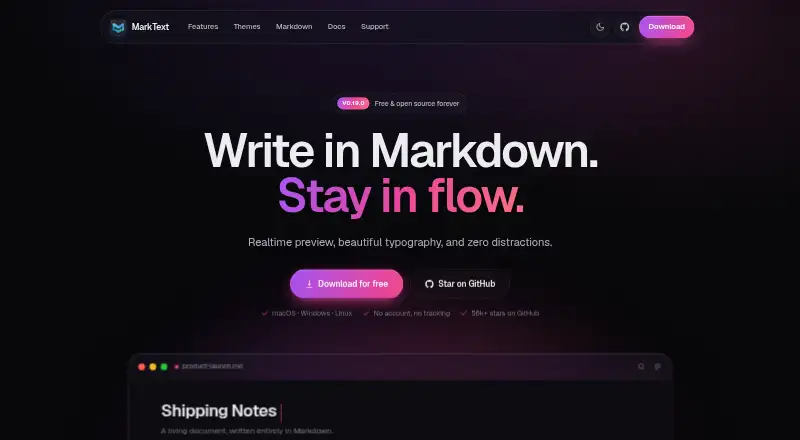
MarkText renders Markdown in real time while you work, displaying the result as you enter text. It targets focused writing and runs on Windows, macOS, and Linux.
What it does
Writing is available through WYSIWYG preview, source mode, focus mode, or typewriter mode. Supported elements include tables, KaTeX equations, footnotes, code highlighting, and YAML, TOML, or JSON front matter.
The project lists Mermaid, Vega, and Vega-Lite for diagrams and charts. Thirty-three built-in light and dark themes are included, and CSS lets you alter them. You can save documents as PDF or self-contained HTML.
How it connects
MarkText opens local files without requiring an account. The software is free, open source, and MIT-licensed. Installation options are listed for Homebrew, Chocolatey, and Winget.
Although publishing tools are mentioned, no publishing workflow is described. There are no mobile apps. For other options, see Markdown editors.
Good fit
MarkText suits writers seeking a desktop tool that displays Markdown live while keeping distractions low. Its feature set covers notes and documents containing tables, math, diagrams, footnotes, or highlighted code.
Writers who prefer local storage, adjustable themes, and PDF or standalone HTML output may also find it suitable.
Watch for
MarkText is limited to desktop platforms and offers no mobile apps. Because it uses its own Markdown flavor, compare its syntax with that of your documents and other tools.
The available macOS installers need macOS 11 or newer. Windows packages target versions 10 and 11 and come in arm64 and x64 builds.
Pricing
MarkText costs nothing. Its Free plan is open source and requires neither an account nor a subscription. Since the software is already free, no trial period is offered.
Verdict
Choose MarkText for a free desktop Markdown editor that keeps files on your computer and shows rendered output as you type. Its document features and support for three desktop operating systems cover many writing tasks.
Consider another tool if you need phone or tablet software, a standardized Markdown dialect, or an established publishing process. You can compare alternatives in Writing Apps.
Our take
MarkText fits desktop writers seeking live Markdown rendering without accounts, subscriptions, or tracking. It handles tables, math, diagrams, footnotes, code highlighting, and front matter, with export to PDF or self-contained HTML. Its limitations include a custom Markdown flavor, no mobile apps, and no listed publishing workflow. Verify operating-system requirements and syntax compatibility before sharing documents with tools that use another Markdown format.
- Free MIT-licensed open-source software
- Available for Windows, macOS, and Linux
- Shows rendered Markdown during typing
- Creates PDF and self-contained HTML files
- No account is required and the homepage says there is no tracking
- Mobile versions are unavailable
- Markdown syntax is custom
- No publishing workflow is described
- macOS installers need version 11 or newer
- Pick it ifDesktop writers seeking live Markdown rendering; People keeping documents locally without an account; Documents that require math, diagrams, or front matter
- Skip it ifA phone or tablet app is essential; Your process depends on a particular standard Markdown dialect; You need an integrated publishing process
Pricing
MarkText has no charge. The Free plan is open source and comes without an account requirement or subscription.
- FreeFree and open source · no account · no subscriptionFree
As marktext.me lists them, checked 2 Oct 2026.
Questions
Is MarkText free?
Yes. MarkText is open source under the MIT License and costs nothing. The Free plan does not require an account or subscription.
Which platforms support MarkText?
MarkText is available on Windows, macOS, and Linux. macOS packages require version 11 or later, while Windows packages support versions 10 and 11.
Can MarkText export documents?
Yes. Documents may be saved as PDF or self-contained HTML.
Does MarkText work with local files?
Yes. Local files are supported, and using MarkText does not require an account.
Does MarkText have mobile apps?
No. The project does not provide mobile apps.
What Markdown features does MarkText support?
MarkText handles tables, KaTeX math, diagrams, footnotes, code highlighting, and YAML, TOML, or JSON front matter. It uses a custom Markdown flavor.