PanWriter: Review of a Free Markdown Editor
panwriter.com · checked 28 Sept 2026
Free, open-source Markdown writing app with live preview and exports through Pandoc.
How it plugs in
Signal on Markdown editors7.8#2 of 31
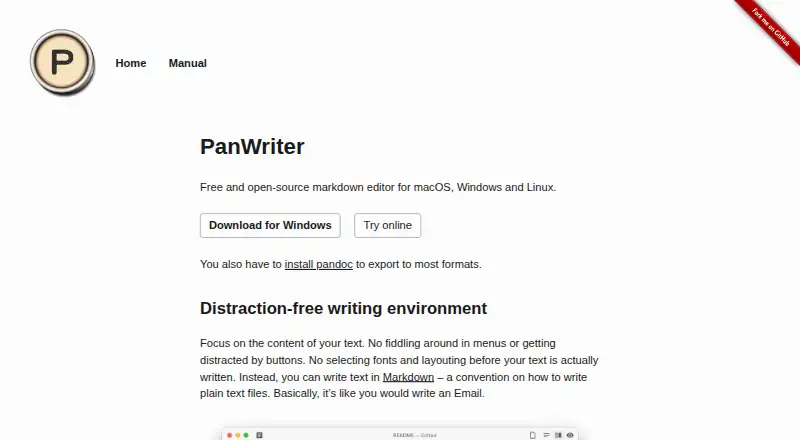
PanWriter provides an open-source, no-cost workspace for composing plain-text Markdown files. It runs on macOS, Windows, and Linux, pairing a distraction-free editor with a preview beside the text. Local files can be opened, DOCX files moved in or out, and Pandoc used to publish as PDF, EPUB, HTML, PowerPoint, and more.
Review
In a line
Available for macOS, Windows, and Linux, PanWriter is an open-source Markdown editor at no cost. The interface emphasizes text and places a live rendering alongside the writing area.
What it does
Documents are written as plain text in CommonMark Markdown, with the source on one side and its rendered result on the other.
Its page-oriented preview shows how content will fall on printed or PDF pages. CSS rules let you tune the layout, with edits reflected immediately in the preview.
Drop a .docx file into the app to turn it into Markdown and open it. Once edited, the document can be saved back as DOCX.
How it connects
Local files are supported, and the app can link with web services or other software. Pandoc scripts and integrations can automate parts of a publishing process.
Most format exports require Pandoc to be installed separately. Using that tool, PanWriter outputs HTML, DOCX, EPUB, LaTeX, PDF, PowerPoint, InDesign ICML, and additional Pandoc formats.
The source code is open source. GitHub issues handle questions and feedback. For other editor options, see Markdown editors.
Good fit
PanWriter is aimed at desktop users who prefer a focused Markdown workspace. It supports text drafting, page-style checking, and transfers between Markdown and DOCX.
It can also serve publishing processes that require Pandoc files such as Word, HTML, EPUB, LaTeX, PDF, PowerPoint, or InDesign.
Watch for
Because most exports rely on a separately installed Pandoc, verify that dependency before selecting PanWriter.
Only the CommonMark Markdown flavor is identified. If your documents use another flavor, test their behavior first.
Support is listed through GitHub issues, and the application targets local files on desktop platforms.
Pricing
PanWriter costs nothing and its code is open source.
Verdict
PanWriter makes sense for anyone seeking a free, open-source Markdown editor with live rendering, local-file handling, DOCX conversion, and broad Pandoc output.
Consider another tool if installing Pandoc is not possible for your export needs, if you require a different Markdown flavor, or if you need a platform outside its supported desktop systems.
Our take
PanWriter is a practical choice for writers who prefer Markdown and want to stay focused while drafting. Its side-by-side and paginated previews help with both screen reading and page output. DOCX import and export make it useful when working with Word files, while Pandoc opens routes to several publishing formats. The main condition is setup: most exports require Pandoc installed separately. Its desktop-only platform list and CommonMark focus also matter when matching an existing workflow.
- Free, open-source software
- Runs on macOS, Windows, and Linux
- Live Markdown and paginated previews
- Imports and exports DOCX files
- Broad output selection through Pandoc
- Most export formats require Pandoc
- Uses the CommonMark Markdown flavor
- GitHub issues provide support
- Desktop platforms only: macOS, Windows, and Linux
- Pick it ifMarkdown writers who want a distraction-free desktop editor; DOCX and Pandoc publishing workflows; People seeking free, open-source software
- Skip it ifYou cannot install Pandoc for most export tasks; You need a Markdown flavor other than CommonMark; You need platforms beyond macOS, Windows, or Linux
Pricing
PanWriter is free and open source.
- PanWriter FreeOn request
As panwriter.com lists them, checked 28 Sept 2026.
Questions
Is PanWriter available at no cost?
Yes. PanWriter is free and open source. The PanWriter Free plan does not list a price.
Which platforms run PanWriter?
PanWriter runs on macOS, Windows, and Linux.
Can PanWriter open Word files?
Yes. Dropping a .docx file into PanWriter turns it into Markdown and opens it.
Can it export back to DOCX?
Yes. You can export the edited text as a .docx file.
Which output formats are available?
With Pandoc installed, PanWriter can create HTML, DOCX, EPUB, LaTeX, PDF, PowerPoint, InDesign ICML, and other Pandoc formats.
Do I need Pandoc?
Pandoc needs to be installed for most format exports.
Does PanWriter show a preview?
Yes. The Markdown source and its rendering appear side by side, and a paginated mode supports print and PDF checking.
How is PanWriter supported?
Questions and feedback are managed through GitHub issues.