Neolocus AI Review
neolocus.ai · checked 21 Oct 2026
Generative AI tools for interior and exterior architectural renders.
How it plugs in
Signal on AI Sketch-to-Image Generators6.4#3 of 29
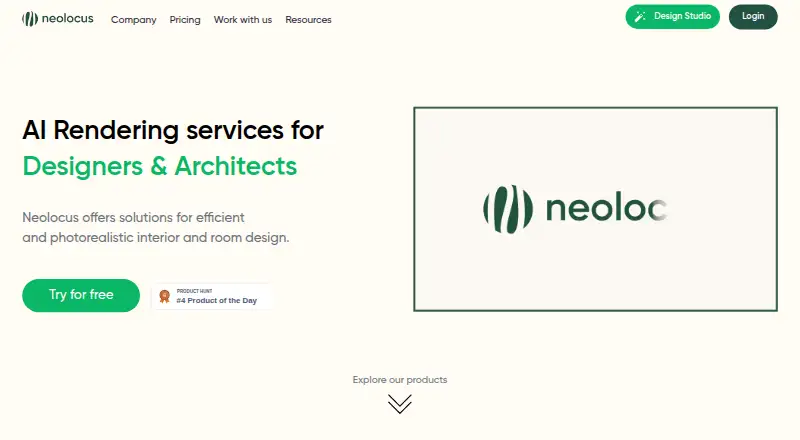
Neolocus AI is a web and Android platform for interior designers and architects. It turns SketchUp or Revit sketches and uploaded exterior designs into rendered images, with tools for style changes, concept generation, editing, facade changes and 4K enlargement. A free plan is available, with paid credits and a Pro subscription.
Review
In a line
Neolocus AI is a generative design service for architects and interior designers. It creates interior and exterior architectural renders from sketches, uploaded designs or text prompts.
What it does
Interior AI converts SketchUp or Revit sketches into realistic 3D room renders. Exterior AI creates images of outdoor architectural spaces from uploaded designs.
Imagine AI makes a new concept from a text prompt. Style Swap AI applies a reference render's look, while Modify AI changes a selected area and Tiling AI adjusts facades or walls. Magic Removal AI fixes small defects, and 4K Upscale AI enlarges renders to 4K.
A generation returns four renders in seconds. You can choose a room type, style and Precise, Balanced or Creative mode, then save images to a gallery or download them.
How it connects
Neolocus runs on the web and Android. It accepts JPG, PNG and WEBP files, and works best with 3D sketches from SketchUp or Revit. Product material also names Enscape and Lumion as supported render sources for 4K upscaling.
The service has onboarding tutorials for first renders, editing, saving, prompting, render modes and area selection. It also invites users to a Discord community and lists [email protected] for contact.
Good fit
It suits interior designers and architects who need several visual options from sketches or existing renders. The tools cover room interiors, exterior spaces, reference-based styling, text concepts and targeted edits.
A generation uses 10 credits and returns four images, which can help when comparing styles or concepts. The Android demo can furnish rooms with real products.
Watch for
The free and Starter plans do not include a commercial license; that license is included with Pro. The Free plan has watermarks, no premium features and no priority speed.
A review described the product as focused on individual rooms rather than whole-home designs. Check whether that scope fits your projects before paying.
The terms say information may be transferred to, stored and processed in Saudi Arabia. Users must be at least 18 or the age of majority where they live. The terms also limit liability for production, business, revenue, profit or data loss.
Pricing
Neolocus has a free plan and a free trial. Free includes 30 credits, needs no credit card and has no premium features, priority speed or commercial license; exported renders carry a watermark.
Starter costs $18 one-time for 200 credits, premium features and watermark-free output. You can upgrade anytime, but Starter has no priority speed or commercial license.
Pro costs $39 a month, billed at $24 a month for the first 3 months, then $39 a month. It includes unlimited generations, premium features, watermark-free output, priority generation speed and a commercial license. Each generation uses 10 credits on credit-based tools.
Verdict
Choose Neolocus if you work with SketchUp, Revit or related render sources and want quick interior or exterior concepts without separate image-editing software. The free plan lets you try the workflow, while Pro is the only listed plan with commercial rights and unlimited generations.
Look elsewhere if you need whole-home planning, a commercial license on a low-cost plan, or data that stays outside Saudi Arabia.
Our take
Neolocus AI fits professionals who turn architectural sketches into multiple visual directions and need tools for styling, area edits, facade changes or 4K output. Its web and Android access, free entry plan and four-image generations make initial trials straightforward. Budget users should note that Free and Starter output is not licensed for commercial work, and Free adds a watermark. Pro removes those limits and adds unlimited generations, but its monthly price rises after three months. Confirm that room-level work and Saudi Arabia data processing meet your requirements before committing.
- Turns SketchUp or Revit sketches into interior renders
- Creates exterior renders from uploaded designs
- Four renders come from one generation
- Includes style, editing, tiling and 4K tools
- Web and Android access with a free plan
- Free and Starter plans lack a commercial license
- Free exports have a watermark and no premium tools
- Whole-home design was reported as limited
- Information may be stored or processed in Saudi Arabia
- Pro price rises after the first three months
- Pick it ifArchitects and interior designers using SketchUp or Revit; Teams needing several render concepts quickly; Users who need commercial rights and unlimited generations
- Skip it ifYou need whole-home planning rather than individual-room designs; You need commercial rights on a free or low-cost plan; Your data cannot be processed or stored in Saudi Arabia
Pricing
Free includes 30 credits. Starter is an $18 one-time purchase for 200 credits. Pro is $39 a month, with $24 a month for the first 3 months, then $39 a month; Pro includes unlimited generations and a commercial license.
- Free Plan30 credits · no credit card required · no premium features · watermark not free · no priority speed · no commercial licenseFree
- Starter Plan200 credits · premium features · watermark-free · upgrade anytime · no priority speed · no commercial license$18 one-time
- PRO Plan$24/month for 3 months, then $39/month; cancel anytime · unlimited generations · premium features · watermark-free · priority generation speed · commercial license$39/mo
As neolocus.ai lists them, checked 21 Oct 2026.
Questions
Does Neolocus AI have a free plan?
Yes. The Free plan includes 30 credits and needs no credit card, but has watermarks, no premium features, no priority speed and no commercial license.
How much does a generation use?
The pricing page states that 10 credits equal one generation. A generation produces four renders.
What files can I upload?
Neolocus accepts JPG, PNG and WEBP files. Its guide says 3D sketches from SketchUp or Revit work best.
Which applications does it support?
Official product material names SketchUp, Revit, Enscape and Lumion as supported source applications or render inputs.
Does Pro include commercial use?
Yes. The Pro plan includes a commercial license. Free and Starter do not.
Where can Neolocus run?
Neolocus is available on the web and Android.
Can it create exterior designs?
Yes. Exterior AI lets you upload designs and create renders of outdoor architectural spaces.
Near it
All alternatives →- V
 Vizcom#2 on this board
- SSparkStation#4 on this board
- FD
 Fashion Diffusion#1 on this board
- FFFLORA Fashion Studio#5 on this board
- GGendo#6 on this board
- RA
 Raspberry AI Prints & Patterns#7 on this board
- RA
 ReRender AI#8 on this board
- TSTool67 Sketch to Image#9 on this board
- RReviz#10 on this board
- FFermat#11 on this board