
Netskope One Private Access
netskope.com · checked 30 Sept 2026
Zero-trust controls for private-app access, including VPN replacement capabilities.
How it plugs in
Signal on Business VPN Software6.4#31 of 94
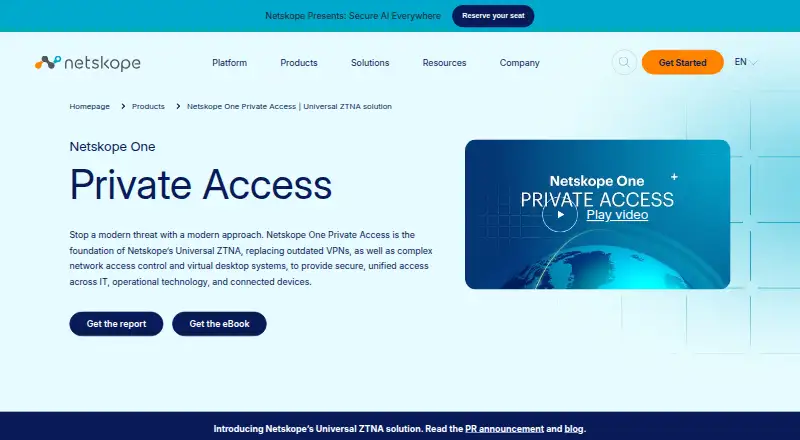
Netskope One Private Access gives users secure, direct connections to private applications under zero-trust controls. A single client can take the place of a VPN while carrying legacy traffic such as SSH, RDP, VoIP and Microsoft SCCM. Users connect through an agent or browser, while cloud or local brokers apply identity, device, threat and data policies.
Review
In a line
Netskope One Private Access is a cloud service for controlling access to private applications. It uses zero trust rules instead of giving broad network access.
What it does
The service combines zero trust network access with two-way connectivity for legacy applications. Its unified client can replace a VPN and serve as an alternative to network access control or virtual desktop infrastructure.
Access can use an installed agent or a browser. Traffic can pass through Netskope's cloud or through local brokers. SSH, RDP, VoIP and Microsoft SCCM are among the supported application protocols.
Its access rules can check identity, device condition, location, activity, behavior, threat information and data risk. Threat detection and data-loss prevention are built into the security controls.
Copilot for Private Access recommends more granular application segments and least-privilege policies, then can refine existing policies from actual user activity. Device Intelligence provides visibility and risk scores for internet-of-things and operational-technology devices. Digital Experience Management reports path-level performance for troubleshooting and compliance visibility.
How it connects
Netskope documents identity-provider connections with Microsoft Entra ID and Okta to synchronize users and groups. It also lists technology partnerships with AWS, CrowdStrike, Microsoft and Okta.
The recommended client is available for Windows, macOS, iOS, Android or Chrome OS devices. Users may instead connect in a browser. The product also lists Linux, web, self-hosted and API platforms, with hybrid deployment and cloud infrastructure.
Controls include endpoint, network, cloud-app, identity, inline, API-based and data-loss prevention rules. Other listed functions include malware scanning, file-transfer controls, removable-media controls, session recording, incident workflows, data discovery, shadow-IT discovery and SIEM log export.
Good fit
This suits organizations that need controlled access to private applications without relying on a traditional VPN. It fits teams supporting both newer and legacy applications, including those using SSH, RDP, VoIP or Microsoft SCCM.
It can help administrators apply least-privilege access, inspect device risk, and troubleshoot connection paths. Browser access may help when installing the client is not practical.
Watch for
Private Access does not provide periodic re-authentication on Android, Chromebook or Linux command-line mode. Check whether that limitation fits your sign-in policies.
The product uses a cloud deployment model with hybrid deployment options, and traffic may use cloud or local brokers. Confirm the broker and deployment setup required for your applications and network.
Pricing is not published. Access controls and monitoring cover many areas, so plan which identity, device, data and logging controls you actually need.
Pricing
Netskope describes Netskope One Private Access as an enterprise offering whose price must be requested. There is no free plan.
A free 14-day Netskope Private Access Test Drive is available.
Verdict
Choose Netskope One Private Access if your organization needs private-application access based on user identity, device condition and risk, with support for legacy protocols and browser access. Its policy suggestions, device scoring and path-level metrics add administration and troubleshooting tools.
Look elsewhere if you require a published price, a permanent free tier, or periodic re-authentication on Android, Chromebook or Linux command-line clients. Teams should also confirm how cloud and local brokers fit their deployment before committing.
Our take
Netskope One Private Access is aimed at organizations replacing VPN-style access with rules that limit each user and device to approved private applications. It covers legacy traffic, browser access, device risk, threat detection, data-loss prevention and performance visibility. Buyers may need to weigh the undisclosed price and the absence of periodic re-authentication in certain client modes. A 14-day test drive gives teams a short evaluation window, but there is no ongoing free plan.
- Supports agent and browser access methods
- Carries SSH, RDP, VoIP and Microsoft SCCM traffic
- Evaluates identity, device, location and behavior risk
- Provides threat detection and data-loss prevention
- Includes a free 14-day test drive
- Pricing is available only on request
- No free plan
- Android, Chromebook and Linux CLI modes lack periodic re-authentication
- Cloud or broker deployment needs planning
- Pick it ifOrganizations replacing VPN access to private applications; Teams managing legacy protocols and device risk; Admins needing policy and path-performance visibility
- Skip it ifYou need a published price or a permanent free tier; Your policy depends on periodic re-authentication for Android, Chromebook or Linux CLI; Your setup cannot use cloud or local brokers
Pricing
The enterprise plan has no listed price, so buyers must request a quote. A free 14-day test drive is offered, but there is no free plan.
- Netskope One Private AccessEnterprise product; pricing not stated on the product pageOn request
As netskope.com lists them, checked 30 Sept 2026.
Questions
Does Netskope One Private Access replace a VPN?
Yes. Its single client pairs zero-trust network access with bidirectional connectivity for legacy applications, providing a VPN replacement and an alternative to network access control and virtual desktop infrastructure.
Which protocols does it support?
SSH and RDP are supported, along with server-initiated traffic such as VoIP and Microsoft SCCM.
What devices can use the client?
The recommended client supports Windows, macOS, iOS, Android and Chrome OS. Browser access is an alternative. Linux is listed as a platform, with a re-authentication limitation in Linux command-line mode.
Can it connect to Microsoft Entra ID and Okta?
Yes. Netskope documents integrations with Microsoft Entra ID and Okta for synchronizing users and groups used in access controls.
Is there a free version?
There is no free plan. Netskope offers a free 14-day Private Access Test Drive.
What is the pricing?
Pricing for the enterprise Netskope One Private Access plan is available on request.
Does it include data-loss prevention?
Yes. Data-loss prevention, malware scanning, file-transfer controls and threat detection are listed controls.
Near it
All alternatives →- CSCato SASE Platform#30 on this board
- AE
 Akamai Enterprise Application Access#32 on this board
- NNebula#29 on this board
- PA
 Prisma Access#33 on this board
- CPCloudbrink Personal SASE#28 on this board
- WWireGuard#34 on this board
- OCOpenVPN Community Edition#27 on this board
- KKaradul#35 on this board
- ACAlibaba Cloud VPN Gateway#26 on this board
- SCSonicWall Cloud Secure Edge#36 on this board