
NewsBlur: RSS Reader With Training and Archives
newsblur.com · checked 15 Oct 2026
A reader for RSS and web feeds that syncs across devices, adds story controls and archives, and can be self-hosted.
How it plugs in
Signal on Reading Apps7.7#2 of 47
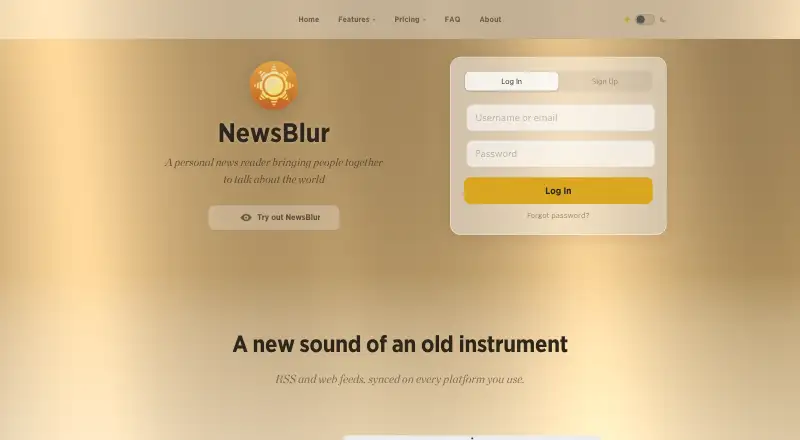
NewsBlur brings websites, blogs, and RSS subscriptions together, with reading state synchronized across web, iOS, Android, macOS, and other supported platforms. Feed controls can surface or suppress stories, while Web Feeds turn non-RSS sites into custom feeds; premium plans add search, archives, notifications, and AI tools. Its open-source project supports running your own instance, and the free tier accommodates 64 sites.
Review
In a line
NewsBlur combines RSS subscriptions and web content in a personal reading service. Reading state stays synchronized across supported platforms.
What it does
Bring websites, blogs, and RSS subscriptions into a single reading space. Text view pulls article copy into NewsBlur, and iOS supports offline reading.
Feed training can highlight or suppress stories using author, tag, and title signals. Archive users can also apply full-text training, search stories, cluster duplicates, and retain a permanent searchable history.
Web Feeds watch sites without RSS and publish new pages as custom feeds. Users can share and discuss stories through blurblogs, while premium notifications can be filtered by training.
How it connects
NewsBlur is available through the web, iOS, Android, macOS, an API, or a self-hosted installation. Its native iOS and Android apps include offline reading on iOS.
NewsBlur outlines IFTTT and Zapier workflows and offers a public REST API covering feeds, counts, icons, statistics, and stories. API access requires authentication, no API key, credit to NewsBlur, and compliance with limits on advertising against retrieved data.
Third-party clients including Reeder, ReadKit, Unread, lire, Fiery Feeds, and NetNewsWire can sync read state, saved stories, and training. The MIT-licensed codebase can be run on your own instance with Docker and Docker Compose.
Good fit
NewsBlur suits people who want one place for many sites and more control over which stories appear. It can help readers who need feed training, custom feeds for sites without RSS, or article text in the reader.
It also fits people who want an open-source option, a public API, or self-hosted data. Archive provides extended search and history, groups duplicate stories, and adds an AI daily briefing plus Ask AI for story questions.
Watch for
The free plan is capped at 64 sites. Larger collections require a paid plan, and the plan limits differ substantially.
Self-hosting involves more than opening a hosted account: install Docker and Docker Compose, clone the repository, and run make. Zapier's directory says NewsBlur has not built an official Zapier integration, even though NewsBlur outlines Zapier workflows.
Premium-only features include full-text search, permanent archives, Web Feeds, AI tools, and several notification and training options. Check which plan contains the features you need before moving feeds.
Pricing
NewsBlur's free option covers 64 sites and includes real-time RSS, basic author/tag/title training, a public blurblog, saved stories, and iOS and Android apps. New accounts start with a 30-day premium trial without a credit card, then return to the free tier.
Premium costs $36 a year and supports 1,024 sites. Premium Pro costs $29 a month and supports 10,000 sites, with feeds fetched every 5–15 minutes, regular-expression training, and priority support.
Premium Archive costs $99 a year and supports 4,096 sites with Web Feeds, permanent search, back-filled history, full-text training, AI features, an MCP server, and a command-line tool. DIY self-hosting has pricing available on request.
Verdict
Choose NewsBlur if you want a feed reader that combines filtering, cross-device syncing, and optional self-hosting. The free tier is suitable for smaller reading lists, while Premium and Archive add deeper search, history, custom feeds, and AI functions.
Look elsewhere if your list is larger than the free allowance and you do not want a subscription, or if you need a confirmed official Zapier connection. Compare it with other RSS reader software and Reading Apps before deciding.
Our take
NewsBlur is a sensible pick for readers who want fine-grained feed control and several ways to access their subscriptions. Its no-cost tier gives smaller collections a practical starting point, while paid options cover larger lists and add archives, custom feeds, alerts, and AI features. Open-source code and a self-hosted option appeal to people who want ownership and customization, but running your own instance requires Docker tools. Check the site limit, plan-specific features, and integration needs first.
- A no-cost tier accommodates 64 sites
- Feed controls can use author, tag, and title signals
- MIT-licensed open-source project can be self-hosted
- Public REST API and synchronization with third-party readers
- Premium Archive adds search, history, and AI tools
- The free allowance is limited to 64 sites
- Running your own instance requires Docker, Docker Compose, and setup work
- There is no official Zapier integration
- Many advanced features require paid plans
- Pick it ifPeople who want trained RSS feeds across devices; Readers needing archives or Web Feeds; Users interested in open-source self-hosting
- Skip it ifYou need a list larger than 64 sites without paying; You require an official Zapier integration; You do not want to manage Docker-based self-hosting
Pricing
The no-cost tier accommodates 64 sites. Each new account starts with a 30-day premium trial without a credit card. DIY self-hosting has pricing available on request.
- Free64 sites · real-time RSS · author/tag/title training · public blurblog · save stories · iOS and Android appsFree
- Premium Pro$29 /month · 10,000 sites · every feed fetched every 5–15 minutes · regular-expression training · priority support$29/mo
- Premium$36 /year · 1,024 sites · feeds updated up to 5x more often · River of News · search · tagged saved stories · private blurblog · custom RSS · Text view · related-site discovery · text/image classifiers$36/yr
- Premium Archive$99 /year · 4,096 sites · Web Feeds without RSS · duplicate-story clustering · daily briefing · configurable read behavior · permanent searchable archive · back-filled feeds · full-text training · classifier notifications · cross-archive discovery · trained-story export · persistent unread stories · Ask AI · date filtering · folder/global training · MCP server and CLI$99/yr
- DIYSelf-Hosted · run your own instance · complete data ownership · Docker single-command installation · customization with Claude CodeOn request
As newsblur.com lists them, checked 15 Oct 2026.
Questions
Is NewsBlur free?
Yes. Its free tier accommodates 64 sites and includes real-time RSS, basic feed training, saved stories, a public blurblog, and mobile apps.
Does NewsBlur offer a trial?
A new account gets 30 days of premium access without a credit card; afterward, it goes back to the free tier.
Can NewsBlur read websites without RSS?
Yes. Premium Archive's Web Feeds watch sites lacking RSS and turn new content into custom feeds.
Does NewsBlur have an API?
Yes. The public REST API covers feeds, counts, icons, statistics, and stories. Authentication is required, but an API key is not.
Is self-hosting available for NewsBlur?
Yes. The MIT-licensed software can run on your own instance, with Docker and Docker Compose followed by repository setup and make.
What does Premium Archive add?
Premium Archive keeps a permanent searchable archive, back-fills feeds, supports full-text training and duplicate grouping, and adds a daily briefing, Ask AI, notifications, and related archive tools.