OCRFeeder Review
wiki.gnome.org · checked 9 Oct 2026
A free Linux desktop app that analyzes document layouts and turns image text into editable files.
How it plugs in
Signal on Document Scanning Software6.3#5 of 26
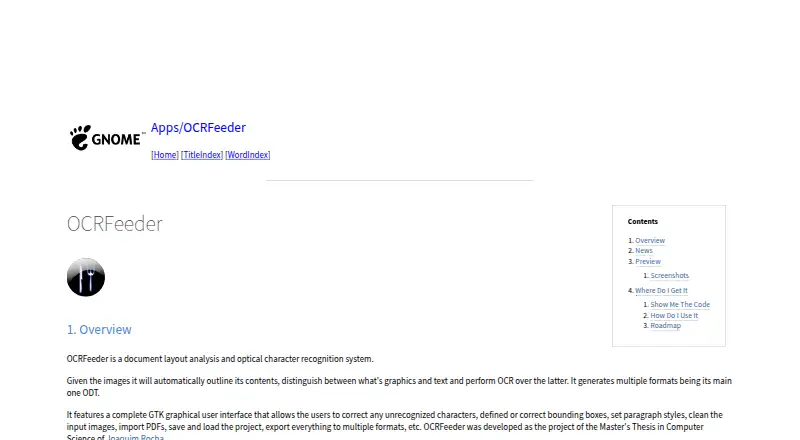
On Linux desktops, OCRFeeder examines document layout and recognizes wording found in images. It separates graphics from text during OCR and can create several output types, chiefly ODT. Its GTK workspace handles corrections and image cleanup, while PDF loading, project storage, and terminal access support varied workflows.
Review
In a line
On Linux desktops, OCRFeeder examines page structure and reads text contained in images. It produces editable document files from scanned material.
What it does
Image regions are outlined automatically; graphics are separated from text before optical character recognition is applied. PDF files may be brought in, and projects may be saved for reopening later.
Within the GTK window, users can fix recognition errors, draw or revise bounding boxes, choose paragraph styles, and clean source images. Export supports several document types, led by ODT.
How it connects
OCRFeeder can be operated through a desktop window or from the command line. It relies on OCR engines installed across the system, including engines callable from a terminal.
The README places the program under the GNU General Public License, version 3 or any later version at the user's choice. The GNOME page provides links to the code repository and release packages, plus a GitLab tracker for issues. Help for the graphical interface is reachable from its Help menu or by pressing F1.
For related choices, see Document Scanning Software and OCR software.
Good fit
Linux users who want scanned pages or PDFs converted into structured, editable documents may find OCRFeeder suitable. Separate identification of text and graphics helps when page arrangement matters.
It also fits people who want to correct recognition results by hand, save projects for later, or use a command line alongside the desktop interface.
Watch for
OCRFeeder's supported platform is Linux, not a cross-platform lineup. Recognition requires OCR engines to be installed system-wide.
The roadmap proposes additions including plain-text output and undo/redo. The README says distribution carries no warranty, including implied warranties of merchantability or fitness for a particular purpose.
Pricing
OCRFeeder is free software.
Verdict
Users seeking freely licensed desktop software may also value its open license and published source code.
Choose another option if Windows or macOS support, currently available plain-text output, or bundled OCR engines are essential. The stated lack of warranty is also worth considering for important document work.
Our take
For Linux users turning scans into editable documents while retaining page structure, OCRFeeder is a practical option. There is no purchase price under its GPL license, but the application is Linux-only and depends on OCR engines installed on the system. Plain-text export and undo/redo remain proposed roadmap work, so confirm that its present outputs and editing tools match your needs.
- Free GPL software with published source and release packages
- Automatically separates graphics from text during layout analysis
- GTK controls handle text, bounding boxes, styles, and source-image cleanup
- Imports PDFs, saves projects, and exports multiple formats
- Provides desktop and command-line access
- Available only on Linux
- Requires OCR engines installed system-wide
- Plain-text output remains a proposed addition
- Undo and redo remain proposed additions
- Distributed without a warranty
- Pick it ifLinux users converting scans or PDFs into editable documents; Workflows that need layout analysis and manual OCR correction; People wanting free, open-source desktop software
- Skip it ifYou need Windows or macOS support; You require plain-text export or undo/redo now; You want OCR engines included inside the app
Pricing
The program is free software licensed under GPL version 3 or, at the user's option, a later version.
- OCRFeederFree software under GPL version 3 or laterFree
As github.com lists them, checked 9 Oct 2026.
Questions
What is OCRFeeder?
It is a Linux desktop tool that analyzes page layout, recognizes image text, and creates editable documents.
Can OCRFeeder work with PDFs?
Yes. PDF files can be imported, and project files can be saved or reopened.
What files can it export?
Documents can be written in several formats, with ODT serving as the primary format.
Does OCRFeeder include an OCR engine?
It connects to OCR engines installed system-wide, including ones that run from the command line.
Is OCRFeeder free?
Yes. The software is licensed under GPL version 3 or any later version selected by the user.
Does OCRFeeder run on Windows or macOS?
Linux is the listed supported platform, with desktop use as its primary setting.
Does it have a command-line interface?
Yes. Alongside its graphical interface, the project provides command-line access.