
Legal Workflow Automation Software
OnitX CLM Review
onit.com · checked 4 Oct 2026
Cloud contract lifecycle management with approvals, tracking, reporting, and API connections.
How it plugs in
Signal on Legal Workflow Automation Software6.4#3 of 22
OnitX CLM manages contracts from intake and drafting through approval, negotiation, renewal, and records. It offers configurable workflows, templates, alerts, a central repository, reporting, and a Microsoft Word add-in. The cloud service works through web and API access and connects with business, signing, analytics, and document systems. Pricing is provided on request.
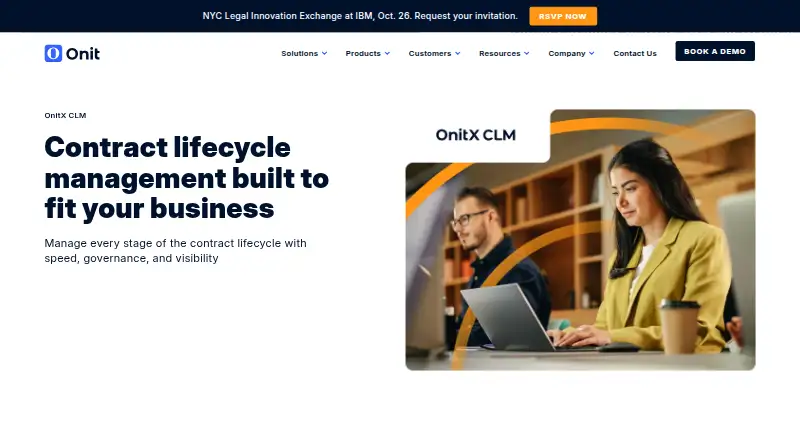
Review
In a line
OnitX CLM is cloud software for managing contract lifecycle stages. It gives legal and business teams one place for contract creation, approvals, obligations, and records.
What it does
Teams can use intake forms, clause libraries, and templates to create contracts. Configurable approval paths and automated data population support review and sign-off.
A Microsoft Word add-in supports redlining, version history, and clause insertion. Document comparison helps during negotiation, while ReviewAI can review and redline contracts started in CLM and return Word findings as structured data.
The system tracks renewals, payments, and other dates with alerts. A central repository, dashboards, reports, and analytics show cycle times, clause use, and obligations. It also includes legal time tracking, matter tracking, hold templates, custodian acknowledgment, automated reminders, and an audit trail.
How it connects
OnitX CLM runs in the cloud through a web interface and API access. Its APIs support two-way data flows.
Listed connections include Salesforce, DocuSign, Adobe Sign, Tableau, CRM, ERP, electronic-signature, and document-management systems. Built-in electronic signature is not included, so signing uses connected services.
Good fit
The product is aimed at legal and business teams, including legal operations, general counsel, and contract managers.
It fits organizations that need controlled approvals, renewal and obligation monitoring, contract records, negotiation support, and reporting on contract activity.
Watch for
OnitX CLM does not include built-in electronic signature. Check whether your signing provider is among the listed integrations.
The service is cloud deployed and paid, with pricing supplied on request. The product page directs buyers to book a demo and does not state a free trial.
Security features listed for the product include role-based permissions, single sign-on, multi-factor authentication, 256-bit SSL encryption, daily backups, and coverage under SOC 1 Type 2, SOC 2 Type 2, ISO 27001, and HIPAA. Confirm which controls match your requirements.
Pricing
The OnitX CLM plan is paid and costs pricing on request. Onit directs prospective buyers to book a demo; no product price or free trial is stated.
Verdict
Choose OnitX CLM if your legal or business team needs structured contract intake, approvals, negotiation tools, renewal alerts, audit records, and connections to business systems. Its API and reporting options suit organizations that want contract data to move between platforms.
Look elsewhere if you require signing inside the contract tool itself, a published price, or a stated free trial. For adjacent needs, compare Legal Workflow Automation Software and Legal Hold Software.
Our take
OnitX CLM is a reasonable choice for organizations that want contract work governed by defined approvals, tracked obligations, and audit-ready records. Its Word tools, dashboards, API connections, and ReviewAI link cover much of the work around drafting and negotiation. The buying process is less transparent: the vendor gives no list price or free-trial terms, and electronic signatures require another service. Teams should map their signing, security, and integration needs before requesting a demo. Smaller groups seeking a simple, self-serve purchase may prefer a product with clearer entry terms.
- Approval workflows, templates, and intake forms support contract creation.
- Tracks renewals, payments, obligations, matters, and legal time.
- Word add-in supports redlining, versioning, and clause insertion.
- APIs and listed integrations support two-way business data flows.
- Dashboards, reports, and audit trails improve contract visibility.
- No built-in electronic signature.
- Pricing is available only on request.
- No free trial is stated.
- Cloud deployment may not suit teams requiring another setup.
- Pick it ifLegal operations and contract management teams; Organizations needing approvals, obligation tracking, and audit records; Businesses connecting contract data with CRM, ERP, or signing tools
- Skip it ifYou need electronic signatures built directly into the contract platform.; You require published pricing or a stated free trial before evaluating.
Pricing
OnitX CLM is a paid plan with pricing on request. Buyers must book a demo to get commercial details; no free trial is stated.
- OnitX CLMPricing not stated; book a demoOn request
As onit.com lists them, checked 4 Oct 2026.
Questions
What is OnitX CLM?
It is cloud software for managing contract creation, approvals, negotiation, obligations, renewals, and records.
Does OnitX CLM include electronic signatures?
No. Built-in electronic signature is not included, but listed integrations include DocuSign and Adobe Sign.
Can OnitX CLM connect to other systems?
Yes. It offers API access for two-way data flows and lists Salesforce, Tableau, CRM, ERP, signing, and document-management connections.
Who is OnitX CLM for?
Onit describes it for legal and business teams, including legal operations, general counsel, and contract managers.
Is there a free trial?
The product page does not state a free trial. It directs prospective buyers to book a demo.
What does OnitX CLM cost?
The plan is paid, but pricing is on request. No public product price is stated.
Does it support contract negotiation?
Yes. A Microsoft Word add-in supports redlining, versioning, and clause insertion, and document comparison supports negotiation.
What security controls are listed?
The product lists role permissions, single sign-on, multi-factor authentication, 256-bit SSL encryption, daily backups, and SOC 1 Type 2, SOC 2 Type 2, ISO 27001, and HIPAA coverage.
Near it
All alternatives →- OL
 Openfront Law Firm#2 on this board
- C
 Checkbox#4 on this board
- D
 Docassemble#1 on this board
- B
 BriefBox#5 on this board
- LRLaw Ruler#6 on this board
- PDPerfectLaw DMS#7 on this board
- OLOBE Legal Intake Software#8 on this board
- L
 Lawmatics#9 on this board
- MMMatterSuite Matter Intake#10 on this board
- MMatterFit#11 on this board