
OnStage Review: Church Service Planning Software
getonstage.app · checked 15 Oct 2026
Church service planning with setlists, scheduling, songs, chats, and Google Calendar sync.
How it plugs in
Signal on Church Scheduling Software6.7#2 of 43
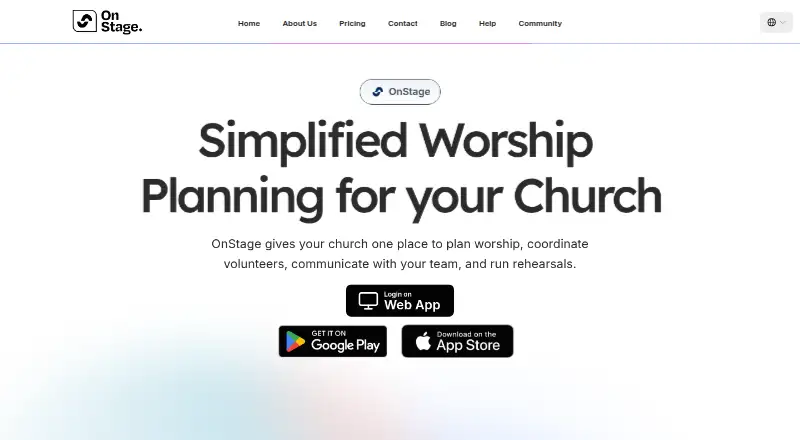
OnStage is a church service-planning app for organizing events, rehearsals, people, songs, and team conversations. It runs on Android, iPhone and iPad, Mac, and the web. Teams can build setlists, assign volunteer roles, import PDF charts, chat inside events, and sync calendars. A free Starter plan is available, with paid plans from $10 a month.
Review
In a line
OnStage is a service-planning platform for churches. It keeps events, rehearsals, people, songs, and team conversations in one place.
What it does
Teams can create events and rehearsals, use templates, build setlists, reorder songs, transpose keys, change tempos, and adjust song structures. Leaders can assign vocal and instrumental positions, track availability and blockouts, and send push reminders.
The song library stores chords and lyrics, supports annotations and capo settings, and accepts PDF imports. Its mobile app says AI turns imported PDF charts into editable songs for transposition and notes.
Each event has its own chat with messages, attachments, polls, replies, and read receipts. Live Sync lets one leader control the song position shown on other members’ screens.
How it connects
OnStage runs on Android, iOS, macOS, and the web. Google Calendar can receive events, rehearsals, and blockouts, usually within one to two minutes; this sync is available on iPhone, iPad, and Android.
Planning Center imports are handled by emailing the OnStage team. The official help center lists user guides but no public API or SDK section, and the official pages opened do not provide an open-source license or source repository.
Offline access works for rehearsals and services. In offline mode, editing controls are hidden and cached content may be out of date.
Good fit
OnStage suits church teams that need scheduling, service calendars, setlists, song charts, and conversations together. It is useful for assigning volunteer roles, managing rehearsals, and keeping musicians aligned during a service.
It may also fit teams moving away from paper worship programs. The help center has more than 100 task-based articles covering setup, songs, scheduling, chat, billing, and troubleshooting.
Watch for
Check device support before committing: Apple devices need iOS or iPadOS 15 or later, while Mac use requires macOS 12 or later on an Apple M1-or-newer Mac.
Offline mode is limited to cached content and removes editing controls. Users have also cited the lack of a web platform, a metronome that needs improvement, and missing setlist details such as leader, key, BPM, and duration.
Pricing
OnStage has a free Starter plan and a free trial. Starter does not expire or require card details; it supports 5 members and 5 events per month, with reminders, chat, annotations, and PDF song import. The plan listing shows 100MB of storage, while a pricing FAQ states 200MB.
Paid plans are billed monthly or yearly, with the same features across sizes and different member, storage, and event limits. Monthly prices are: 20 Members, $10 a month; 50 Members, $26 a month; 85 Members, $50 a month; 150 Members, $60 a month; 400 Members, $100 a month; and 1000 Members, $135 a month. The 1000-member plan includes unlimited events.
Verdict
Choose OnStage if your church wants one workspace for planning services, assigning volunteers, managing songs, and talking with the team. The free plan gives small groups a way to start without a card, while larger plans scale from 20 to 1000 members.
Look elsewhere if you need a documented public API, open-source code, advanced offline editing, or a web experience that users specifically praise. Also verify the Apple device requirements and the storage limit shown for Starter before signing up.
Our take
OnStage is a practical option for churches that want scheduling, setlists, song charts, reminders, and event chat in one app. Its free Starter tier works for a small team, and paid plans cover groups up to 1000 members. Calendar syncing and offline rehearsal access add flexibility. However, offline work cannot be edited, API and open-source details are not provided, and some users want better metronome and setlist views. Confirm device support, storage limits, and any Planning Center import needs before choosing it.
- Free Starter plan with no expiry or card required
- Setlists, song charts, scheduling, reminders, and chat in one app
- Google Calendar sync for events, rehearsals, and blockouts
- Live Sync keeps team members on the same song position
- Runs on Android, iOS, macOS, and the web
- Offline mode hides editing controls and may show stale content
- No public API or open-source repository is listed
- Some users report web access and metronome limitations
- Starter storage is listed as 100MB in one place and 200MB in another
- Pick it ifChurch worship teams planning services and rehearsals; Groups assigning volunteer roles and sharing song charts; Teams replacing paper-based worship programs
- Skip it ifYou need open-source code or a documented public API; You require full editing while offline; Your team needs advanced metronome or setlist-grid features
Pricing
Free Starter covers 5 members and 5 events per month.
- Starter5 members · 100MB storage · 5 events/month · reminders · chat · annotations · PDF song importFree
- 20 Membersmonthly · 20 members · 2GB storage · 25 events/month · reminders · chat · annotations · PDF song import$10/mo
- 50 Membersmonthly · 50 members · 4GB storage · 100 events/month · reminders · chat · annotations · PDF song import$26/mo
- 85 Membersmonthly · 85 members · 8GB storage · 150 events/month · reminders · chat · annotations · PDF song import$50/mo
- 150 Membersmonthly · 150 members · 11GB storage · 200 events/month · reminders · chat · annotations · PDF song import$60/mo
- 400 Membersmonthly · 400 members · 32GB storage · 400 events/month · reminders · chat · annotations · PDF song import$100/mo
- 1000 Membersmonthly · 1000 members · 64GB storage · unlimited events · reminders · chat · annotations · PDF song import$135/mo
As getonstage.app lists them, checked 15 Oct 2026.
Questions
Does OnStage have a free plan?
Yes. Starter is free, does not expire, and does not require card details. It supports 5 members and 5 events per month.
What devices support OnStage?
OnStage runs on Android, iPhone and iPad, Mac, and the web. Apple devices need iOS or iPadOS 15 or later; Mac requires macOS 12 or later on an Apple M1-or-newer Mac.
Can OnStage sync with Google Calendar?
Yes. Events, rehearsals, and blockouts can sync to Google Calendar, usually within one to two minutes. Sync is available on iPhone, iPad, and Android.
Can OnStage work offline?
Yes, for rehearsals and services. Offline mode hides editing controls, and cached content may be stale.
Does OnStage offer a public API?
The official help center lists end-user guides but no public API or SDK section.
How much do paid OnStage plans cost?
Monthly plans start at $10 for 20 members and rise to $135 for 1000 members. Yearly billing is also offered.
Can I import Planning Center data?
The pricing FAQ says Planning Center imports are handled by emailing the OnStage team.
Near it
All alternatives →- C
 ChMeetings#1 on this board
- EExcellerate#3 on this board
- PC
 Planning Center#4 on this board
- CC
 ChurchSoftware.com Groups#5 on this board
- C
 ChurchTrac#6 on this board
- CChurchBuddy#7 on this board
- T
 TheFaithApp#8 on this board
- CChurchSuite#9 on this board
- CC
 Connection Card Pro Check-Ins#10 on this board
- RR
 Rock RMS#11 on this board