oxGBC Game Boy Emulator Review
github.com · checked 3 Oct 2026
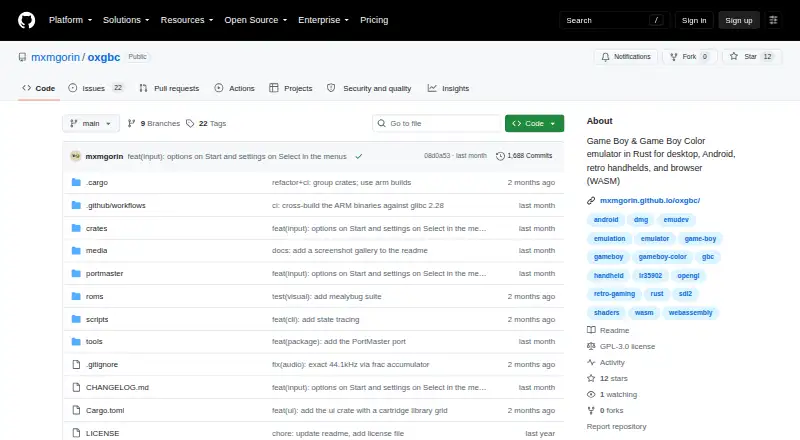
A no-cost Game Boy and Game Boy Color emulator for computers, Android, retro handhelds, and WebAssembly browsers.
How it plugs in
Signal on Game Boy Emulators6.4#3 of 23
Written in Rust, oxGBC plays Game Boy and Game Boy Color software. Builds are available for Windows, macOS, Linux, Android, WebAssembly browsers, and supported Linux handhelds. Features include save-state management, rewind, speed adjustment, remappable keyboard and gamepad input, video settings, and desktop ROM browsing. The software is free and released under GNU GPL version 3.0.
Review
In a line
This Rust project reproduces Game Boy and Game Boy Color hardware. It offers versions for desktop operating systems, Android, retro handhelds, and WebAssembly-capable browsers.
What it does
Compatible games can be opened in the emulator, while the desktop interface provides a file browser and automatically scans a ROM directory for menu-based launching.
Save states can occupy several slots, with optional automatic save and restore. Rewind is configurable, as are emulation speeds including Slow and Turbo. Keyboard and gamepad mappings can be changed, including combinations of buttons.
For display customization, oxGBC provides filters, LCD frame blending, built-in or user-created palettes, and optional GLSL shaders via its OpenGL backend.
How it connects
A shared emulation core is used by the Windows, macOS, Linux, Android, and browser WebAssembly versions. PortMaster also packages the emulator for aarch64 and armhf Linux handhelds running glibc 2.28 or newer.
Cartridge emulation covers MBC0, MBC1, MBC1M, MBC2, MBC3, and MBC5, along with battery-backed MBC3 real-time-clock and SRAM support. GNU GPL version 3.0 governs the project.
Good fit
This is suited to players who want a single free emulator on computers, Android devices, browsers, or compatible retro handhelds. Save handling, rewind, speed choices, and remappable controls accommodate varied play styles.
According to the project, accuracy is pursued through sub-instruction CPU timing and dot-level PPU emulation. Continuous CI validation uses community suites such as Blargg, Mooneye, SameSuite, DMG-acid2, CGB-acid2, CGB-acid-hell, and Magen.
Watch for
The macOS build uses ad-hoc signing instead of a paid Apple Developer ID. Consequently, Gatekeeper stops the initial launch until you approve it in macOS security settings or remove the quarantine flag.
Bug reports and feature requests go through GitHub issues. Accuracy reports should name the game and explain what behaved incorrectly.
Pricing
oxGBC is free. The listing shows a free plan and no free trial, with no paid plan described.
Verdict
Select oxGBC when you need Game Boy or Game Boy Color emulation across multiple operating systems and want integrated save states, rewind, speed controls, and flexible input mapping. Browser and handheld builds broaden its deployment options.
Review the macOS first-launch requirement before installing on that platform.
Our take
oxGBC offers a no-cost way to run Game Boy software on computers, Android, browsers, and certain Linux handhelds. Its cartridge coverage and accuracy-oriented development may suit players seeking faithful behavior. The notable practical obstacle is Gatekeeper during the first macOS launch. Since no paid plans or trial are listed, platform availability and the included control, graphics, and save features are the main considerations.
- No-cost software for every listed platform
- Available on Windows, macOS, Linux, Android, and WebAssembly browsers
- Several save-state slots, rewind, and configurable Slow or Turbo speeds
- Keyboard and gamepad mappings can be customized
- MBC cartridge support includes a real-time clock
- The first macOS launch requires a manual security action
- The macOS app lacks paid Apple Developer ID signing
- Handheld use depends on the specified Linux architectures and glibc version
- Pick it ifPlayers seeking one free emulator for desktop, Android, and browsers; Owners of retro handhelds with compatible Linux hardware; Users who want save states, rewind, and remappable controls
- Skip it ifYou require a macOS app that launches without Gatekeeper approval; Your handheld falls outside the stated architectures or glibc requirement; You need emulation for systems other than Game Boy and Game Boy Color
Pricing
oxGBC is listed with a free plan and no paid tier or trial. There is no subscription charge described.
Questions
What systems does oxGBC emulate?
It targets Game Boy and Game Boy Color, with cartridge support for MBC0, MBC1, MBC1M, MBC2, MBC3, and MBC5, plus battery-backed MBC3 clock and SRAM.
Where can oxGBC run?
Supported builds cover Windows, macOS, Linux, Android, and WebAssembly browsers. PortMaster supports aarch64 and armhf Linux handhelds using glibc 2.28 or later.
Is oxGBC free?
Yes. The project lists a free plan and no paid plan or free trial.
Does it support save states and rewind?
Yes. Multiple save-state slots, optional automatic saving and restoring, configurable rewind, and adjustable Slow and Turbo speeds are available.
Can I use a controller?
Yes. Keyboard and gamepad bindings can be reassigned, including button combinations.
Why might macOS block oxGBC?
Because the app is ad-hoc signed without a paid Apple Developer ID, Gatekeeper requires manual approval on first launch or removal of quarantine.
What graphics options are included?
The emulator offers visual filters, LCD frame blending, built-in or custom palettes, and optional GLSL shaders through OpenGL.