phomo Photo Mosaic Tool Review
github.com · checked 15 Oct 2026
An open-source Python project for turning personal tile collections into photographic mosaics.
How it plugs in
Signal on Photo Mosaic Software7.7#1 of 24
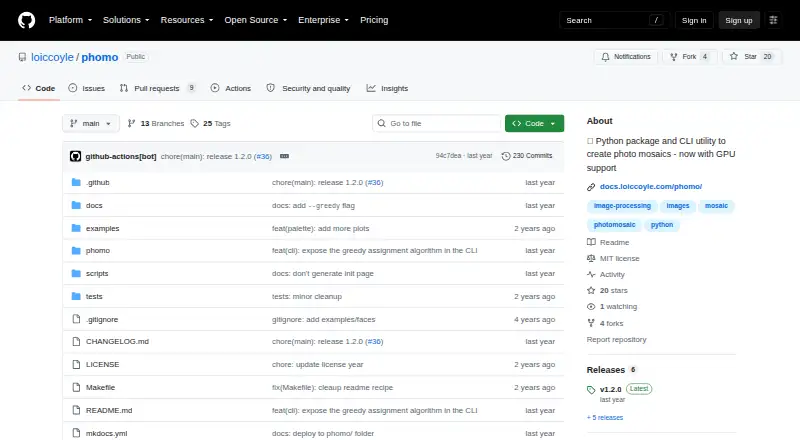
phomo recreates a master image by arranging numerous tile photos. You can use it as a Python package or through its command-line interface on Linux, macOS, and Windows; API and web listings are also provided. The project is free and MIT-licensed. An optional CUDA path can accelerate calculations when compatible graphics hardware is available.
Review
In a line
phomo recreates a main picture from smaller photographic tiles. Give it the master image and a directory of tiles, and it produces a PNG mosaic.
What it does
For each master-image region, the program evaluates differences between color distributions and those in candidate tiles, then its default placement method solves the assignment problem to choose tile locations.
The command-line interface can crop or resize images, convert them to black and white, show a grid, and control how often a tile may appear. Available distance metrics are greyscale, norm, and luv_approx. You can also equalize colors or transfer palette colors between the master and tiles.
A greedy mode is available when speed matters more than matching accuracy. Grid tools can show the master divided into tiles and subdivide high-contrast areas.
How it connects
The project uses the MIT License. Install it from pip for package use, or invoke the phomo command with a master-image path and tile directory. For command-line-only setups, the documentation points to pipx.
Its Python interface centers on Master, Pool, and Mosaic classes. The distance-matrix method accepts a worker count, a named metric, or a custom function and returns a NumPy array. Optional CUDA support uses Numba to calculate distance data on a compatible GPU.
The package is listed for API, web, Linux, macOS, and Windows use. A Mosaic expects all Pool tiles to share dimensions, and the command-line output is PNG.
Good fit
phomo suits people who want a local, scriptable way to turn a personal tile library into photographic mosaics. It fits Python users who want both a command-line utility and classes they can call from code.
It is also useful when you need controls for tile reuse, image preparation, color matching, or parallel distance calculations.
Watch for
The supported interpreter range starts at Python 3.9 and ends before 3.13. Every tile in a Mosaic Pool needs matching dimensions.
CUDA acceleration is optional; using it calls for a CUDA-capable GPU, the CUDA toolkit, and Numba installed with CUDA. Its distance path handles only norm and greyscale metrics.
Greedy assignment can improve speed but reduces matching accuracy.
Pricing
phomo is free, with no paid plan or trial. The open-source package supports local Python and command-line use on the stated Python range, while the CUDA extra costs nothing; compatible hardware and toolkit requirements remain separate.
Verdict
Choose phomo if you want an open-source mosaic maker that runs locally and gives you both a command line and Python classes. It is a good match for users comfortable preparing image folders and managing Python versions.
Look elsewhere if you need a ready-made hosted editor, formats beyond PNG, or GPU acceleration without installing CUDA tools. Check tile dimensions, Python compatibility, and whether the faster greedy mode gives enough visual accuracy for your project.
Our take
phomo is a practical free choice for making mosaics from a controlled library of images. Its local command-line and Python options give you repeatable workflows, while color-distribution matching offers more control than simple color averages. Setup and maintenance are the main trade-offs: use a supported Python release, provide equally sized tiles, and maintain your own image collection. CUDA can help with calculations, but only after installing the extra software and using supported metrics. It is less suitable for people seeking a hosted, point-and-click service or output formats other than PNG.
- Free and MIT-licensed open-source project
- Python package and command-line utility
- Color-distribution matching with several metrics
- Controls for cropping, resizing, palettes, and tile reuse
- Optional CUDA acceleration and parallel processing
- Requires Python 3.9 through the release before 3.13
- Tiles must have matching dimensions
- CUDA needs compatible hardware and toolkit
- Greedy mode trades accuracy for speed
- Command-line output is PNG
- Pick it ifPython users creating mosaics from a custom tile library; Local, repeatable mosaic workflows; Users who need color and tile-reuse controls
- Skip it ifYou need a hosted editor with no Python setup; You require output formats other than PNG; You cannot provide same-sized tile images
Pricing
Free open-source package and CLI. Python support starts at 3.9 and stops before 3.13; CUDA is an optional free extra that still needs compatible hardware and the CUDA toolkit.
- Open-source packagePython >=3.9 and <3.13 · local CLI/Python use · optional CUDA extraFree
- phomoPython package and CLI utility · CUDA acceleration requires a compatible GPU and CUDA toolkitFree
As pypi.org lists them, checked 15 Oct 2026.
Questions
Is phomo free?
Yes. phomo is free, open source, and released under the MIT License. Since there is no paid plan, it also has no free trial.
What does phomo create?
The tool combines tile images into a photographic mosaic that reproduces a master image, saving the result as PNG.
How do I use phomo?
Use pip to install the package, or call the phomo command with a master-image path and a tile-image directory. pipx is the documented choice for command-line-only use.
Which Python versions are supported?
PyPI lists Python 3.9 and later releases before 3.13.
Can phomo use a graphics card?
Yes, via the optional CUDA extra. Operation requires a CUDA-compatible GPU, the CUDA toolkit, and Numba with CUDA installed; the CUDA route handles norm and greyscale metrics.
Can I reuse tiles?
Yes. Command-line options include a tile appearance or reuse count.
What image formats does it output?
The command-line tool writes PNG mosaic files.
Near it
All alternatives →- EEasyMoza#2 on this board
- P
 PicTiler#3 on this board
- Pphotomosaic#4 on this board
- AAndreaMosaic#5 on this board
- PMPicture Mosaics Online Mosaic Tool#6 on this board
- PAPhotoMosaic-Artifact#7 on this board
- RMRapid-Mosaic#8 on this board
- PAPhotoMosaic.ai#9 on this board
- PW
 Photomosaic.work#10 on this board
- MXMosaizer XVi#11 on this board