
PotatoBoost Windows Performance Suite Review
potatoboost.app · checked 15 Oct 2026
Windows performance suite that tunes, cleans up, backs up settings and adjusts games.
How it plugs in
Signal on Game Booster Software6.3#1 of 18
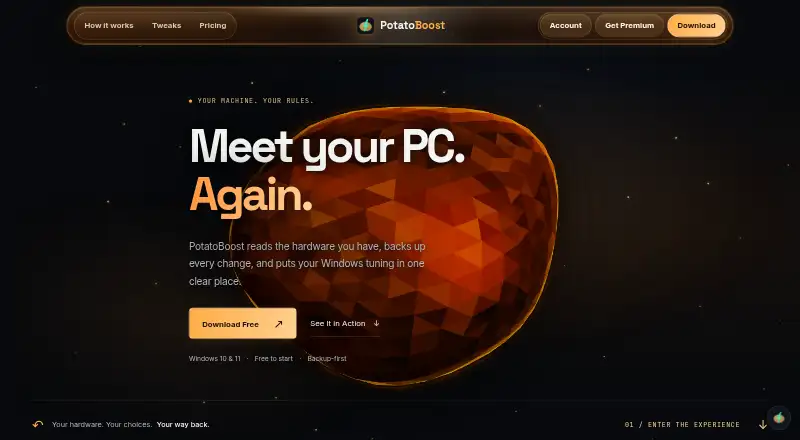
PotatoBoost is a Windows 10 and 11 performance suite that detects hardware, suggests matching plans and previews changes before applying them. It combines memory and startup tools, cleanup, privacy checks, game tuning, backups and session-based Live Boost. A free tier covers core tools; paid plans add more tweaks, profiles, game controls and benchmark features.
Review
In a line
PotatoBoost is a hardware-aware performance suite for Windows PCs. Tuning, cleanup, game configuration and setting backups all sit in the same app.
What it does
The app scans your hardware and recommends a matching plan. Supported adjustments can be reviewed before you put a profile into effect. Its tools cover memory use, startup entries, selected cleanup targets, Windows privacy checks and process management.
During a session, Live Boost keeps eligible performance options in place, then returns them to their saved state. Game tools detect installed titles, tune compatible Unreal Engine games and offer per-game undo. A benchmark workflow compares repeatable runs using average FPS, 1% lows and frame times.
How it connects
PotatoBoost detects games from launchers such as Steam, Epic and EA/Origin. It also supports Ubisoft Connect, Battle.net and Riot Client, plus GOG Galaxy, Xbox/Game Pass, Rockstar and user folders.
Scanning and setting changes run on your PC. Sign-in, license checks and online assistant requests use network services. There is no public API or SDK documentation, and the app is not open source.
Online assistant requests may send your question, conversation history and selected PC details to PotatoBoost and OpenAI. Stripe handles subscription checkout.
Good fit
It suits Windows users who want one-click performance controls, memory and startup management, privacy checks, cleanup and backups. The no-cost toolkit provides hardware detection, memory optimization, privacy scanning, cleanup, startup tools and backup/restore.
Premium is aimed at people who need the full tweak catalog, all performance profiles, per-game tuning, GPU tools and benchmarking.
Watch for
PotatoBoost runs on x64 editions of Windows 10 and 11. ARM64, macOS and Linux are outside its supported platforms, while protected changes require administrator approval. The current installer is unsigned and may trigger a SmartScreen warning.
There is no fixed FPS promise. Results depend on your hardware, game and current settings. Detected games may not have tuning profiles, and updates can reset game settings.
Undo restores supported settings but cannot recover deleted cache files or other files. Backups cover supported settings, not full disks, and restoration depends on the saved state remaining available.
Pricing
The Free Forever plan is free with no card or trial required. It includes hardware detection, PC health, memory optimization, privacy scanning, cleanup, startup and live process tools, and full backup and restore.
Premium Flexible is C$6.99 monthly once its 7-day trial ends; it adds 347 tweaks, every performance profile, per-game tuning with undo, GPU tools and benchmark tools. Premium costs C$40 a year after the same 7-day trial.
PotatoAI Plus Monthly costs $5 a month for 90 AI-answer credits. PotatoAI Pro Monthly costs $8 a month for 200 credits. These AI plans do not include Premium tweaks, profiles or game tuning.
Verdict
PotatoBoost makes sense for Windows 10 or 11 users who want guided system maintenance and reversible performance changes without managing separate utilities. The free plan covers a useful base, while Premium targets people who need broader tweaks, game controls or benchmarking.
Check the unsigned installer, administrator requirement and local-versus-online data flow first. Skip it if you use macOS, Linux or ARM64 Windows, need full-disk backup, or expect a guaranteed frame-rate increase.
Our take
Choose PotatoBoost if you use a supported x64 Windows PC and want hardware-aware maintenance, game controls and saved setting changes in one place. The free plan handles core cleanup, memory, privacy, startup and backup tasks. Paid Premium plans add the wider tweak catalog, profiles, per-game controls, GPU tools and benchmarks. AI subscriptions are separate and only provide assistant answers. Be cautious if installer warnings, administrator access or sending selected PC context to online services are concerns. It is not suitable for unsupported platforms, full-disk backup needs or guaranteed FPS improvements.
- Free plan includes memory, privacy, cleanup, startup and backup tools
- Hardware-aware plans can be previewed before changes are applied
- Session-based Live Boost returns supported settings to their saved state afterward
- Per-game undo and benchmark metrics are available in Premium
- Game detection covers major launchers and user folders
- Only supports x64 Windows 10 and 11
- Installer is unsigned and may trigger SmartScreen
- No guaranteed FPS increase
- Undo cannot recover deleted cache files
- AI plans do not include Premium tuning features
- Pick it ifWindows PC users wanting guided maintenance and reversible tweaks; Gamers needing launcher detection and per-game controls
- Skip it ifYou use macOS, Linux or ARM64 Windows; You need full-disk backup or guaranteed FPS gains; You do not want administrator access or online assistant data sharing
Pricing
A free plan covers core tools without a card. Premium is C$6.99 per month after a 7-day trial, or C$40 per year. Separate AI plans cost $5 or $8 a month and do not unlock Premium tuning.
- Free ForeverFree forever; no trial or card required · Hardware detection & PC health · one-click memory optimizer · privacy scanner & cleanup · startup and live process tools · full backup & restoreFree
- PotatoAI Plus Monthly$5 USD/month; no free trial · 90 AI-answer credits monthly · all usage levels from Minimal to XHigh · scan-aware troubleshooting answers$5/mo
- Premium FlexibleFree 7 days, then $6.99/month CAD; card required · Everything in Free · all 347 tweaks · every performance profile · per-game tuning with undo · GPU and benchmark toolsC$6.99/mo
- PotatoAI Pro Monthly$8 USD/month; no free trial · 200 AI-answer credits monthly · all usage levels from Minimal to XHigh · scan-aware troubleshooting answers$8/mo
- PremiumFree 7 days, then $40/year CAD; card required · Everything in Free · all 347 tweaks · every performance profile · per-game tuning with undo · GPU and benchmark toolsC$40/yr
As potatoboost.app lists them, checked 15 Oct 2026.
Questions
What platforms does PotatoBoost support?
It supports Windows 10 and Windows 11 on x64 PCs. ARM64 Windows, macOS and Linux are not supported.
Is there a free version?
Yes. The Free Forever tier provides hardware detection, memory optimization, privacy scanning, cleanup, startup and live process tools, plus backup and restore.
Does PotatoBoost guarantee more FPS?
No. The maker gives no set FPS increase because outcomes vary with your hardware, game and current settings.
What does Premium add?
Premium adds the complete tweak catalog, every performance profile, per-game tuning with undo, GPU tools and benchmark tools.
Are PotatoAI plans included with Premium?
No. PotatoAI subscriptions buy AI answers only and do not include Premium tweaks, profiles or game tuning.
What happens to settings after Live Boost?
Live Boost keeps supported performance settings active during the session and returns them to the saved state afterward.
Is the installer signed?
The current Windows installer has no signature and can trigger a SmartScreen warning.
What data can online assistant requests send?
Requests may include your question, conversation history and selected PC context, such as CPU, GPU and memory data, sent to PotatoBoost and OpenAI.
Near it
All alternatives →- GOGaming Optimizer#2 on this board
- OOpenGameBoost#3 on this board
- AA
 ASUS Armoury Crate#4 on this board
- SGSmart Game Booster#5 on this board
- FGFeral GameMode#6 on this board
- PG
 PC Game Booster#7 on this board
- CCorePin#8 on this board
- W
 w0a#9 on this board
- WGWise Game Booster#10 on this board
- GGameGain#11 on this board