ProHelper field service software
prohelper.io · checked 15 Oct 2026
Field service software for local trades with scheduling, jobs, billing, mobile work and customer records.
How it plugs in
Signal on Garage Door Software6.2#11 of 25
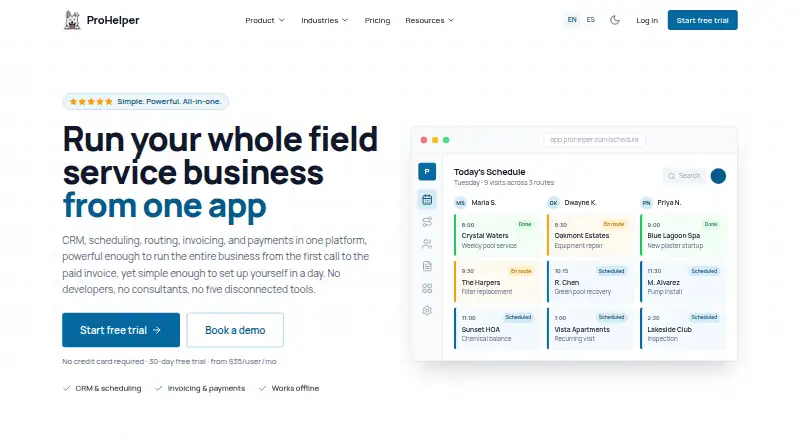
ProHelper is a field service management platform for local businesses such as plumbing, pool service, landscaping and cleaning. It brings customer records, jobs, scheduling, routes, estimates, invoices, payments, inventory, team work and reports into one system. It runs on the web, Android and iOS, supports offline updates, and offers a public API on its Professional plan.
Review
In a line
ProHelper is an all-in-one field service platform for local service businesses. It combines customer management, job work, scheduling, billing and payments in one place.
What it does
The CRM keeps accounts, contacts, properties, equipment history, requests and customer timelines. Teams can build estimates, schedule recurring visits, dispatch technicians, track routes, manage a reusable price book, and turn completed work into invoices.
Technicians can use My Day, job details, notes and photos without an internet connection. Updates sync when the device reconnects. The system also covers inventory, team management, reporting, lead management and payment processing.
How it connects
ProHelper works on the web, Android and iOS. It connects with QuickBooks Online for customers, invoices and payments; Growth can bring Samsara vehicle locations and telematics into routing; Professional connects Quo calls and texts to account and contact records.
The public API is included with Professional and lets software read and write ProHelper data. Customers can import spreadsheets and export accounts, jobs, invoices, payments and other data to spreadsheets. Zapier is listed as coming soon.
Growth includes roles and detailed permissions. The terms list security layers, data archiving, audit logs and account deletion. ProHelper says it is available in English and Spanish.
Good fit
ProHelper suits local trades and service companies, including plumbing, pool service, landscaping and cleaning. It is useful for teams that need one workflow from customer request through scheduling, field visits, invoicing and payment.
Offline mobile work, route tools, reusable items, accounting features and customizable fields and forms can help businesses with varied service jobs. There is no stated user cap on any plan.
Watch for
Several areas are still in development, including automations, workflows, sales management, marketing management, contract management, a knowledge library and Zapier. Check whether those missing features affect your process.
The full terms are marked as coming soon, and the older how-it-works page lists security measures but no compliance certification there. The public API is limited to the Professional plan.
Pricing
Essentials costs $35 a month per user when billed monthly. It includes CRM, requests and jobs, visits, scheduling and routes, estimates and invoices, a price book, standard reports, QuickBooks, offline web and mobile access, and technical support.
Growth costs $49 a month per user. It adds no-code customization, a client center, payment processing, dispatch and routes, accounting, roles and permissions, timesheets and tasks, custom forms, and Samsara vehicle management.
Professional costs $69 a month per user. It adds route and fleet optimization, inventory, advanced analytics, customer texting and voice, equipment and issues, and API endpoints. Annual billing saves about 10% compared with monthly pricing.
There is no free plan. A 30-day trial needs no credit card. If no paid plan is chosen, the account pauses without an automatic charge and the data is retained.
Verdict
Choose ProHelper if your service company wants customer records, scheduling, field updates and billing in one system, especially when technicians work offline. Growth is the practical tier for payment processing, accounting and permissions; Professional is aimed at teams needing API access or deeper routing and communication tools.
Consider another option if you require mature automations, marketing or contract management now, or if a documented compliance certification is essential. Review the unfinished legal documentation and upcoming integrations before signing up.
Our take
ProHelper makes sense for local service teams that want one system for customer history, dispatch, field visits, invoices and payments. Its offline mobile work and spreadsheet import and export support day-to-day operations, while Growth and Professional add accounting, vehicle data, communications and API access. The product is less suitable when you need automations, marketing, contracts or Zapier today, since those areas are still being developed. Buyers should also review the incomplete terms documentation and choose a plan based on each login user.
- Offline technician work syncs after reconnection.
- QuickBooks Online syncs customers, invoices and payments.
- Public API is included on the Professional plan.
- No user cap is stated for any plan.
- 30-day trial requires no credit card.
- No free plan is offered.
- Automations, workflows and Zapier are still in development.
- Full terms are not yet available.
- API access starts with the Professional plan.
- The older how-it-works page does not list a compliance certification.
- Pick it ifLocal plumbing, pool, landscaping and cleaning businesses; Teams needing scheduling, dispatch, billing and offline mobile work; Companies wanting QuickBooks and spreadsheet data exchange
- Skip it ifYou need finished automations, marketing, contracts or Zapier now.; You require a stated compliance certification before purchase.; You need API access but cannot use the Professional plan.
Pricing
Plans are charged per login user each month: $35 for Essentials, $49 for Growth and $69 for Professional. Annual billing saves about 10%. A 30-day trial is free, with no automatic charge if you do not select a paid plan.
- Essentialsmonthly · CRM · requests/jobs/visits · scheduling/routes · estimates/invoices · price book · standard reports · QuickBooks · offline web/mobile · technical support$35/mo
- Growthmonthly · Everything in Essentials · no-code customization · Client Center · payment processing · dispatch/routes · accounting · roles/permissions · timesheets/tasks · custom forms · Samsara vehicle management$49/mo
- Professionalmonthly · Everything in Growth · route/fleet optimization · inventory · advanced analytics · customer texting/voice · equipment/issues · API endpoints · automations/workflows soon · sales/marketing soon$69/mo
As prohelper.io lists them, checked 15 Oct 2026.
Questions
Does ProHelper have a free plan?
No. ProHelper has paid plans, plus a 30-day free trial that requires no credit card.
What happens after the trial?
If you do not choose a paid plan, the account pauses without automatic billing and your data is retained.
Can technicians work offline?
Yes. Technicians can view job details, use My Day, add notes and photos, and update jobs offline. Changes sync after reconnecting.
Does ProHelper connect to QuickBooks?
Yes. QuickBooks Online synchronizes customers, invoices and payments with ProHelper.
Which plan includes the API?
The public API is available on Professional. It supports reading and writing ProHelper data programmatically.
Can I import and export data?
You can import data from spreadsheets and export accounts, jobs, invoices, payments and more to spreadsheets.
Is there a user limit?
Pricing is per login user, and ProHelper says there is no user cap on any plan.
What languages are available?
ProHelper is available in English and Spanish.