Puter for Personal Trainers
builder.puter.com · checked 15 Oct 2026
An open-source, no-cost builder for personal-training websites and apps, covering bookings, client areas and progress records.
How it plugs in
Signal on Gym Website Builder Software7.7#1 of 25
For personal-training businesses, Puter converts everyday descriptions into websites and apps. It can produce booking pages, client areas, workout programs, progress views and training sites. Published projects run on the web and phones, while generated apps can use AI. A Puter account lets you build without charge, with paid plans available if needed.
Review
In a line
Puter for Personal Trainers is a plain-language builder for creating apps and websites for personal-training businesses. It is open source and available on the web, phones, desktop systems and through an API.
What it does
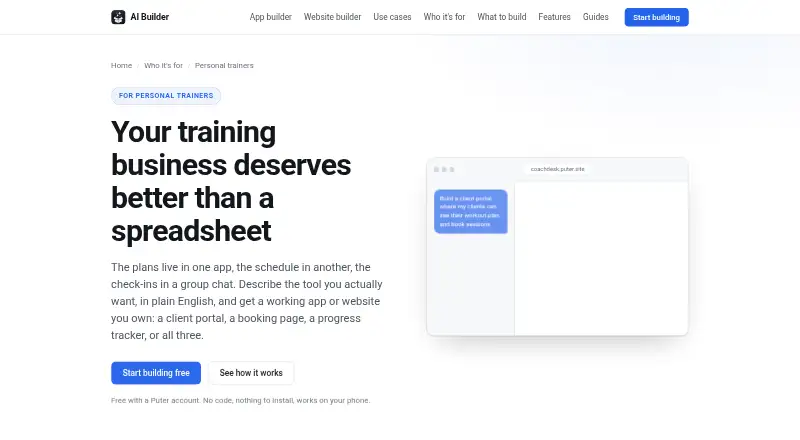
Give the builder a natural-language brief and it produces the files, layout, logic and initial content. A live preview appears beside the conversation, reloads after changes, and sends runtime errors back for repair. Earlier states are captured after each turn and can be brought back when needed.
Projects can include a booking page with session types, weekly availability and freed slots after cancellations. A client area may let each person review a plan, session history and assigned work. Trainers can put sessions together from an exercise library, assign them to clients and duplicate an earlier week.
Progress pages may record lifts, weight, measurements and photos across time. Training websites can present coaching information, packages, results, certifications and a contact form. Built apps may use AI to draft programming, summarize check-ins or answer common client questions.
How it connects
Publishing gives an app its own public puter.site URL, and the project can be exported as ordinary HTML, CSS and JavaScript. It runs in a phone browser and can be placed on a home screen. Access only needs a link and browser, but people whose data lives in an app need their own free Puter account.
Through a script tag or the @heyputer/puter.js npm module, Puter.js exposes sign-in, storage, databases, AI, hosting and other services. Documentation shows integrations with React, Next.js, Angular, Vue, Svelte and Astro. JavaScript workers can expose HTTPS routes for webhooks and public APIs, and an OpenAI-compatible endpoint works with standard OpenAI SDK calls.
Remote Streamable HTTP MCP servers can be connected by the builder. MCP OAuth sign-in and local MCP servers are unavailable. The public repository documents Docker and local development, self-hosting on Linux, macOS and Windows, and uses the AGPL-3.0 license unless a component says otherwise.
Good fit
Trainers can use a written brief to make a client portal, booking flow, workout planner, progress tracker or business website. It also fits people who want published web apps without opening a separate hosting account.
Because each client's files can stay in that person's account, the trainer's hosting bill does not rise as the client list grows. The builder also supports lead capture and class booking.
Watch for
Session charges are outside the personal-trainer builder. Use another payment service or link to an existing payment page instead; membership billing and payment-link tools are not included.
People whose information is kept in stored app data must have free Puter accounts. Extensive use of the free AI Builder may run into Puter's account-level free limits. For apps that handle health details or other sensitive information, Puter's AI guidance recommends checking the generated code.
Puter describes isolated app folders and key-value storage that cannot access other user files by default. Its privacy policy says it collects account, billing, cookie, usage and device information and uses service providers for hosting, analytics, support, payments and security.
Pricing
A Puter account includes free construction with the AI Builder. The free plan offers 25 MB of storage, limited AI and cloud use, hundreds of apps and games, and community support.
Paid Puter options are Basic at $10 per month for 100 GB, Plus at $25 per month for 500 GB, and Pro at $100 per month for 2 TB. Their AI and cloud allowances rise from expanded to advanced to maximum, while support runs from community to expanded support.
Verdict
Choose it if explaining a training workflow in words and receiving a usable web app appeals to you, with source export and self-hosting available when needed. It is a reasonable fit for trainers comfortable asking clients to create free accounts and arranging payments through another service.
Look elsewhere when session checkout, membership billing or payment links need to be native features. Also allow time to inspect generated code before storing health information, and check whether the free account limits cover your AI and storage needs.
Our take
Puter suits solo trainers and small coaching businesses seeking custom portals, booking pages or workout tools without beginning from code. The no-cost builder makes experimentation cheaper, while export, APIs and self-hosting can support technical teams later. Clients may need separate Puter accounts, payments stay outside the platform, and sensitive-data apps call for code review. Pick it for flexible, app-like training workflows; skip it when built-in billing is essential.
- Plain-English prompts create apps and websites
- Includes booking, portals, workouts and progress charts
- Free builder with a free Puter account
- Published apps have a public address and can be added to a phone home screen
- Open-source code, export and self-hosting options
- Session payments are not processed
- Membership billing and payment links are absent
- Stored client data requires each client to have a free account
- Heavy free-tier AI use can hit account limits
- Sensitive-data apps need generated-code review
- Pick it ifPersonal trainers building custom client tools; Coaches needing booking, workout and progress features; Teams wanting export, APIs or self-hosting
- Skip it ifYou need built-in session checkout or membership billing; Clients cannot create separate free accounts; You cannot review generated code for sensitive data
Pricing
The AI Builder costs nothing with a Puter account. Basic is $10 monthly, Plus is $25 monthly and Pro is $100 monthly, with increasing storage and AI/cloud capacity.
- Free$0/month · 25 MB storage · Limited AI & Cloud · 100s of apps and games · Community supportFree
- Free (Puter AI Builder)Building is free with a Puter account · heavy use can reach Puter account free-tier limits · clients need free Puter accounts for per-user dataFree
- Basic$10/month, billed monthly · 100 GB storage · Expanded AI & Cloud · 100s of apps and games · Community support$10/mo
- Plus$25/month, billed monthly · 500 GB storage · Advanced AI & Cloud · 100s of apps and games · Expanded support$25/mo
- Pro$100/month, billed monthly · 2 TB storage · Maximum AI & Cloud · 100s of apps and games · Expanded support$100/mo
As puter.com lists them, checked 15 Oct 2026.
Questions
Is Puter for Personal Trainers free?
Yes. A Puter account lets you use the AI Builder at no charge, although substantial use may still encounter the account's free-tier limits.
Can it take payments for training sessions?
No. Session payments are outside the builder, so use another payment service or an existing payment page.
Do clients need Puter accounts?
A client who only follows a link can use a browser. When the app stores that client's data, the client needs a free Puter account.
What can a trainer build?
Possible projects include booking pages, client portals, workout plans, progress trackers and websites for a training business.
Can I export or self-host an app?
Yes. A project can be downloaded as standard HTML, CSS and JavaScript files. Puter also documents Docker, local development and self-hosting.
Does it provide an API?
Yes. Puter.js offers services including authentication, storage, databases, AI and hosting, and JavaScript workers can expose HTTPS routes.
Is the software open source?
Yes. The repository uses the AGPL-3.0 license unless a component states otherwise.