Recraft: AI Image and Vector Design Software
recraft.ai · checked 15 Oct 2026
AI design platform for generating and editing images, vectors, illustrations, icons and 3D graphics.
How it plugs in
Signal on Graphic Design Software8.3#2 of 150
Recraft is a proprietary AI design service for creating and editing raster images, editable SVG vectors, illustrations, icons and 3D graphics. It works on the web, iOS, Android, a Chrome extension and through an API. A free plan is available, while paid plans add credits, private generations, commercial rights and team features.
Review
In a line
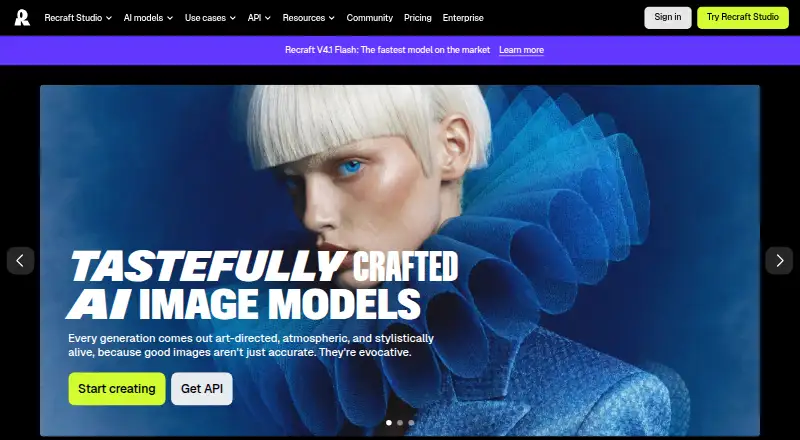
Recraft is an AI design platform from London-based Recraft, founded in 2022. It creates and edits raster images, vector art, illustrations, icons and 3D graphics.
What it does
You can make images from text prompts or reference images, including photorealistic pictures, illustrations, logos, posters, product visuals and social-media assets. Editing tools support inpainting, outpainting, background work, upscaling and mockups.
The canvas can produce editable SVG files, with controls for anchor points, curves, colors and duplicated elements. You can also build reusable styles from up to ten reference images and apply them to later work. An infinite canvas supports real-time collaboration.
How it connects
Recraft runs on the web, iOS, Android, a browser extension and an API. The Chrome extension can create or edit images from webpages and place results in Google Docs, Google Slides and Gmail. Mobile work synchronizes with desktop.
Its REST API handles raster and vector generation, inpainting, outpainting, background operations, vectorization, upscaling, styles and asynchronous batch jobs. Examples cover cURL, Python requests, Python OpenAI-SDK and JavaScript, with MCP and Claude Code support. Outputs include SVG, PNG, JPG, PDF, TIFF and Lottie.
API access uses bearer tokens made in your profile. Image URLs generated by the API last about 24 hours. Recraft is proprietary, not open source, and API use is licensed under a limited, revocable license.
Good fit
Recraft suits people who need generated or edited visuals, editable vectors, brand-style reuse or product mockups. It can support design work for logos, posters, product images, illustrations and social posts.
Teams can use a shared workspace, shared styles, centralized billing and single sign-on on the Teams plan. The API is suited to applications that need automated image operations or batch workloads.
Watch for
The free plan limits credits, daily generations, uploads and images per generation. Its images are public and non-commercial, while commercial use is limited elsewhere in the stated facts; check the rights for your plan before publishing.
API purchases are prepaid in non-expiring API Units, charged per operation, and are non-refundable. Generated API image URLs last about 24 hours. Recraft says it cannot automatically detect personal information included in image inputs, although account data can be deleted on request.
Some mobile features differ from the desktop and web versions: a reviewer reports that mockups shown during onboarding were not available in the mobile app.
Pricing
Recraft has a free plan with limited credits, three generations per style each day, three uploads daily, two images per generation, and public, non-commercial images. The service lists 1,000 monthly AI credits.
Basic costs $12 a month and includes 1,000 credits, private generations, commercial rights, external models and advanced tools. Teams costs $18 a month per seat and includes 2,000 credits per seat, a shared workspace, shared styles, centralized billing, SSO and 24/7 support.
Pro costs $20 a month and includes 2,000 credits, with 4,000-, 8,000- and 16,000-credit tiers, video generation and priority generation. Pro 2k, Pro 4k and Pro 8k list their credit amounts but no prices.
API V4.1 Flash costs $0.01 one-time, billed per image, with about 1.3-second generation and raster output. API usage otherwise uses prepaid, non-expiring API Units with per-operation charges.
Verdict
Choose Recraft if you want one service for prompt-based images, editable vectors, style reuse and mockups across desktop, mobile, browser and API workflows. The free plan gives you a way to try the core tools, while Basic, Pro and Teams add privacy, rights, credits and collaboration.
Look elsewhere if you need open-source software, fully specified prices for every credit tier, or unrestricted commercial use on a free plan. API buyers should also account for prepaid, non-refundable units and short-lived image URLs.
Our take
Recraft is a reasonable fit for visual work that mixes generated images with editable vector output. Its web, mobile, extension and API options cover different workflows, and paid plans spell out credits, privacy, commercial rights and team controls. The free tier is restricted to public, non-commercial images and daily limits. Buyers automating through the API should plan around prepaid, non-refundable usage and URLs that expire after about 24 hours. It is not open source, and the listed Pro credit tiers do not include prices.
- Generates raster images, vectors, illustrations, icons and 3D graphics
- Editable SVG controls for anchor points, curves, colors and elements
- Chrome extension connects results with Google Docs, Slides and Gmail
- Reusable styles can be built from up to ten reference images
- API supports raster, vector, editing and batch operations
- Free images are public and non-commercial
- Free plan has daily generation and upload limits
- API purchases are prepaid and non-refundable
- API image URLs last about 24 hours
- Some mobile features differ from desktop and web
- Pick it ifDesigners making images and editable vector artwork; Teams sharing styles and a workspace; Apps needing image generation through an API
- Skip it ifYou need open-source software; You need unrestricted commercial use on a free plan; You require every listed credit tier to have a published price
Pricing
A free tier is available. Basic is $12 a month, Teams is $18 a month per seat, Pro is $20 a month, and API V4.1 Flash is $0.01 one-time per image. Pro 2k, Pro 4k and Pro 8k list credits without prices; other API use is prepaid per operation.
- Pro 2k2,000 creditsOn request
- Pro 4k4,000 creditsOn request
- Pro 8k8,000 creditsOn request
- Freelimited credits · 3 generations per style daily · 3 uploads daily · 2 images per generation · public, non-commercial imagesFree
- API V4.1 Flashper image · about 1.3-second generation · raster output$0.01 one-time
- Basicmonthly · 1,000 credits/month · private generations · commercial rights · external models · advanced tools$12/mo
- Teamsper seat monthly · 2,000 credits/month per seat · shared workspace · shared styles · centralized billing · SSO · 24/7 support$18/mo
- Promonthly · 2,000 credits/month · 4,000, 8,000 and 16,000-credit tiers · video generation · priority generation$20/mo
As apps.apple.com lists them, checked 22 Sept 2026.
Questions
Is Recraft free?
Yes. Its Free plan has limited credits, three generations per style daily, three uploads daily, two images per generation, and public, non-commercial images.
Does Recraft have an API?
Yes. The REST API supports raster and vector generation, inpainting, outpainting, background operations, vectorization, upscaling, styles and asynchronous batch workloads.
What files can Recraft export?
Supported output formats are SVG, PNG, JPG, PDF, TIFF and Lottie.
Can Recraft make editable vectors?
Yes. It produces editable SVG vectors and lets you change anchor points, curves, colors and duplicated elements on its canvas.
Does Recraft work on phones?
Yes. Recraft has iOS and Android apps that support image, video, vector and editing workflows and synchronize work with desktop.
Does Recraft offer commercial rights?
The Basic plan lists commercial rights. The Free plan specifies public, non-commercial images, so check the rights attached to your chosen plan.