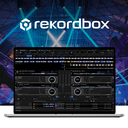
rekordbox: DJ Music Management and Performance Software
rekordbox.com · checked 15 Oct 2026
DJ software for organizing, analyzing, preparing and performing music across desktop, mobile and supported DJ hardware.
How it plugs in
Signal on DJ Software6.7#3 of 29
rekordbox covers music management, track analysis, editing, cloud libraries and DJ performance. It runs on Windows, macOS, iOS and Android, with four-deck playback, stems, DVS, video mixing and USB export for compatible equipment. Plans range from a free tier to paid options with Dropbox storage, synced devices and advanced performance tools.
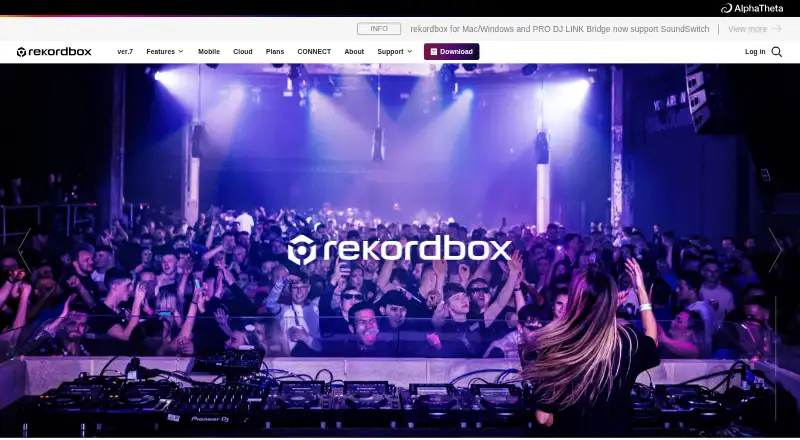
Review
In a line
rekordbox is DJ software for managing music from initial analysis through gig preparation and live performance. It is available for Windows, macOS, iOS and Android.
What it does
The software organizes, analyzes and edits tracks, then prepares them for performance. Performance mode offers four decks, tempo control, cue points, loops, effects and deck playback, using DJ equipment or a mouse and keyboard.
It can split songs into vocals, drums, bass and instrumental parts for separate playback. DVS, video mixing and USB export for compatible DJ equipment are also supported.
Its mobile apps include track management and performance features, so a phone or tablet can be used for DJing.
How it connects
Cloud Library Sync uploads tracks and playlists to Dropbox for access across devices. CloudDirectPlay can play cloud libraries on CDJ-3000X, CDJ-3000, XDJ-AZ, OMNIS-DUO and OPUS-QUAD hardware.
Supported streaming services include Apple Music, Beatport Streaming, SoundCloud, Spotify and TIDAL, subject to territory. Streaming tracks cannot be recorded or exported to USB, and stems do not work with Apple Music or Spotify tracks.
The developer guidance covers playlist and metadata imports through a supported XML format; it does not describe a public REST API or SDK. The software is proprietary, not open source, and has no documented self-hosted option.
Partner listings include Beatport, TuneMyMusic, DJ.Studio, PTDJA, pointblank and FaderPro. A compatible controller can connect to the mobile app by USB or Bluetooth.
Good fit
The free plan is aimed at people starting music management or trying DJing. Professional is described for individuals or teams managing music.
Paid plans suit DJs who need hardware control, cloud libraries, stems, DVS, video, recording or AI-assisted vocal detection. Cloud analysis is described as reducing analysis time by up to 35%.
Watch for
Desktop builds support Windows 10/11 and macOS Ventura 13 through Tahoe 26, with at least 8GB of RAM and 2GB of free disk space. Mobile compatibility lists iOS/iPadOS 17, 18 and 26, plus Android 13 through 16.
AlphaTheta reported a PRO DJ LINK vulnerability that could expose data on connected computers and USB or SD cards to someone with unauthorized network access. Updating rekordbox and using password-protected Wi-Fi were recommended.
The license is personal and limited, and it bars copying, reverse engineering and redistribution. AlphaTheta says it may use uploaded content and usage data to operate, improve and customize its products, and broadly disclaims warranties.
Customer support is offered 24/7 through an inquiry form; telephone inquiries are not accepted.
Pricing
rekordbox has a free plan billed at $0 USD/month. It includes basic music management, Hardware Unlock support and up to 1,000 cloud-synced tracks with owner registration or Hardware Unlock.
Core costs $10 USD/month, or $120 USD/year with annual payment; monthly billing is $12 USD/month. It adds Performance mode, DJ equipment control, three synced devices with Cloud Option, stems, DVS, video and recording.
Creative costs $15 USD/month, or $180 USD/year annually; monthly billing is $18 USD/month. It includes a 1TB Cloud Option, four synced devices, EDIT mode, AI vocal detection, stems, DVS, video and recording.
Professional costs $30 USD/month, or $360 USD/year annually; monthly billing is $36 USD/month. It includes 5TB Dropbox storage, eight synced devices, AI vocal detection, cloud analysis, stems, DVS, video and recording. A free trial is available.
Verdict
Choose rekordbox if you want one system for library preparation, cloud access and DJ performance, especially when using supported CDJ hardware or mobile DJ setups. Its free tier lets newcomers organize music before paying.
Check the streaming restrictions, computer requirements and Dropbox-based storage before selecting a plan. DJs who need an open-source product, a documented REST API, self-hosting or unrestricted recording from streaming tracks should look elsewhere, such as VirtualDJ or djay.
Our take
rekordbox is a broad choice for DJs who want library tools and performance controls in the same product. The free tier covers basic organization, while paid plans add equipment control, cloud capacity, stems, video, DVS and recording. It fits users working with supported AlphaTheta hardware and those who value Dropbox syncing across devices. Before subscribing, confirm your operating system, required storage, streaming needs and network security practices. People seeking open-source software, self-hosting or a public REST interface should consider another DJ application.
- Free plan includes basic music management and up to 1,000 synced tracks.
- Runs on Windows, macOS, iOS and Android.
- Supports four decks, stems, DVS, video mixing and USB export.
- Cloud plans use Dropbox storage across multiple devices.
- Works with several streaming services, subject to territory.
- Streaming tracks cannot be recorded or exported to USB.
- Stems are unavailable for Apple Music and Spotify tracks.
- Paid plans require monthly or annual subscriptions.
- The product has no documented public REST API or SDK.
- Cloud storage depends on Dropbox options.
- Pick it ifDJs preparing music for supported CDJ equipment; Beginners starting with library management; Individuals or teams managing music
- Skip it ifYou need open-source code, self-hosting or a public REST API.; You must record or export tracks from streaming services.; Your computer or mobile OS falls outside the listed versions.
Pricing
A free tier is available.
- Free$0 USD/month · Basic music management · Hardware Unlock support · up to 1,000 cloud-synced tracks with owner registration or Hardware UnlockFree
- Core$10 USD/month; $120 USD/year annual payment (or $12 USD/month monthly payment) · Performance mode · DJ equipment control · 3 synced devices with Cloud Option · STEMS · DVS · video · recording$10/mo
- Creative$15 USD/month; $180 USD/year annual payment (or $18 USD/month monthly payment) · 1TB Cloud Option available · 4 synced devices · EDIT mode · AI vocal detection · STEMS · DVS · video · recording$15/mo
- Professional$30 USD/month; $360 USD/year annual payment (or $36 USD/month monthly payment) · 5TB Dropbox · 8 synced devices · AI vocal detection · cloud analysis · STEMS · DVS · video · recording$30/mo
As rekordbox.com lists them, checked 15 Oct 2026.
Questions
Does rekordbox have a free plan?
Yes. Free is billed at $0 USD/month and includes basic music management, Hardware Unlock support and up to 1,000 cloud-synced tracks with owner registration or Hardware Unlock.
Which devices can run rekordbox?
It runs on Windows 10/11, macOS Ventura 13 through Tahoe 26, iOS/iPadOS 17, 18 and 26, and Android 13 through 16. Desktop builds require at least 8GB RAM and 2GB free disk space.
Can rekordbox use streaming services?
It supports Apple Music, Beatport Streaming, SoundCloud, Spotify and TIDAL, depending on territory. Streaming tracks cannot be recorded or exported to USB.
Does rekordbox offer cloud storage?
Cloud Library Sync and CloudDirectPlay use Dropbox. Creative offers a 1TB Cloud Option, while Professional includes 5TB Dropbox storage.
Is rekordbox open source or self-hosted?
No. It is proprietary AlphaTheta software and cloud services, with no documented self-hosted deployment option.
Does rekordbox have a public API?
Developer guidance documents playlist and metadata imports through a supported XML format. It does not describe a public REST API or SDK.
How many computers can paid plans use?
Core allows installation on up to three computers, Creative on up to four and Professional on up to eight.
Can rekordbox split songs into stems?
Yes. It can separate vocals, drums, bass and instrumental parts for individual playback, although stems are unavailable for Apple Music and Spotify tracks.