
Resemble Detect Review: Features, Plans and Pricing
resemble.ai · checked 15 Oct 2026
Detect synthetic or altered audio, images and video, with explanations and flexible deployment.
How it plugs in
Signal on AI Deepfake Detection Tools6.3#3 of 20
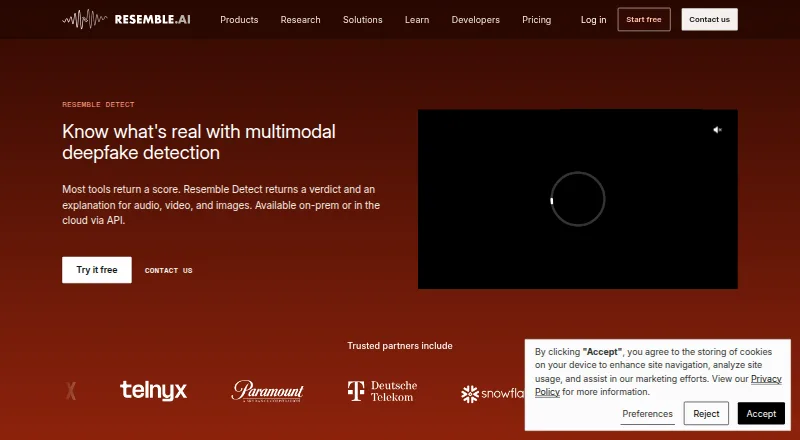
Resemble Detect examines audio, images and video for signs of AI creation or alteration. Results provide verdicts, reasoning and visual indicators. Access is available through the web, browser extension, API or self-hosted setups. Flex starts free, while higher tiers add capacity, collaboration and enterprise features.
Review
In a line
Resemble Detect analyzes audio, images and video to judge whether media is AI-generated or altered. It explains the decision instead of returning only a pass-or-fail result.
What it does
DETECT-World examines generation signatures alongside physical signals, including lighting, motion and continuity. Resemble says the model has been evaluated against more than 250 generative AI systems and handles audio, images and video.
Outputs may contain a verdict, decision rationale, confidence reasoning, artifact information, frame-by-frame heatmaps and an audit trail. Optional checks can inspect Resemble Perth watermarks, SynthID and C2PA credentials. Image analysis may also locate matching pages online, with similarity scores and source links.
Live audio analysis uses a WebSocket connection, and those streaming results are not retained as Detect jobs. Batch requests can contain up to 50 files, while one API call can analyze audio, video and images together.
How it connects
Use the web service, API, Chrome extension or a self-managed deployment. Resemble advertises both on-premises and air-gapped operation, and enterprise plans mention custom model training.
The REST interface authenticates with bearer API keys. Setup guidance covers Node.js and Python, while the public MIT-licensed Node package works with TypeScript, Node, Deno and browsers. Cursor and Claude Code are listed for MCP use.
Real-time screening is intended for Zoom, Teams, Meet, Webex and telephone systems. Files uploaded directly may be as large as 150 MB; secure-upload tokens support larger media, and watermark checks cap source files at 200 MB. Listed audio formats are MP3, OGG, AAC, G.711, G.723.1, PCMu and PCMa.
Good fit
The product presents uses in banking and finance, law enforcement, telecommunications, media and entertainment, retail and e-commerce, and HR and recruitment.
It suits teams that need explainable checks, live synthetic-voice screening, batch processing or control over where media is deployed. The free Chrome extension offers four scans per day through a free account.
Watch for
Flex excludes uploads of 150 MB or more and batch processing; Team, Business and Enterprise include those capabilities. The extension may not fully handle certain embedded players or previews layered over other content.
Check your required file sizes, deployment model and meeting integrations before choosing a plan. The extension remains in public beta, and no separate trial is offered beyond the free plan.
Pricing
The Flex tier has no monthly charge, uses pay-as-you-go credits and provides one seat, audio/image/video detection, intelligence insights and API access.
Team is $350 per month on monthly billing or $280 per month with annual billing. It provides five seats, reduced usage rates, large and batch uploads, and Meetings intelligence. Business is $1,000 per month monthly or $800 per month annually, covering 20 seats plus configurable deployment, calendar integration, SSO and security notifications.
Enterprise pricing is quoted individually and includes volume pricing, enterprise service agreements, custom model training, dedicated support, on-premises deployment and SOC 2 documentation.
Verdict
Choose Resemble Detect if your work involves checking synthetic or altered media and you need reasons that people can read. Its API, SDKs, streaming option and self-hosting cover both software teams and organizations with tighter deployment needs.
The free Flex tier is a practical way to start, but larger files and batch work require a paid plan. Teams needing many seats, configurable deployment or custom training should request Enterprise pricing. If you only need occasional browser scans, the extension may be enough; compare other AI deepfake detection tools before committing.
Our take
Resemble Detect is suited to organizations that must assess audio, images or video for synthetic content and explain the result to staff, customers or investigators. Its coverage spans multiple media types, live voice screening, image source lookup and deployment options that include on-premises and air-gapped environments. Flex lowers the entry cost, but substantial workflows move to paid tiers because large uploads and batch processing are unavailable there. Buyers should confirm supported formats, file sizes, integrations and deployment requirements first.
- Analyzes audio, images and video through one service
- Provides explanations, confidence reasoning and heatmaps
- Includes API, SDKs, streaming and self-hosted options
- Free Flex tier includes API access
- Supports live screening across major meeting and phone systems
- Flex omits large-file and batch uploads
- Chrome extension is in public beta
- Some embedded players may not work fully in the extension
- Pick it ifOrganizations screening synthetic media at scale; Teams needing explainable results or self-hosted deployment; Developers integrating detection into applications
- Skip it ifYou need large or batch uploads on a free plan; You only want a simple one-off browser checker; You require a published Enterprise price
Pricing
Flex costs $0 per month with pay-as-you-go credits. Team is $350 per month monthly or $280 per month annually. Business is $1,000 per month monthly or $800 per month annually. Enterprise uses custom pricing.
- Flex$0/mo; pay-as-you-go credits · 1 team seat · audio, image and video detection · intelligence insights · API accessFree
- Team$350/mo billed monthly or $280/mo billed annually · 5 seats · lower usage rates · large uploads · batch uploads · Meetings intelligence$350/mo
- Business$1,000/mo billed monthly or $800/mo billed annually · 20 seats · configurable deployment · organization calendar integration · SSO · security notifications$1,000/mo
- EnterpriseCustom pricing · volume pricing · enterprise SLAs · custom model training · dedicated support · on-premises deployment · SOC 2 documentationOn request
As resemble.ai lists them, checked 15 Oct 2026.
Questions
Does Resemble Detect have a free plan?
Yes. Flex has a $0 monthly charge, uses pay-as-you-go credits and includes one seat, media detection, intelligence insights and API access.
What media can it analyze?
Audio, images and video can be checked for AI creation or manipulation, including together in one API request.
Can Resemble Detect run on-premises?
Yes. On-premises and air-gapped deployment are listed, with those options advertised for enterprise plans.
Which meeting tools can it monitor in real time?
The real-time feature is intended for Zoom, Teams, Meet, Webex and telephone systems.
What is the largest direct upload?
Direct file submission goes up to 150 MB. Secure-upload tokens support larger files, while watermark analysis allows a 200 MB source limit.
Does it offer an API and SDKs?
Yes. Resemble lists a REST API, Node.js and Python setup documentation, a public MIT-licensed Node package, and MCP support for Cursor and Claude Code.
How many files can batch detection process?
A batch request may contain as many as 50 files. Flex does not provide batch uploads.
Near it
All alternatives →- F
 FauxLens#2 on this board
- HA
 Hive AI-Generated Content Detection#4 on this board
- NNetarx#1 on this board
- F
 ForgeSpy#5 on this board
- DD
 DuckDuckGoose DeepDetector#6 on this board
- PRPella Research#7 on this board
- DO
 DeepFake-O-Meter#8 on this board
- T
 Tayanch#9 on this board
- DD
 Deepfake Detector#10 on this board
- RD
 Reality Defender#11 on this board