
Revv document automation and e-signature review
revv.so · checked 7 Oct 2026
Document automation and e-signature platform with templates, approvals, tracking, and online payments.
How it plugs in
Signal on Sales Quoting Software5.6#11 of 23
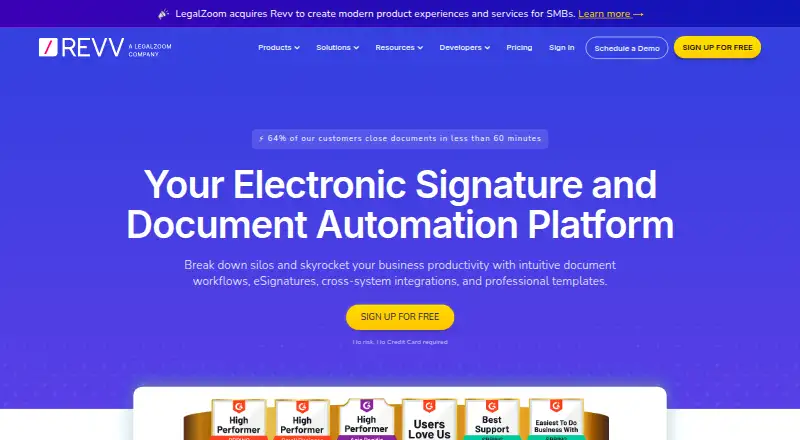
Revv helps professionals and companies create online forms from templates or Word files, send documents for different types of signatures, and manage approval steps. It tracks client activity, collects online payments, and offers branding, reporting, and CRM connections. Revv runs on the web and through an API, with custom pricing and a 14-day trial.
Review
In a line
Revv is a document automation and electronic signature service for professionals, teams, and companies. It runs in a web browser and is also available through an API.
What it does
You can build reusable templates, turn Word documents into online forms, and publish those forms. Recipients can open shared documents and sign from phones or iPads without creating a Revv login.
Signing options include click-to-accept agreements, electronic signatures, video consent, and signing by the sender for bulk sends. You can set reminders, define document stages, and route files through serial or parallel approvals.
Revv also tracks client activity, supports custom branding, collects online payments, and provides analytics and reporting.
How it connects
Revv lists connections for Salesforce and HubSpot, along with spreadsheets and Zapier. It also works with Slack, Google, and Box.
Revv lists API connections for working with other systems. OAuth and SAML 2.0 support single sign-on, while PIN or password checks can verify a signer.
Its app and infrastructure are described as SOC 2 certified, and electronic signatures use PKI protection.
Good fit
Revv suits business owners, agencies, service providers, consultants, and teams that send forms or agreements for signatures and approval.
It is useful when a workflow needs templates, reminders, activity tracking, payment collection, and links to CRM or other business tools.
Watch for
There is no free plan, and regular pricing is not published. The amount depends on user licenses, document volume, electronic signatures, and automation features.
Check whether the integrations and approval steps you need are covered by the custom plan. Revv offers round-the-clock support by email, chat, phone, and Zoom, plus onboarding and implementation help.
Pricing
Revv uses custom pricing, so the price is on request. Quotes depend on user licenses, document volume, electronic signatures, and automation features.
There is no free plan. A 14-day free trial is available, and the signup page says a credit card is not required.
Verdict
Choose Revv if your team needs branded forms, several signing methods, approval routing, and payment collection in one service. Its API and listed business integrations can help connect document work to existing systems.
Look elsewhere if you need a published monthly rate, a permanent free tier, or a product with a narrower focus on simple signatures only.
Our take
Revv is a fit for organizations that manage repeated document workflows rather than occasional one-off signatures. Templates, approval routing, reminders, recipient access without login, and online payments cover a broad process from creation to completion. The trade-off is custom pricing and no free plan, so buyers must request a quote and compare it with their expected volume and user count. A 14-day trial gives teams a way to check the workflow before committing.
- Templates and Word-to-form conversion
- Multiple signing and consent methods
- Approval workflows with reminders
- CRM, spreadsheet, Zapier, Slack, Google, and Box connections
- Online payments, branding, and reporting
- No free plan
- Pricing is available only on request
- Plan cost varies by licenses, volume, signatures, and automation
- Pick it ifTeams sending repeat forms, agreements, and approvals; Agencies, consultants, and service providers
- Skip it ifYou need a published price or permanent free tier; You only need basic one-off e-signatures
Pricing
Custom pricing is available on request and depends on user licenses, document volume, eSignatures, and automation features. There is no free plan, but a 14-day free trial is offered without a required credit card.
- Custom pricingPrice depends on user licenses · document volume · eSignatures · automation featuresOn request
As revv.so lists them, checked 7 Oct 2026.
Questions
Does Revv have a free plan?
No. Revv has no free plan, but it offers a 14-day free trial.
How much does Revv cost?
Pricing is on request. The quote depends on user licenses, document volume, electronic signatures, and automation features.
Can recipients sign without a Revv account?
Yes. Recipients can open and eSign shared documents without logging in, including on phones and iPads.
What systems does Revv connect to?
Revv lists Salesforce, HubSpot, spreadsheets, Zapier, Slack, Google, and Box integrations, plus an API.
What signature methods does Revv support?
It supports clickwrap, electronic signatures, video consent, and sender-side signing for bulk sends.
Does Revv support approval workflows?
Yes. You can set document stages, reminders, and serial or parallel approval paths.
Is Revv available on mobile?
Recipients can access and sign documents from phones and iPads. The product itself runs on the web and through an API.