
Shroud.email: Private Email Aliases and Forwarding
shroud.email · checked 15 Oct 2026
Email aliases that forward to your inbox while hiding your real address.
How it plugs in
Signal on Email Alias Services7.4#2 of 23
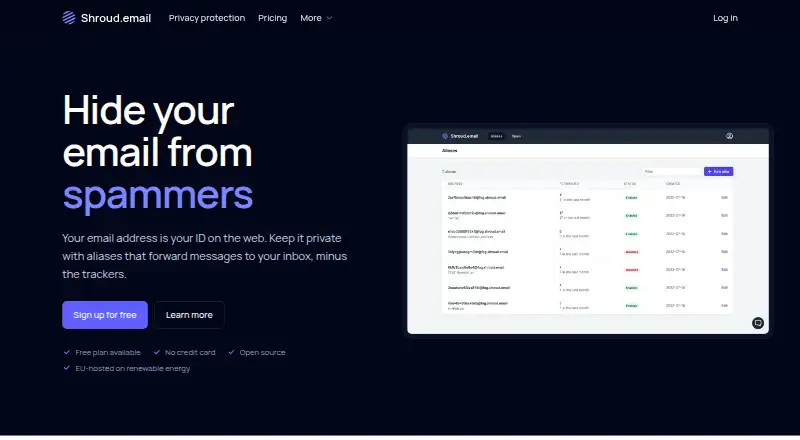
Shroud.email creates forwarding aliases so you can keep your main email private. It removes tracking pixels, filters spam, and lets you disable aliases or block senders. The service runs on the web and macOS, offers an API, and can be self-hosted. Its free tier allows five aliases, while paid options provide unlimited aliases and custom domains.
Review
In a line
With Shroud.email, messages sent to alternate addresses arrive in your real inbox without exposing that address.
What it does
Create an alias for a website, service, or other contact, then receive its messages in your normal inbox. You can reply from an alias or send from one.
Forwarded mail has its tracking pixels stripped, and images are fetched through Shroud.email’s servers. Aliases can be turned off or removed, and individual senders can be blocked. Spam that the service detects stays available in the web portal for seven days.
How it connects
According to Shroud.email, it works with any email provider, such as Gmail or Proton Mail. It runs on the web and macOS, and provides an API for managing aliases and finding custom domains. API access uses bearer tokens; the documentation is generated from an OpenAPI specification, with client generators suggested instead of a first-party SDK.
The project is libre open source under the GNU AGPL v3. A Docker Compose deployment is available for self-hosting, which requires a public server exposing ports 25, 80, and 443 and credentials for S3-compatible object storage. Custom domains require TXT, MX, SPF, DKIM, and DMARC records.
Good fit
Shroud.email suits people who want separate addresses for sign-ups while keeping one inbox. It is also useful if removing tracking pixels, filtering spam, or sending and replying from aliases matters.
Paid users can attach custom domains, set up catch-all aliases, and recreate those addresses on another service if they depart.
Watch for
Bulk email and bulk alias creation, including automated creation, are barred by the terms. A fair-use policy applies even to plans described as unlimited.
Self-hosting support is still new, and the maker warns that small mail servers may have spam-folder and blocklist problems. Forwarded attachments are supported up to 25 MB.
Message content is kept until delivery succeeds or delivery attempts end. Spam is kept until deletion or for seven days. The privacy notice lists Hetzner in Germany as the host and Loops and Sentry as US-based processors.
Pricing
The Free plan costs nothing and includes five aliases, tracker removal, spam filtering, inbox forwarding, and no credit card requirement. It also comes with a 30-day trial.
Paid yearly costs $35 a year. It adds unlimited aliases, custom domains, sending and replying from aliases, tracker removal, spam filtering, inbox forwarding, and priority support.
Another Paid option does not show a price and is set to renew each year. It includes unlimited aliases, custom domains, and sending and replying from aliases.
Verdict
Choose Shroud.email if you want forwarding aliases, tracker removal, and the option to run the software yourself. The free plan is enough for a small set of aliases, while the yearly plan adds custom domains and broader alias use.
Check the mail-server requirements and deliverability warnings before self-hosting. People needing bulk email or automated bulk alias creation should look elsewhere. For more services in this category, see email alias services.
Our take
Shroud.email is a practical choice for keeping a real inbox address private without changing email providers. Five aliases are available on the free tier, while the $35 yearly plan provides unlimited aliases, custom domains, and alias sending. Open-source code and Docker deployment suit people who want control over hosting, but self-hosting needs mail-server setup and can face deliverability problems. The bulk-use ban also rules it out for automated large-scale alias creation. Choose it for personal privacy and controlled alias management, not for mass mailing.
- The free tier offers five aliases without asking for a credit card
- Forwarded emails have tracking pixels removed
- Compatible with Gmail, Proton Mail, and other providers
- Open-source code with Docker self-hosting option
- The $35 yearly tier allows custom domains and sending through aliases
- Self-hosting needs open mail ports and S3-compatible storage keys
- Small self-hosted servers may face spam-folder or blocklist issues
- Bulk email and automated bulk alias creation are prohibited
- Forwarded attachments are limited to 25 MB
- The separate Paid plan has no listed price
- Pick it ifPeople seeking private forwarding aliases; Users needing tracker removal and spam filtering; Those who want open-source or self-hosted email aliasing
- Skip it ifYou need bulk email or automated bulk alias creation; You cannot manage DNS records for a custom domain; You need a fully supported small mail server
Pricing
The free plan supports five aliases. Paying $35 a year unlocks unlimited aliases, custom domains, alias sending and replies, and priority support. Another paid plan renews yearly but has no listed price.
- Free5 aliases · tracker removal · spam filtering · inbox forwarding · no credit cardFree
- Paid yearly$35/year · Unlimited aliases · tracker removal · spam filtering · inbox forwarding · custom domains · send and reply from aliases · priority support$35/yr
- PaidRenews automatically each year · Unlimited aliases · custom domains · send and reply from aliasesOn request
As shroud.email lists them, checked 15 Oct 2026.
Questions
Does Shroud.email have a free plan?
Yes. The Free plan costs nothing, supports five aliases, and does not require a credit card. It includes tracker removal, spam filtering, and inbox forwarding.
Can I use Shroud.email with Gmail or Proton Mail?
Yes. The service says it supports every email provider, including Gmail and Proton Mail.
Can I send or reply from an alias?
Yes. Sending and replying from aliases are included in the paid plans.
What does self-hosting require?
A Docker Compose setup runs Shroud.email on a public Internet server; ports 25, 80, and 443 must be open, and S3-compatible object-storage keys are needed.
Does Shroud.email remove email trackers?
Yes. Tracking pixels are stripped from forwarded messages, while email images are proxied through Shroud.email’s servers.
How long is spam kept?
Detected spam is kept for seven days and can be viewed in the web portal. Message content is retained until delivery succeeds or delivery attempts end.
What are the custom-domain requirements?
Custom-domain setup requires verification TXT, MX, SPF, DKIM, and DMARC records. Custom domains are available to paid users.