
SpendMap Purchasing Software Review
spendmap.com · checked 15 Oct 2026
Corporate purchasing software for requisitions, approvals, orders, invoices, inventory and supplier quotes.
How it plugs in
Signal on Purchase Order Software6.7#1 of 26
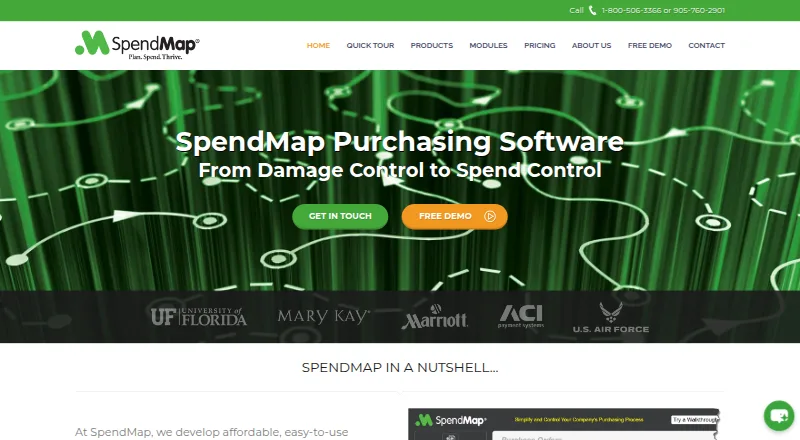
SpendMap manages indirect purchasing from requisition through receiving, invoice approval and inventory control. It runs in browsers, on phones and tablets, Windows, or a customer server. Cloud hosting, support and training come with the hosted edition. A free plan covers one user’s purchase orders and receiving; paid plans add workflows, invoices, suppliers, inventory and AI matching.
Review
In a line
SpendMap is purchasing software for companies that need structured control over requests, approvals, purchase orders, supplier invoices and stock. It is aimed mainly at midsize organizations handling corporate indirect buying.
What it does
Staff can submit requisitions, send them through configurable approval steps, then create and track purchase orders. The purchasing module includes supplier and item catalogs, change-order history, status tracking, budgets and reports.
Receiving records delivered goods. Inventory tools track ongoing stock, low quantities, several locations and replenishment orders, with optional barcode support. RFQs send electronic quote requests and collect supplier replies through a portal.
Budget figures can appear while someone enters an order or approves it. SpendMap can stop an over-budget transaction or send it to another approver. Enterprise adds AI matching and no-touch approval for standard supplier invoices.
How it connects
SpendMap lists more than 30 integrations, including QuickBooks, Sage and Microsoft Dynamics. It also offers an API, file imports and exports, and configurable table exports to XLS, XLSX, DBF or CSV.
PunchOut links supplier shopping catalogs such as Amazon Business, Staples, Dell and Grainger, allowing a cart to become a requisition or purchase order. The supplier portal keeps each supplier’s documents and prices separate.
The web app runs in common browsers. A mobile web app handles requests, approvals and receiving on phones, tablets and computers. A Windows desktop app has the same full feature set and can run through Citrix, Terminal Services or Remote Desktop. SpendMap is proprietary, not open source.
Good fit
SpendMap suits organizations with about 50 to 1,000 employees that want one process for indirect purchasing. Smaller and selected larger organizations are also served.
It fits teams that need approval routing, budget checks, purchase-order tracking, supplier quotes, invoice review and stock control. Cloud customers get Microsoft Azure hosting, updates, technical support, setup help and training.
Watch for
The product is proprietary, and its licence bars copying, reverse engineering and extracting source code. The on-premise edition uses one-time or perpetual licensing, with details supplied by the company.
Initial setup and employee training can require substantial effort. The help system is extensive, and changing or finding records may take time.
The AI support agent is available around the clock but does not access live financial transactions or private system data. SpendMap says information sent to AI providers is encrypted and cannot be used to train general public models.
Pricing
A free plan supports one user with Purchase Orders, Receiving, five purchase-order form designs and free email/web support. A free trial is also available.
Pro costs $15 a month, billed at $15 per module per user/month, with a $150/month minimum. It adds Requisitions & Approvals, Purchase Orders, Receiving, Supplier Invoice Approval, RFQs and phone support.
Enterprise costs $20 a month, billed at $20 per module per user/month, with a $300/month minimum. It adds AI Auto-Match, Supplier Portal, Inventory Control, Asset Management, PunchOut, the mobile web app and a sandbox account.
An on-premise edition is licensed once or perpetually; buyers must contact SpendMap for those details.
Verdict
Choose SpendMap if your purchasing team needs formal request and approval paths, budget enforcement, purchase-order records and receiving in the same system. Its integrations, API, supplier catalogs and multiple deployment choices can suit varied IT setups.
The free tier is narrowly scoped to one user, so larger teams will need a paid plan. Check the minimum monthly charges, module-based billing and implementation workload before signing. Organizations wanting source code or a lightweight purchasing tool should look elsewhere.
Our take
SpendMap is a fit for midsize companies that need purchasing controls beyond simple order entry. It covers requests, approvals, orders, receiving, supplier invoices, quotes and inventory, with budget rules and accounting connections. The free edition is useful for a single-user starting point, while Pro and Enterprise carry monthly minimums and charge per module and user. Cloud hosting reduces server work; on-premise licensing supports self-hosting. Plan time for setup and training, and confirm which modules and integrations your process requires before choosing a tier.
- Free plan includes one user’s Purchase Orders and Receiving
- Budget checks can block or reroute over-limit transactions
- More than 30 integrations plus API and file exports
- Cloud or on-premise deployment options
- Mobile web app supports requests, approvals and receiving
- Paid plans have $150 or $300 monthly minimums
- Pricing is charged per module per user each month
- Initial setup and training may take substantial effort
- Proprietary licence does not provide source code
- Record searches and edits may take time
- Pick it ifMidsize companies managing indirect purchasing; Teams needing approvals, budgets, orders and receiving; Organizations wanting cloud or self-hosted deployment
- Skip it ifYou need open-source code or a low-setup purchasing tool; Your team cannot meet the paid plan minimums; You only need basic purchasing for more than one user
Pricing
SpendMap has a free one-user plan. An on-premise licence is one-time or perpetual, with pricing available from the company.
- Freetotally free · 1 user · Purchase Orders · Receiving · 5 PO form designs · free email/web supportFree
- Pro$15 per module per user/month; $150/month minimum · Requisitions & Approvals · Purchase Orders · Receiving · Supplier Invoice Approval · RFQs · phone support$15/mo
- Enterprise$20 per module per user/month; $300/month minimum · AI Auto-Match · Supplier Portal · Inventory Control · Asset Management · PunchOut · mobile web app · sandbox account$20/mo
As spendmap.com lists them, checked 15 Oct 2026.
Questions
What is SpendMap used for?
It manages corporate purchasing, including requisitions, approval workflows, purchase orders, receiving, supplier invoice approval, RFQs and inventory control.
Is there a free version?
Yes. The Free plan supports one user with Purchase Orders, Receiving, five PO form designs and free email/web support. A free trial is also offered.
Does SpendMap connect to accounting software?
It lists more than 30 integrations, including QuickBooks, Sage and Microsoft Dynamics, plus an API and file import/export tools.
Can SpendMap be installed on our own server?
Yes. An on-premise edition is available with one-time or perpetual licensing. Contact the company for licensing details.
Does SpendMap work on phones?
Its mobile web app supports requisition entry, order approvals and receiving on smartphones and tablets.
What does Enterprise add?
Enterprise includes AI Auto-Match, Supplier Portal, Inventory Control, Asset Management, PunchOut, the mobile web app and a sandbox account.
Near it
All alternatives →- PCProcurementExpress.com#2 on this board
- TGTREX Grow#3 on this board
- T
 Tradogram#4 on this board
- K
 Kissflow#5 on this board
- EP
 Entexia Procurement#6 on this board
- NPNumbris Purchase & Suppliers#7 on this board
- B
 BetterSpend#8 on this board
- SSpndio#9 on this board
- TPTOKN Purchase Order App#10 on this board
- SSSite Samurai#11 on this board