SyncSketch Review
syncsketch.com · checked 15 Oct 2026
Cloud review platform for images, video, 360-degree media, and 3D models.
How it plugs in
Signal on Markup Software6.6#4 of 26
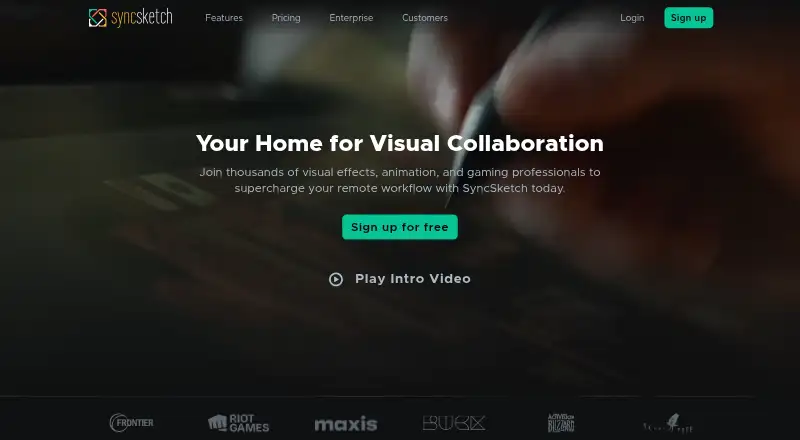
SyncSketch lets teams review visual media through shared links, either live or on their own schedule. It supports frame-linked comments, drawings, synchronized playback, approvals, version comparison, and 3D viewing. Apps include web, iOS, Android, and API access on higher plans. A free non-commercial tier is available, with paid seats and storage limits varying by plan.
Review
In a line
SyncSketch provides cloud-based review for images, videos, 360-degree content, and 3D models. Teams use shared links to discuss and approve media.
What it does
Reviewers can work together live or separately, online or offline. Playback stays synchronized, and comments or drawings attach to specific frames or viewing angles.
The player includes text comments, ballpoint, brush, eraser, and laser-pointer tools. Time-coded feedback, approval workflows, version comparison, and custom reviewer roles are also available.
The 3D viewer handles static models with shading, textures, and UV maps. Supported 3D files include OBJ, FBX, GLB, GLTF, and DAE; animated models are limited to Enterprise and Education Plus.
How it connects
SyncSketch runs in a browser and has iOS and Android access. Unity, Maya, and ShotGrid appear on the product page, while the support integration index includes Jira, SAML identity providers, and customer AWS S3 storage.
A documented public API is available only to Enterprise and Education Plus accounts, with administrator credentials. It covers accounts, projects, reviews, items, frames, users, and webhooks. A BSD-3-Clause Python package provides create, read, update, and delete methods.
Supported media includes MP4, WebM, MOV, MKV, PDF, PSD, EXR, PNG, JPG, TIFF, OBJ, FBX, GLB, GLTF, and DAE. Image sequences must be converted to movie files before upload. A standalone player is not currently planned; on-premise options require contacting the security team.
Good fit
SyncSketch suits production teams that need frame-accurate notes on video, images, 360-degree media, or 3D assets. Shared links support synchronous or asynchronous reviews.
Maya users can upload playblasts and videos, then download notes and annotations through the plugin. The plugin is documented as tested with Maya 2024 and compatible with Maya 2020 or later.
Teams needing stronger controls can use features such as SSO, activity logs, watermarking, API-key rotation, and IP or domain restrictions on Enterprise.
Watch for
The free Light plan is for non-commercial use and is limited to five seats, 1 GB of storage, 2 GB of monthly uploads, and two projects. Light uploads are also limited to 300 MB per file and 20 media items in seven days.
Every user role with project access counts toward paid seat limits. Animated 3D models require Enterprise or Education Plus, and the public API is not included on lower plans.
All account types use 256-bit HTTPS/TLS encryption, encrypted S3 storage, and signed media URLs with optional expiration. Check whether the storage, upload, seat, and security requirements match your plan.
Pricing
The Light tier costs nothing for non-commercial use and provides five seats, 1 GB of storage, 2 GB of monthly uploads, and two projects.
Indie costs $9 a month per seat, billed annually. It allows up to 15 seats, 50 GB of storage, 100 GB of uploads per month, and unlimited projects.
Education Plus costs $60 a year per seat, billed annually. It includes 50 GB of storage, advanced drawing, API access, webhooks, SSO, watermarking, and advanced integrations; new subscriptions are not accepted.
Enterprise and Team have price on request. Enterprise adds advanced security, SSO, custom storage, integrations, API access, and webhooks. Team is for groups working across multiple projects and includes a 3D model viewer and custom brushes. Free 14-day trials are offered; the chosen subscription begins afterward unless canceled.
Verdict
Choose SyncSketch if your work depends on visual sign-off, detailed frame notes, or 3D asset reviews across distributed teams. Its broad media support, synchronized sessions, Maya workflow, and review controls cover both live meetings and asynchronous approvals.
The free tier is mainly a small, non-commercial starting point. Commercial teams should compare seat counts, upload volumes, storage, and required integrations before choosing Indie or requesting a Team or Enterprise quote. API users need an eligible plan and an administrator.
Our take
SyncSketch is a practical option for teams that review visual work and need comments tied to exact frames or views. It covers common video, image, and 3D formats, supports browser and mobile access, and offers Maya, Unity, and ShotGrid connections. The main tradeoffs are plan limits, per-seat billing, and restricted access to animated 3D files and the public API. Light works for small non-commercial projects, while larger or security-focused groups will need a quoted plan. New Education Plus subscriptions are closed.
- Frame-accurate comments, drawings, approvals, and version comparison
- Reviews can run live or asynchronously through shared links
- Supports video, images, 360-degree media, and 3D models
- Integrates with Unity, Maya, ShotGrid, and Jira
- Free non-commercial Light plan is available
- Light limits use to non-commercial work, five seats, 1 GB storage, and two projects
- Paid limits count every user with project access as a seat
- Animated 3D models require Enterprise or Education Plus
- Public API access requires Enterprise or Education Plus
- Image sequences must be converted before upload
- Pick it ifTeams reviewing video, images, 360-degree media, or 3D assets; Maya-based workflows needing notes and annotations; Organizations requiring shared approvals and frame-linked feedback
- Skip it ifYou need a standalone self-hosted player; You need animated 3D review on a lower-tier plan; Your project exceeds Light's non-commercial, seat, storage, or upload limits
Pricing
A free Light plan covers limited non-commercial use. Indie is $9 a month per seat, billed annually. Education Plus is $60 a year per seat, but new subscriptions are not accepted. Team and Enterprise pricing is on request. A 14-day trial is available.
- Lightnon-commercial use · 1 GB storage · 2 GB uploads/month · 5 seats · 2 projectsFree
- Indieper seat, paid annually · up to 15 seats · 50 GB storage · 100 GB uploads/month · unlimited projects$9/mo
- Education Plusper seat, billed annually; no new subscriptions accepted · 50 GB storage included · advanced drawing · API · webhooks · SSO · watermarking · advanced integrations$60/yr
- Enterpriseadvanced security · SSO · custom storage · integrations · API · webhooksOn request
- TeamFor teams working across multiple projects · 3D model viewer · custom brushesOn request
As support.syncsketch.com lists them, checked 15 Oct 2026.
Questions
Does SyncSketch have a free plan?
Yes. The Light tier is free for non-commercial use and allows five seats, 1 GB of storage, 2 GB of monthly uploads, and two projects.
What devices can run SyncSketch?
SyncSketch is available through web browsers, iOS, and Android. It is described as usable on laptops, desktops, mobile devices, and tablets.
Which apps integrate with SyncSketch?
The named integrations are Unity, Maya, and ShotGrid, and Jira appears in the support integration index. That index also lists SAML identity providers and customer AWS S3 storage.
Is there a public API?
Yes, but only Enterprise and Education Plus accounts can use it, and an administrator must obtain credentials. The API covers accounts, projects, reviews, items, frames, users, and webhooks.
Can SyncSketch review 3D models?
Yes. The viewer supports OBJ, FBX, GLB, GLTF, and DAE files. Animated models are restricted to Enterprise and Education Plus.
Does SyncSketch offer a trial?
Yes. Users can take a free 14-day trial, after which the selected subscription starts unless canceled.
Can I upload image sequences directly?
No. Image sequences must first be converted into supported movie files.