Timeero: GPS Time, Mileage and Workforce Scheduling
timeero.com · checked 15 Oct 2026
GPS time, mileage, scheduling and payroll reporting for mobile workforces.
How it plugs in
Signal on Time Clock Software6.2#4 of 28
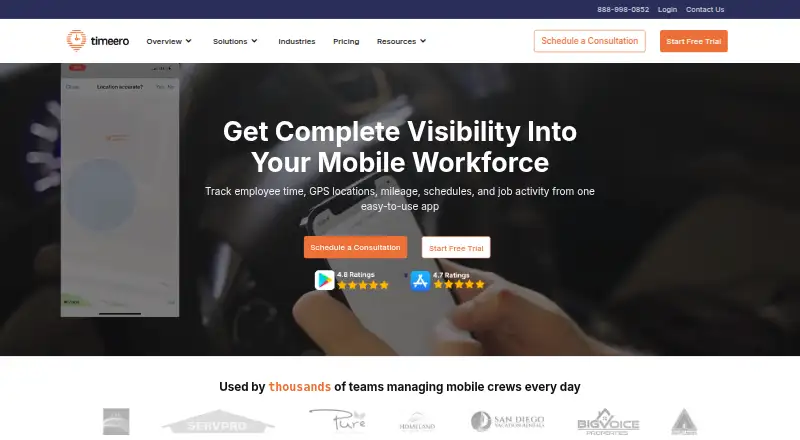
Timeero is cloud software for tracking employee hours, GPS locations, mileage, schedules and job activity. Staff can clock in by mobile app, web portal or kiosk, while managers review routes, timesheets and attendance. It connects with payroll and accounting systems, offers a public API, and includes iOS and Android apps that can work offline.
Review
In a line
Timeero is a cloud workforce-visibility service for GPS time, mileage, location, scheduling and payroll reporting. It is aimed at teams whose employees work away from one fixed office.
What it does
Employees record hours, breaks and overtime, which Timeero organizes into payroll-ready timesheets. Clock-ins can come from a mobile app, web portal, iPad kiosk or automatic geofence-based clocking. Managers can create schedules, send shift reminders and manage time off.
The service records GPS points, routes and stop times while people are on the clock. It calculates mileage using built-in IRS rates, can replay breadcrumb routes, and can show trips, stops and time at locations after one shift clock-in through Segmented Tracking.
Geofences can enforce or remind workers about location-based clock-ins and clock-outs. Attendance reports and timesheet approvals are included. An October 2026 update added emailed weekly snapshots of hours by employee and job, plus mileage totals.
How it connects
Timeero lists connections such as QuickBooks, Gusto and ADP, along with Paycor, Paychex, Paylocity, BambooHR, Rippling, Viventium, Xero, Sage Intacct, PIMSY and Zapier. All integrations are stated to be free except ADP's connector fee; the Xero connection works only with Xero Australia.
A public REST API at api.timeero.app supports creating, reading, updating and deleting records, webhooks and custom fields. It allows up to 60 requests per minute, returns HTTP 429 after that limit, and uses administrator-generated, non-expiring API keys. API traffic is protected with SSL. The Premium plan adds an MCP server for ChatGPT, Claude and other compatible clients.
The iOS and Android apps work offline and synchronize after connectivity returns. QuickBooks Desktop requires a Windows PC, a supported edition and the Web Connector; Mac is not supported. Timeero is not open source.
Good fit
Timeero suits mobile workforces in construction, cleaning, contracting, property management, home health and nonprofit work. It is useful when a team needs location-aware time records, mileage totals, schedules and payroll reports in one service.
Its mobile tracking, offline operation, route replay and payroll connections can help managers oversee shifts across job sites. HIPAA support, a Business Associate Agreement and audit logs are stated for healthcare-related use.
Watch for
There is no free plan. The free trial lasts 14 days without a credit card, but a card is required to continue afterward. Integration charges are generally absent, while ADP charges its own connector fee.
The public API runs with administrative privileges and is rate-limited to 60 requests per minute. Mobile apps may collect device identifiers, diagnostics and geolocation data, and data may be processed outside a user's country. Mileage data remains available for four years.
Check the QuickBooks Desktop requirements if your accounting setup uses a Mac or an unsupported Windows edition. Segmented Tracking and messaging cost extra and are limited to Pro and Premium.
Pricing
Basic costs $6 a month when billed monthly for up to 10 users. Basic annual costs $5 a month billed annually, with two months free. Both include time, GPS, mileage and break tracking.
Pro costs $9 a month billed monthly for unlimited users. Pro annual costs $7.50 a month billed annually, with two months free. Pro adds auto clock-in/out, job tracking, payroll integrations, scheduling, California Break Policy, geofencing and photo attachments.
Premium costs $12 a month billed monthly for unlimited users. Premium annual costs $10 a month billed annually, with two months free. Premium adds time-off management, facial-recognition kiosk, commute and suggested mileage, EVV, public API, signatures, custom fields, MCP server and multi-level approvals.
Enterprise pricing is on request. The Messaging add-on costs $2 a month, billed monthly, and the Segmented Tracking add-on starts at $5 a month, billed monthly; both are available only on Pro and Premium.
Verdict
Choose Timeero if your staff travel between jobs and you need time records tied to GPS, mileage and schedules. The offline mobile apps, route history, payroll links and API cover a wide range of operational setups.
Look elsewhere if you need a free plan, open-source software, Mac support for QuickBooks Desktop, or an API without administrative access and request limits. Budget for higher tiers or add-ons if you need messaging, Segmented Tracking or the expanded Premium tools.
Our take
Timeero is a practical match for organizations managing people across multiple job sites. Its core plans combine clock-ins, GPS, mileage, schedules and payroll-oriented timesheets, while higher tiers add API access, approvals and MCP connections. The 14-day trial lets a buyer check workflows before subscribing. Costs rise for unlimited users and optional features, and QuickBooks Desktop users need Windows. Privacy, administrative API access and the absence of a free plan deserve review before purchase.
- Tracks hours, breaks, overtime, GPS locations and mileage
- Offline iOS and Android apps synchronize when connected
- Payroll and accounting integrations are listed
- Public API includes webhooks and custom fields
- 14-day trial does not require a credit card
- No free plan
- ADP connector has its own fee
- QuickBooks Desktop integration does not support Mac
- API uses administrative privileges and a 60-request-per-minute limit
- Some features require Pro, Premium or paid add-ons
- Pick it ifMobile teams needing GPS time, mileage and scheduling; Businesses connecting field records to payroll systems; Healthcare organizations needing HIPAA support
- Skip it ifYou need free or open-source time-tracking software; Your QuickBooks Desktop setup runs on a Mac; You require unrestricted, non-administrative API access
Pricing
Monthly Basic is $6 for up to 10 users; Pro and Premium support unlimited users. Add-ons and Enterprise pricing cost extra.
- Messaging add-onmonthly · available only on Pro and Premium · two-way messaging · admin controls · group channels$2/mo
- Basic annualannually (2 months free) · up to 10 users · time tracking · GPS tracking · mileage tracking · break tracking$5/mo
- Segmented Tracking add-onmonthly starting price · available only on Pro and Premium · full-day segments, stops, mileage and trip details$5/mo
- Basicmonthly · up to 10 users · time tracking · GPS tracking · mileage tracking · break tracking$6/mo
- Pro annualannually (2 months free) · unlimited users · Basic features · auto clock-in/out · job tracking · payroll integrations · scheduling · California Break Policy · geofencing · photo attachments$7.50/mo
- Promonthly · unlimited users · Basic features · auto clock-in/out · job tracking · payroll integrations · scheduling · California Break Policy · geofencing · photo attachments$9/mo
- Premium annualannually (2 months free) · unlimited users · Pro features · time-off management · facial-recognition kiosk · commute and suggested mileage · EVV · public API · signatures · custom fields · MCP server · multi-level approvals$10/mo
- Premiummonthly · unlimited users · Pro features · time-off management · facial-recognition kiosk · commute and suggested mileage · EVV · public API · signatures · custom fields · MCP server · multi-level approvals$12/mo
As timeero.com lists them, checked 15 Oct 2026.
Questions
Does Timeero have a free plan?
No. Timeero offers a 14-day free trial without a credit card, then requires a card to continue.
Which devices can employees use to clock in?
Employees can clock in through the mobile app, web portal, iPad kiosk app or automatic geofence-based clock-in and clock-out.
Can Timeero track mileage offline?
The iOS and Android apps track time while offline and synchronize changes after connectivity returns.
What payroll systems connect to Timeero?
Listed connections include QuickBooks, Gusto, ADP, Paycor, Paychex, Paylocity, BambooHR, Rippling, Viventium, Xero, Sage Intacct, PIMSY and Zapier.
Does Timeero provide an API?
Yes. Its public REST API supports record changes, webhooks and custom fields, with a limit of 60 requests per minute.
Is Timeero HIPAA compliant?
Timeero states that it is HIPAA compliant, supports a Business Associate Agreement and logs activity for auditability.
How much does Timeero cost?
Basic is $6 a month monthly or $5 a month billed annually. Pro is $9 monthly or $7.50 annually, and Premium is $12 monthly or $10 annually.