Unmixr Dubbing: Tools, Limits, and Plans
unmixr.com · checked 15 Oct 2026
Unmixr Dubbing is a browser-based studio for translating and voicing videos in other languages.
How it plugs in
Signal on AI Dubbing Software6.3#9 of 26
With Unmixr Dubbing, speech is transcribed and translated, then AI voices are matched to the speakers. Translation edits and timing adjustments are available before you export dubbed video or audio with subtitles. The browser service has a free plan; paid options begin at $9 per month. Lip movements remain unchanged, and free exports carry a watermark.
Review
In a line
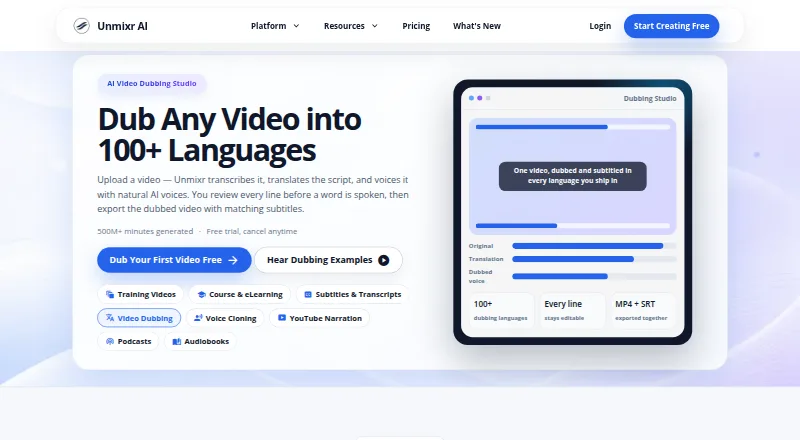
Unmixr Dubbing is a browser studio that turns spoken video into dubbed versions in other languages. Its workflow transcribes and translates speech, then gives each detected speaker an AI voice.
What it does
Uploads are transcribed with timestamps and separated by speaker. You can revise translated lines, rearrange or split segments, and redo selected parts without regenerating the whole dub.
Distinct voices are available for each speaker, and you can change them for a speaker or an individual segment. Timing and speaking speed controls help align speech with the video. Finished exports may contain dubbed video or audio, along with translated SRT or VTT subtitles.
How it connects
The service runs in a web browser. Files may be as long as 60 minutes; common formats include MP4, MOV, MP3, and WAV. There is no mobile app, but the service is accessible through a mobile browser.
API access is listed on Starter, Pro, and Business. It uses HTTPS and JSON, and can return MP3 or WAV. Long jobs run in the background and can send signed completion or failure notices.
Good fit
Unmixr suits people who need to translate and dub longer videos, assign different voices to speakers, or export subtitles alongside the dubbed media. Segment-level editing can help when only parts of a translation or timing need changes.
Watch for
Dubbing does not re-animate lips or change video frames. The free plan limits exports to three minutes and adds a watermark; Lite exports audio only, while video workflows start with Starter.
Each dubbed video minute costs 1,920 credits, and voiceover and transcription draw from that same balance. Check the plan’s monthly credits against your expected use. Dubbing files are automatically removed one year after creation.
Paid recurring plans include background music separation; the free trial does not.
Pricing
Free provides 5,000 signup credits, allows one video up to an hour, and includes watermarked exports of up to three minutes. Lite costs $9 a month, billed $90 a year, and includes 100K credits each month with audio-only exports.
Starter costs $19 a month, billed $190 a year. Pro costs $49 a month, billed $490 a year. Business costs $99 a month, billed $990 a year. Those plans add increasing monthly credits and dubbing capacity; API access starts with Starter.
Verdict
Choose Unmixr if you want to edit translations and speaker voices in a browser before exporting dubbed media and subtitles. Plans range from audio-only exports to video workflows and API access, which are available starting with Starter.
It is not suited to work that requires lip movements to follow translated speech, or to users who rely on a dedicated mobile app. Check credit use and export limits before choosing a plan.
Our take
Unmixr is worth considering for people who need to translate video speech, assign voices to individual speakers, and refine timing or wording before exporting. Subtitle files are available alongside dubbed media, and higher-tier plans add video workflows and API access. The main trade-offs are that it does not alter lip movements, credits cover several services, and the free plan has a short watermarked export limit. Match your expected video minutes to the plan’s credits before paying.
- Translated lines can be edited, with selected segments regenerated.
- Different voices can be assigned to detected speakers.
- Dubbed media can be exported with SRT or VTT subtitles.
- Files up to 60 minutes are supported.
- Paid plans include voice-clone profiles.
- Lip movements and video frames are not changed.
- Free exports are watermarked and limited to three minutes.
- Lite exports audio only; video workflows start with Starter.
- No dedicated mobile app.
- Dubbing uses credits shared with voiceover and transcription.
- Pick it ifPeople dubbing videos with multiple speakers; Users who want to edit translations and timing before export; Teams needing API access on Starter or higher
- Skip it ifYou need translated speech to match animated lip movements.; You need video exports on the $9-a-month Lite plan.; You need a dedicated mobile app.
Pricing
Free includes 5,000 signup credits and watermarked exports up to three minutes. Lite is $9 a month, billed $90 a year; video workflows and API access are available from Starter at $19 a month, billed $190 a year. Credits are shared with voiceover and transcription.
- Free5,000 signup credits · up to 3-minute watermarked exports · one video up to 1 hour · 500 MB videoFree
- Lite$90/year · 100K credits/month · 7 hours transcription · 52 dubbing minutes · 1 voice-clone profile · audio-only MP3/WAV exports$9/mo
- Starter$190/year · 400K credits/month · 28 hours transcription · 208 dubbing minutes · 5 voice-clone profiles · video workflows · API access$19/mo
- Pro$490/year · 2.6M credits/month · 181 hours transcription · 1,354 dubbing minutes · unlimited voice-clone profiles · higher API limits$49/mo
- Business$990/year · 6.5M credits/month · 451 hours transcription · 3,385 dubbing minutes · highest API limits · priority support$99/mo
As unmixr.com lists them, checked 15 Oct 2026.
Questions
How many languages can Unmixr Dubbing handle?
The dubbing page describes support for 100+ dubbing languages. A separate product fact lists 85 output languages.
Can it match each speaker to a different voice?
Yes. It separates speakers and lets you assign or change a voice for each speaker or segment.
Can I edit the translation before exporting?
Yes. Translated lines can be revised, segments split, merged, or reordered, and selected parts regenerated.
Does Unmixr sync dubbed speech to moving lips?
No. Dubbing replaces speech and can add subtitles, but leaves lip movements and video frames as they are.
What files can I upload, and how long can they be?
Files can run for up to 60 minutes and may be in MP4, MOV, MP3, or WAV format.
Is there a free plan or trial?
A free account comes with 5,000 credits. The separate seven-day trial offers 10,000 credits without requiring a card, and trial uploads are limited to their first five minutes.
Which plans include API access?
Starter, Pro, and Business list API access. The API can return MP3 or WAV.
How much does dubbing use from my credits?
A video minute of dubbing consumes 1,920 credits. Voiceover and transcription use the same credit wallet.