Vocalize: AI Music Covers and Speech
vocalize.fm · checked 21 Oct 2026
Create AI music covers and spoken audio with shared or self-cloned voices.
How it plugs in
Signal on AI Singing Voice Generators6.3#8 of 25
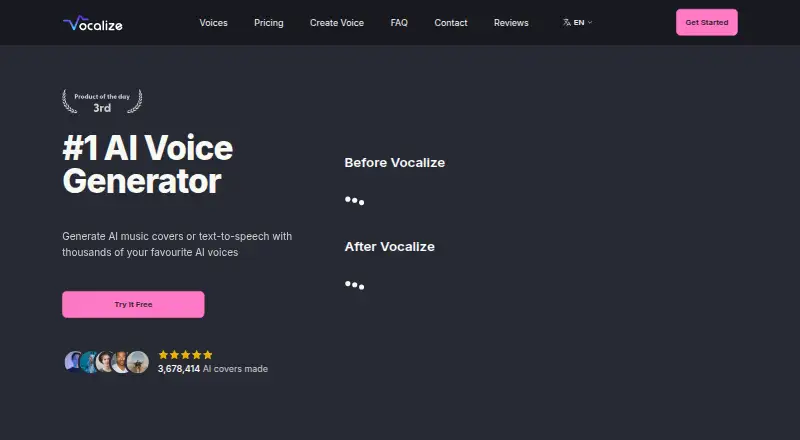
Vocalize lets you produce AI music covers and speech in a browser or through its API. Pick from community models, upload RVC files, or clone a voice from a brief recording. Free access, a trial, and three starting credits offer an entry point, while paid options add priority and broader use.
Review
In a line
Vocalize combines browser tools and API access for generating AI covers and speech from community models or your own cloned voice.
What it does
You can create singing covers by separating, converting, and remixing vocals. Cover jobs usually take 10 to 60 seconds, while text-to-speech is ready in a few seconds.
A short recording can be used to train a text-to-speech voice, while an RVC voice-to-voice model supports singing and voice swaps. The voice library is searchable, and members can add their own models.
How it connects
Vocalize runs on the web and offers HTTPS REST API endpoints. Its API handles speech generation, audio streaming, quick cloning from a 10–30 second clip, direction tags, and more than 80 languages.
Existing /v1/audio/speech clients can point to Vocalize by replacing their base URL with the compatible endpoint. The voices page accepts RVC .pth and .index files, with an image and name for each upload.
The API uses bearer keys and published documentation covers setup, authentication, streaming, voices, cloning, billing, limits, errors, and an OpenAPI specification.
Good fit
Vocalize suits people making AI song covers, experimenting with different singing voices, or adding speech generation to an app. Its community library gives you many user-created models to search.
It can also fit teams that already use an OpenAI-style speech connection, since the compatible endpoint is designed for a base-URL change rather than a new request format.
Watch for
Free users share a queue during busy periods, so generation can take longer. Subscribers skip the queue, and generation time varies with demand.
The terms limit use to domestic and private activities unless Vocalize specifically approves commercial or business use. Check that rule before publishing or selling generated work.
API use is prepaid. The quickstart says you must add at least $10 credit, and requests fail when the balance is too low. Refunds generally cover only unused credits or subscriptions requested within 30 days.
Pricing
Vocalize has a free plan and free trial. New accounts receive three credits without entering a credit card.
The Vocalize API plan has no subscription charge, but bills $0.048 per generated audio minute and $0.003 per request. API prepaid usage is listed as a $0.05 one-time charge, with the same request fee and per-minute billing; the quickstart says API billing requires at least $10 credit.
The Converter plan is listed at $9.99 a month, while the page also shows $12.99. It includes unlimited generations, queue priority, the full voice library, unlimited model uploads, simultaneous generations, advanced conversion settings, high output quality, and 24/7 live chat.
Verdict
Choose Vocalize if you want one place for AI covers and speech, with a searchable community voice library and options for custom voice training. The API is a practical fit when your software already uses an OpenAI-compatible speech endpoint.
Be cautious if you need commercial rights by default, predictable wait times on a free account, or a simple subscription price, because commercial use needs approval, free users share a queue, and the Converter price is shown two ways.
Our take
Vocalize is a reasonable starting point for hobby projects, cover-song experiments, and speech features that can use community voices or private clones. The free access and three signup credits lower the barrier to trying it. Its API supports streaming, many languages, and an OpenAI-compatible endpoint, which may reduce integration work. Before committing, confirm the current Converter price, keep enough prepaid API credit, and check whether your intended use is commercial. The terms require approval for business use, and free accounts may wait in a shared queue during busy periods.
- AI cover and text-to-speech generation
- Searchable library of user-uploaded voices
- Voice cloning from a 10–30 second clip
- OpenAI-compatible speech API endpoint
- Free plan, trial, and three signup credits
- Commercial use requires specific approval
- Free users share a queue when demand is high
- API billing is prepaid
- Converter price is shown as both $9.99 and $12.99 a month
- Refunds are generally limited to unused credits or subscriptions
- Pick it ifAI cover-song experiments; Speech apps using an OpenAI-style endpoint; Users who need community or cloned voices
- Skip it ifYou need automatic commercial rights; You require guaranteed queue priority without a subscription; You want one clearly stated Converter price
Pricing
Free access includes a trial and three signup credits. API use is pay-as-you-go with prepaid credit, $0.048 per generated audio minute, and $0.003 per request. Converter is listed at $9.99 a month, with $12.99 also shown.
- Vocalize API$0.048 per minute of generated audio plus $0.003 per request; prepaid, no subscription · Thousands of voices · Private voice clones · 80+ languages · Streaming · OpenAI-compatible endpointFree
- API prepaid usageprepaid, no subscription; also $0.003 per request · Text-to-speech API usage billed per generated audio minute and request$0.05 one-time
- Convertermonthly subscription; page also shows $12.99 · Unlimited generations · queue priority · full AI voice library · unlimited model uploads · simultaneous generations · advanced conversion settings · high output quality · 24/7 live chat$9.99/mo
As docs.vocalize.fm lists them, checked 8 Oct 2026.
Questions
Does Vocalize have a free plan?
Yes. New signups receive three credits without entering a credit card, and the service also lists a free trial.
How long do Vocalize generations take?
Text-to-speech takes a few seconds. AI covers usually take 10 to 60 seconds, with longer waits possible for free users in busy periods.
Can I use my own voice model?
Yes. You can train voices from short audio or upload RVC .pth and .index files with a name and display image.
Does Vocalize offer an API?
Yes. Its HTTPS REST API supports speech generation, streaming, cloning, direction tags, and more than 80 languages.
Can existing OpenAI speech integrations use Vocalize?
Yes. Clients can use Vocalize's OpenAI-compatible speech route by changing the base URL.
What does the Converter plan cost?
The plan is listed at $9.99 a month, while the page also shows $12.99. It includes unlimited generations and queue priority.
Is commercial use allowed?
The terms limit use to domestic and private activities unless Vocalize specifically approves commercial or business use.