Webflow CMS: Visual Website Content Management
webflow.com · checked 28 Sept 2026
Webflow CMS hosts website content, combining visual editing with APIs for content management.
How it plugs in
Signal on Content Management Systems7.1#9 of 165
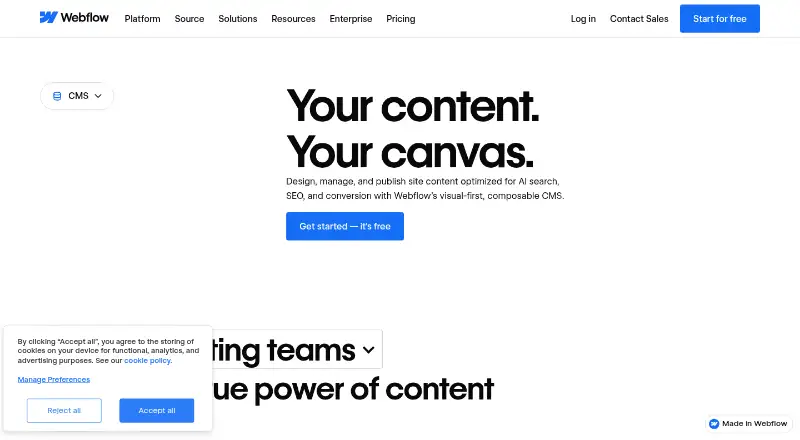
Webflow CMS lets teams create and manage website content on a visual canvas, with changes shown in real time. The platform accommodates custom content structures, publishing processes, user permissions, localized content, and search optimization features. The hosted app runs in a browser, connects to tools through APIs and integrations, and has a free plan. Annual subscriptions begin at $25 per month; Team is sold under a yearly contract.
Review
In a line
Webflow CMS is an online service for building and maintaining websites centered on structured content. Teams can work directly on the visual canvas and watch edits render immediately.
What it does
Teams can define their own content types and arrange records in Collections, including examples such as blog posts or office locations. Items within a Collection follow the same template or layout.
The CMS includes draft previews, publishing controls, comments, and visual editing. It also provides metadata and alt-text controls for search engine optimization, plus tools for localized site experiences.
How it connects
Webflow runs in a browser as a hosted app. Its MACH-certified APIs programmatically move content into and out of Webflow while linking external services. HubSpot and Adobe Express are available through the curated App Marketplace, and Figma connects natively.
Other listed connections include Zapier, Google Docs, Airtable, and Pipedream. Translation integrations include Smartling, Crowdin, Lokalise, TransPerfect, and Phrase. Webflow can export HTML and CSS, but not dynamic CMS items or pages.
It supports recent versions of Chrome, Edge, Firefox, and Safari; Internet Explorer is not supported. See Content Management Systems for more options.
Good fit
Webflow describes the CMS for marketing and design teams, engineering teams, and agencies. It suits teams that want to build and update site content visually, collaborate on edits, and manage publishing without relying on developer resources for every content change.
Its multilingual tools support translated site experiences, with a visual translation editor and SEO localization.
Watch for
The no-cost Starter tier provides a Webflow.io domain, limited CMS capacity, two static pages, 1 GB of bandwidth, and 50 form submissions. It allows 50 CMS items across 20 Collections, while Premium raises those ceilings to 20,000 items and 40 Collections.
Dynamic CMS content is not included in code export. Check which plan fits your content volume and whether its domain, bandwidth, publishing, and team controls meet your needs.
Pricing
Starter is free. Basic costs $15 a month when billed yearly. Premium is priced at $25 monthly on annual billing and bundles Webflow CMS, space for up to 20,000 CMS items, 40 Collections, and as much as 2.5 TB of bandwidth each month.
Team costs $2,500 a month and requires an annual contract. It adds publishing workflows, enhanced security and compliance, and priority support. Enterprise pricing is on request. Prices are in US dollars, with applicable taxes added at checkout; yearly pricing can save up to 40%.
Verdict
Webflow CMS is worth considering if your team wants to create and maintain a website through visual editing, with content organization, collaboration, and localization in one hosted service. Its API and integrations offer routes to connect other tools.
Check the free plan's content and site limits, and remember that dynamic CMS content cannot be exported as code. If you need Team features, account for the annual contract and its $2,500 monthly price.
Our take
Webflow CMS suits teams seeking a hosted, visual system for building and maintaining content-rich websites, with collaboration, publishing controls, and multilingual options. The free tier provides an entry point, while annual Premium billing increases CMS capacity for $25 per month. Before choosing, check the Starter limits, consider whether the plan’s publishing and team features match your workflow, and note that exported code does not include dynamic CMS content. Team pricing requires an annual contract.
- Visual editing shows site content changes in real time.
- Offers user-defined content structures, publishing workflows, and custom roles.
- Has APIs and integrations, including HubSpot and Adobe Express.
- Includes multilingual content and localization tools.
- A free Starter plan is available.
- Starter offers limited CMS capacity, two static pages, and 1 GB bandwidth.
- Dynamic CMS items and pages cannot be exported as code.
- Team costs $2,500 a month and requires an annual contract.
- Enterprise pricing is available only on request.
- Pick it ifTeams managing content-rich websites visually; Agencies and marketing or design teams collaborating on site edits; Teams publishing localized site experiences
- Skip it ifYou need dynamic CMS content included in exported code; Starter's CMS, page, or bandwidth limits are too restrictive; You need Team features but cannot commit to an annual contract
Pricing
Starter is free; Basic is $15 a month and Premium is $25 a month on yearly billing. Team is $2,500 a month with an annual contract, and Enterprise pricing is on request. Yearly pricing can save up to 40%, and applicable taxes are added at checkout.
- StarterWebflow.io domain · Limited Webflow CMS · 2 static pages · 1 GB bandwidth · 50 form submissionsFree
- Basicbilled yearly · Custom domain · 300 static pages · 10 GB bandwidth · Unlimited form submissions · Password protection$15/mo
- Premiumbilled yearly · Webflow CMS · 20,000 CMS items · 40 CMS Collections · 120 RPM content management APIs · Up to 2.5 TB/month bandwidth$25/mo
- TeamAnnual contract required · Everything in Premium · Webflow Localize · AEO agents · Publishing workflows · Enhanced security & compliance · Priority support$2,500/mo
- EnterpriseEnterprise-ready scale · Granular permissions · Custom roles · Advanced governance · Secure integrations · Dedicated account manager · Enhanced SLAsOn request
As webflow.com lists them, checked 28 Sept 2026.
Questions
Is Webflow CMS free?
Yes. Starter is free and includes limited CMS, a Webflow.io domain, two static pages, 1 GB bandwidth, and 50 form submissions.
How much does Webflow CMS cost?
Premium is priced at $25 a month on annual billing. Team is $2,500 monthly with a yearly contract; Enterprise pricing is on request.
What are Webflow CMS Collections?
A Collection is a set of CMS items built around one shared layout, for example blog posts or office locations.
Can Webflow connect to other apps?
Yes. It has APIs, an App Marketplace, and listed connections including HubSpot, Adobe Express, Zapier, Google Docs, and Airtable.
Can I export my Webflow CMS site?
Code export can include HTML and CSS, but dynamic CMS items and pages cannot be exported.
Does Webflow support multilingual websites?
Yes. It supports localized site experiences and offers Webflow Localize, a visual translation editor, and translation integrations.