
WPBakery Page Builder: What to Know
wpbakery.com · checked 15 Oct 2026
Build WordPress page layouts by arranging elements in WPBakery’s front-end or back-end editor.
How it plugs in
Signal on WordPress page builders7.6#3 of 32
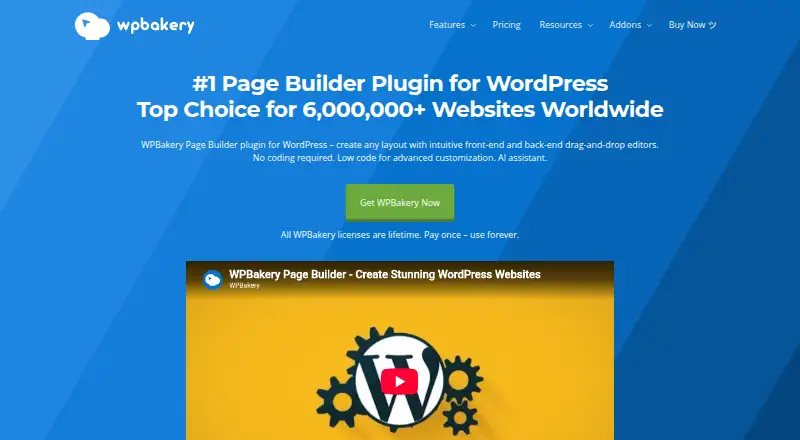
WPBakery is a paid WordPress plugin for laying out pages, posts, and custom post types through front-end and back-end editing tools. It includes content elements, templates, responsive layout controls, SEO tools, and a range of plugin integrations. Licenses vary by site count and support terms, with one-time and annual options. You can try its online demo without entering payment information, though edits made there cannot be saved or exported to your site.
Review
In a line
WPBakery provides drag-and-drop tools for arranging WordPress pages. You can edit in a visual front-end interface or work from a schematic back-end layout.
What it does
In the front-end editor, content can be edited directly on the page, with changes visible as you work. The back-end editor shows pages, posts, and custom post types in a schematic layout.
Layouts can use over 50 content elements and more than 100 ready-made templates. Other tools include template management, reusable grid layouts, responsive controls, blogging features, and SEO options for meta tags and social snippets. WPBakery AI can create page copy and code based on user instructions.
How it connects
Install WPBakery as a WordPress plugin. Its listed compatibilities include WooCommerce, Yoast SEO, ACF, WPML, TranslatePress, Gravity Forms, Ninja Forms, Contact Form 7, and Slider Revolution. The company also lists over 250 add-ons from third parties.
The public API and WordPress hooks let developers register elements, while shortcode mapping makes plugin shortcodes editable in the builder. WPBakery says the plugin works with any properly coded WordPress theme. WPBakery states that its software has used GPL licensing since January 20, 2018.
Good fit
WPBakery presents the builder as a tool for agencies and freelancers creating client websites. WordPress site owners looking to arrange pages visually, rather than work solely in a schematic editor, may also find it suitable.
Its multiple site-count license options may suit people managing several sites. SEO controls, blogging tools, and WooCommerce compatibility cover common site-building needs.
Watch for
The online demo runs for 720 minutes and asks you to provide a name and valid email address. No payment information is required, but edits remain in the sandbox and cannot be permanently saved or transferred to your WordPress site.
For cloud services, the terms allow one license activation across three different domains—including subdomains and localhost—within 30 days. Check the selected plan's site limit and support period before buying. Recommended server requirements include PHP 7.4 or later and MySQL 8.0 or MariaDB 10.4 or later. Internet Explorer and Safari versions through 12 are unsupported.
Pricing
There is no free plan, though you can try the online demo. Listed one-time options include $69 for one site with a year of support and $82 for theme integration. A CodeCanyon license costs $99 once and includes six months of support.
For multiple sites, listed lifetime licenses include $256 one-time for up to five sites and $499 one-time for up to 10. Agency plans range from $688.80 one-time for up to 20 sites to $2,255 one-time for up to 100. Support Plus costs €22.99 for its first year or $59 annually. The first-year offer renews annually at the regular price, with loyalty discounts described in the plan terms.
Verdict
WPBakery may suit people building WordPress sites who want visual and schematic editing, templates, and a range of listed plugin connections. License options span individual projects to larger agencies, and support periods differ by license.
Pass if a free plan is essential or you expect to export a finished site from the demo. Before choosing a license, compare its site allowance, support duration, and any annual renewal terms with how you plan to use the builder.
Our take
WPBakery may work for WordPress site owners, freelancers, and agencies who want visual layout tools and can select a license for their site count. Templates, responsive controls, and listed integrations provide a variety of site-building features. The main considerations are that the product is paid, support terms vary, and license activations have restrictions. The sandbox demo lets you explore the editor, but it is not a saved trial site.
- Inline editing is available in the front-end interface, alongside a schematic back-end editor.
- The builder includes over 50 content elements and more than 100 predefined templates.
- Listed integrations include WooCommerce and several form and SEO plugins.
- License options cover one site through agency plans for up to 100 sites.
- Developers can use the API and shortcode mapping to create custom elements.
- There is no free plan, and demo edits cannot be saved or exported.
- Support duration varies by license, from six months to one year.
- Cloud services limit one activation to three domains within a 30-day period.
- Use requires a WordPress environment with specified server components and versions.
- Pick it ifWordPress freelancers and agencies building client sites; WordPress site owners seeking visual layout editing and plugin connections
- Skip it ifYou require a free plan or need to export a site made in the demo; Your WordPress server or browser falls outside the listed requirements
Pricing
No free plan. Support Plus is listed at €22.99 for the first year, renewing annually at the regular price with loyalty discounts, or $59 per year. Other options include $69 one-time for one site, $82 one-time for theme integration, and $2,255 one-time for an agency license covering up to 100 sites; support and renewal terms vary.
- Support Plus first yearfirst year; renews annually at regular price with 5% loyalty discount per year up to 50% · priority support · Templatera add-on · Easy Tables add-on · loyalty discounts€22.99/yr
- Support PlusAnnual renewal · Priority support · Templatera · Easy Tables · loyalty discounts$59/yr
- Regularlifetime · 1 site · 1 year support · free updates · Template Library · WPBakery AI · partner discounts$69 one-time
- Theme Integration1 year · Use in a single theme · one year of premium support · free updates$82 one-time
- CodeCanyon Regular Licenseone-time purchase · single end product · 6 months support · future updates · 100% GPL$99 one-time
- 5 Siteslifetime · up to 5 sites · 1 year support · free updates · Template Library · WPBakery AI · partner discounts$256 one-time
- 10 Siteslifetime · up to 10 sites · 1 year support · free updates · Template Library · WPBakery AI · partner discounts$499 one-time
- Agency 20 SitesLifetime · Up to 20 sites · one year of premium support · one year of WPBakery AI and Template Library access$689 one-time
As wpbakery.com lists them, checked 15 Oct 2026.
Questions
Is there a free WPBakery plan?
No free plan is listed. The online demo runs for 720 minutes and requests a name and valid email, but no payment details. Work in the demo is not permanently saved or transferable to your site.
What platforms does WPBakery run on?
WPBakery is a WordPress plugin. Its listed platforms are API, self-hosted, and web.
Which plugins does WPBakery list as compatible?
Its compatibility listings name WooCommerce, Yoast SEO, ACF, WPML, TranslatePress, Gravity Forms, Ninja Forms, Contact Form 7, and Slider Revolution.
Do WPBakery licenses cover multiple websites?
Yes. Options are listed for one site, up to five, up to 10, and agency use up to 100 sites. Review the terms for the plan you choose.
What are WPBakery’s listed prices?
Options include $69 one-time for one site, $82 one-time for theme integration, Support Plus at €22.99 for the first year, and $256 one-time for up to five sites.
What support and update terms come with WPBakery?
Terms depend on the license. Direct licenses include one year of support, while the CodeCanyon Regular License lists six months. Lifetime licenses receive free updates.