Zenbeats: Cross-Platform Music Creation Software
roland.com · checked 17 Nov 2026
Cross-platform music software for making beats, recording, arranging, sampling, and mixing.
How it plugs in
Signal on Audio Editing Software6.7#17 of 131
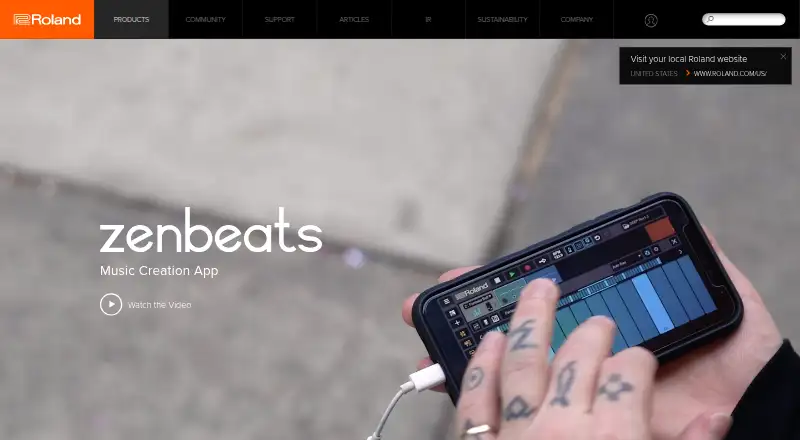
Zenbeats is Roland’s music-making app for Windows, macOS, iOS, Android, and compatible Chrome OS systems. It combines clip and timeline sequencing with recording, sampling, instruments, effects, and mixing. A free version is available, while paid unlocks add platform access, sounds, instruments, and effects. Projects can move through Google Drive or OneDrive, and stems can be exported.
Review
In a line
Zenbeats is Roland’s cross-platform application for creating music. It supports beatmaking, recording, arranging, sampling, and mixing on desktop and mobile devices.
What it does
You can build ideas in LoopBuilder’s clip view or arrange them in the Timeline with automation. The specifications list unlimited audio, instrument, drum, send, and group tracks.
ZR1 lets you sample or import sounds, edit slices, and make kits. ZC1 is a synthesizer based on Roland ZEN-Core; its free version has 60 presets, while the unlocked version adds more than 900 presets and 90 MFX.
SampleVerse is a modular sampler with its own editor. The mixer includes volume, filtering, panning, track EQ, sends, and 22 built-in effects.
How it connects
Projects can move between devices through Google Drive or OneDrive. You can export stems and loops for use in other digital audio workstations.
Plugin support depends on the device: unlocked iOS supports AUv3, macOS supports VST and Audio Units, and Windows supports VST. Android does not support external audio plugins.
Zenbeats connects to VERSELAB and several Roland instruments through the WM-1 Bluetooth MIDI adaptor. Roland provides support pages and a start guide, but no public Zenbeats API or SDK.
Good fit
Zenbeats suits people who want one music workspace across desktop and mobile. Its clip workflow, drum sequencer, MIDI sequencing, live-performance tools, and sound collection fit beatmaking and arranging.
It can also suit users who move projects between devices or export parts to another workstation. For related tools, see Drum Machine Software and Audio Editing Software.
Watch for
Android cannot load external audio plugins. A Roland Account and internet connection are required for sign-in, downloads, and sharing, and one license can authorize up to five devices.
Reviewer reports describe crashes, freezes, audio glitches, and instability during projects or plugin use. Other complaints mention a cramped interface, awkward piano-roll editing and zooming, slow cloud saves or downloads, and missing sounds when projects reopen.
Roland lists support for Windows 10/11, macOS 10.11 or later, iOS 11 or later, Android 8 or later, and compatible Chrome OS systems. Minimums include a dual-core CPU, 2 GB of RAM, and 2 GB of free storage.
Pricing
The Free Version costs free and includes basic production tools, limited features, and in-app purchases.
Roland Cloud Membership is $2.99 a month while active and includes the Zenbeats Max Unlock plus the Roland Cloud software library. Android and iOS Unlock each cost $14.99 one time. Windows and macOS Unlock each cost $49.99 one time.
Platform Unlock costs $59.99 one time for one platform, with 2,500+ presets, loops, and sounds plus expanded instruments and effects. Max Unlock costs $149.99 one time for all platforms, all store content, and 14,000+ presets, loops, and sounds.
Verdict
Choose Zenbeats if you want Roland’s instruments and sound material in a single app that runs on several operating systems. The free edition lets you try the basic workflow before paying for a platform or broader content.
Check plugin needs first, especially on Android, and consider the reported stability and cloud-workflow complaints. Musicians who need open-source software, a public API, or a consistently trouble-free project environment should look elsewhere.
Our take
Zenbeats is a reasonable starting point for beatmakers and songwriters who value cross-device work and Roland sounds. Its free edition lowers the entry cost, while one-time unlocks cover individual systems or the full product. The choice is less clear for Android users who depend on outside plugins, or for anyone sensitive to crashes, awkward editing, or cloud-transfer delays. Confirm your operating system, plugin format, and storage before buying. A Roland Account and internet connection are part of normal use.
- Runs on Windows, macOS, iOS, Android, and compatible Chrome OS systems
- Free version available with basic music-production tools
- Unlimited audio, instrument, drum, send, and group tracks
- Exports stems and loops for other digital audio workstations
- Connects with selected Roland hardware through WM-1 Bluetooth MIDI
- Android has no support for external audio plugins
- Reviewers report crashes, freezes, glitches, and project instability
- Some users find the interface and piano-roll editing awkward
- Cloud saves or downloads can be slow, with reports of missing sounds
- A Roland Account and internet connection are required
- Pick it ifBeatmakers working across desktop and mobile; Users who want Roland instruments, samples, and effects; People needing clip-based creation plus timeline arranging
- Skip it ifYou need external audio plugins on Android; You require open-source code or a public Zenbeats API; Crashes, clunky editing, or cloud-transfer issues are unacceptable
Pricing
A free edition covers basic use but has limits and in-app purchases. Platform Unlock is $59.99 one time; Max Unlock is $149.99 one time. A $2.99 monthly Roland Cloud Membership includes Max Unlock while active.
- Free Versionfree · basic music-production tools · in-app store purchases · limited featuresFree
- Roland Cloud Membershipper month; access lasts while membership is active · Zenbeats Max Unlock included · Roland Cloud software library$2.99/mo
- Android Unlockone-time price · full Android features and content$14.99 one-time
- iOS Unlockone-time price · full iOS features and content$14.99 one-time
- Windows Unlockone-time price · full Windows features and content$49.99 one-time
- macOS Unlockone-time price · full macOS features and content$49.99 one-time
- Platform Unlockone-time price · one platform · 2,500+ presets, loops and sounds · expanded instruments and effects$59.99 one-time
- Max Unlock (All OS and content)All platforms and content$150 one-time
As support.roland.com lists them, checked 15 Oct 2026.
Questions
Is Zenbeats free?
Yes. The Free Version is billed free and includes basic production tools, limited features, and in-app store purchases.
Which devices run Zenbeats?
Zenbeats supports Windows, macOS, iOS, Android, and compatible Chrome OS systems. Roland lists Windows 10/11, macOS 10.11+, iOS 11+, and Android 8+.
Can Zenbeats use third-party plugins?
Unlocked iOS supports AUv3, macOS supports VST and Audio Units, and Windows supports VST. Android has no external audio-plugin support.
Can projects move between devices?
Yes. Projects can transfer through Google Drive or OneDrive. Stems and loops can also be exported for other digital audio workstations.
Does Zenbeats have a public API?
Roland’s support and documentation pages describe plugins and file exchange, but they do not provide a public Zenbeats API or SDK.
How many devices can one license authorize?
A Zenbeats license can authorize up to five devices.
What does Max Unlock include?
Max Unlock costs $149.99 one time and includes all platforms, all store content, and more than 14,000 presets, loops, and sounds.