Crashes, No Sound, or Screen Glitches?
Random freezes, missing sound and display glitches usually trace back to one bad driver. Find and replace yours safely.Free scan · under a minuteWindows Errors? Fix Them Before They Spread
Repair common Windows errors and clear accumulated junk for a smoother, more stable PC - no reinstall needed.Free scan · no reinstallInferse is reader-supported. When you buy through links on our site, we may earn an affiliate commission. As an Amazon Associate I earn from qualifying purchases. Learn more
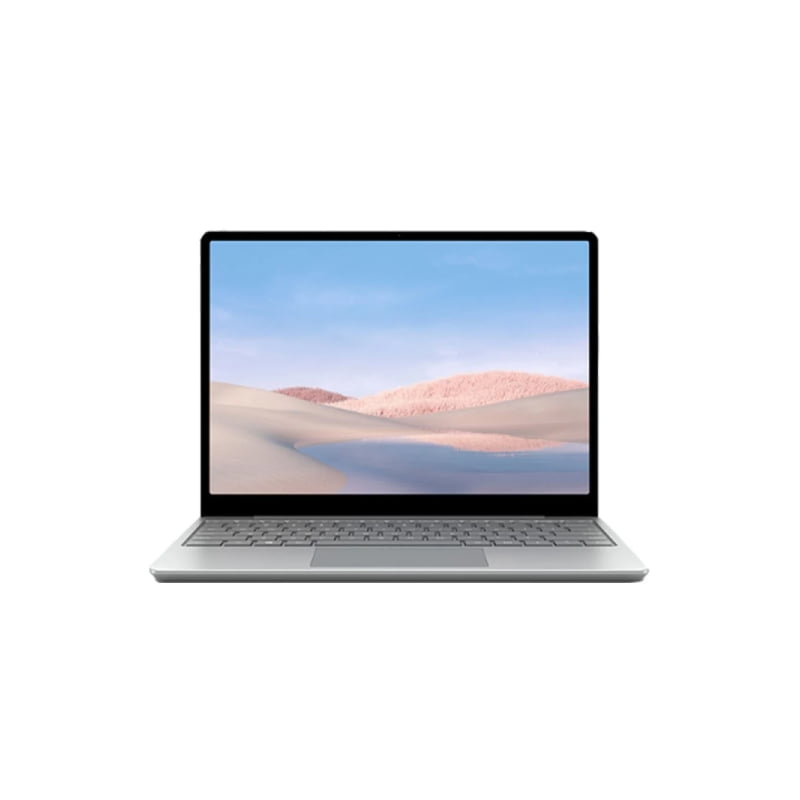
Microsoft’s latest offering, the Surface Laptop Go 3, has been making waves in the tech community. With its sleek design, impressive build quality, and standout keyboard, it’s clear that Microsoft is targeting a specific audience with this device. But is it worth the price tag? Let’s delve into the details.
Key Highlights:
- Elite typing experience with one of the best keyboards in the market.
- Super portable with excellent build quality.
- Sleek and stylish design that doesn’t attract fingerprints.
- Available in multiple colors, including sage, sandstone, platinum, and ice blue.
- Priced starting at $799, offering value for its features.
- Some concerns about battery life and the absence of a backlit keyboard.
The Surface Laptop Go 3 is not designed for everyone. It’s not a powerhouse in terms of performance, nor does it boast an extended battery life. However, where it shines is in its portability and typing experience. The keyboard on this 12.5-inch notebook is arguably its standout feature, offering tactile feedback that makes typing a breeze.
Design and Build Quality Microsoft has gone to great lengths to ensure that the Surface Laptop Go 3 feels premium. Despite its starting price of $800, the device feels like it should cost more. The build quality is robust, with the deck showing little give when pressure is applied. The design is also fingerprint-resistant, which is a significant plus for those who hate smudges on their devices.
The Tool Desk
Outbyte PC Repair FREERepair Windows errors before they cause bigger problemsFix Now →Outbyte Driver Updater FREEFix the driver behind crashes, sound loss and screen glitchesFind Drivers →Performance and Specs:
The review unit came equipped with a 12th gen Intel Core i5-1235U CPU, Intel Iris Xe graphics, 16GB of RAM, and 256GB of SSD storage. While these specs are decent, it’s worth noting that the Surface Laptop Go 3 is using an older generation Intel Core i5 processor. This might be a point of contention for those looking for the latest and greatest in CPU technology.
Shopping ad

- With 16 GB LPDDR5 of memory, runs as many programs as you want without losing the execution
- The 12.4" 1536 x 1024 screen provides a great movie watching experience
- 256 GB total SSD capacity keeps your running programs active while your computer resumes from suspension in seconds
- 15 Hours battery run time helps you stay unwired and work longer non-stop
The Keyboard Experience The keyboard is where the Surface Laptop Go 3 truly shines. It offers a snappy and responsive typing experience, with keys that provide excellent tactile feedback. The power button also doubles as a fingerprint reader, offering a seamless sign-in experience with Windows Hello.
Conclusion:
The Microsoft Surface Laptop Go 3 is a device that knows its audience. It’s perfect for students and professionals on the go who prioritize portability and typing experience over raw performance. While it does have its shortcomings, such as an older generation processor and concerns about battery life, it offers excellent value for its price. If you’re in the market for a portable laptop with a fantastic keyboard, the Surface Laptop Go 3 should be on your shortlist.
Quick Recap
Product prices and availability are accurate as of the date/time indicated and are subject to change. Any price and availability information displayed on Amazon at the time of purchase will apply.