
PC Slower Than It Used to Be?
A free scan shows the junk files, broken settings and background clutter dragging Windows down - then fixes them in one click.Free scan · Windows 10 & 11Outdated Drivers Are Slowing You Down
One free scan finds every outdated or missing driver and matches the right update for your exact hardware.Free scan · exact hardware matchInferse is reader-supported. When you buy through links on our site, we may earn an affiliate commission. As an Amazon Associate I earn from qualifying purchases. Learn more
For writing and shaping song lyrics, SongIntent, Prompt Maschine and Lacuna are the strongest fits: they offer more control over structure, rhyme or revisions than tools built mainly to generate a complete track. For rap, AI Rap Creator is a more focused option. The right choice depends on whether you need a first draft, help fitting words to a beat, multilingual rhyme support or a quick path from lyrics to a sung demo.
What Song Lyrics Need From An AI Tool
Lyrics have to work aloud and in time. A useful writing tool should help with more than a topic and a rhyme: consider whether it lets you shape sections, revise individual lines, compare different approaches, or check syllables and stress against a melody. If you are writing to a performed rhythm, preserving the timing and pauses matters as much as finding end rhymes.

Try a prompt that gives the tool a clear scene, emotional turn and structure: “Write a verse and chorus about leaving a familiar town; keep the verse conversational, make the chorus turn toward hope, and avoid easy end rhymes.” For a beat-led draft, specify the bar count and cadence you want, then read the lines aloud and edit anything that feels crowded. These are prompt-writing suggestions, not guaranteed product features.
Do these 3 things before closing this tab:
1Fix the driver behind crashes, sound loss and screen glitches2Repair Windows errors before they cause bigger problems3Scan for outdated or missing drivers - takes under a minuteBest AI Tools For Writing Song Lyrics
1. SongIntent — Best For Revising Lyrics Around A Rhythm
SongIntent is the most compelling choice when you have a melody sketch or performed phrase and need words that follow its rhythm. Its workflow can capture a sketch’s rhythmic pattern and attach word timing, stress landmarks, rests and bar boundaries to editable lyric options. It can also compare six creative strategies, which is useful when you want meaningfully different directions instead of several near-identical rewrites.
Shopping ad
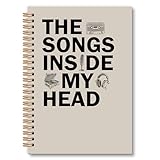
- Notebook Size: Measuring 6x8.2 inches, this notebook comes with a sturdy hardcover and smooth, premium pages. Perfect for everyday use and built to last
- Multifunctional Use: This notebook has a total of 82 sheets and 164 pages, whether it is used for school notes, work records, or as a personal diary, study notes or work journal, it can meet your diverse needs. Its exquisite design enhances the user experience and serves as stylish desk decor
- Decorative Notebook:This notebook features a distinctive design, making it a great addition to your desk decor. Whether it's the unique pattern or simple typography, this notebook isn't just a great writing tool—it's also a reflection of your personal style
- Spiral Bound Notebook:This journal notebook features a spiral design that allows it to open completely 180°flat for easy writing. It also folds seamlessly 360°without creasing. The pages are easy to tear and don't fall apart easily
- Perfect Gift Idea: These notebooks can be used not only for personal use but also as a thoughtful gift. The unique cover design of the notebooks is perfect for those who love to write. A thoughtful gift choice for students, teachers, writers, doctors, nurses, friends and more
The open beta requires no card, and changes to a draft happen when you choose. The Free plan allows one render, five AI assists and one active project per month; paid plans start at $8 per month. It is web-only, so check the vendor’s site if an app-based workflow or a particular export format matters to you.
2. Prompt Maschine — Best For Lyrics Bound For Suno Or Udio
Prompt Maschine is designed for writers preparing lyrics and prompts for AI music platforms such as Suno and Udio. It offers 15 section types, a rhyme engine, rap-flow modes and audio analysis. You can also paste four to eight lines you like to create a reusable style profile based on qualities such as tone, themes, rhyme style, vocabulary and cadence.
Its lyric-writing guidance supports English, Spanish, French, German, Italian, Portuguese and Romanian. The free plan allows three generations per day; PRO starts at $9.99 per month, with a seven-day trial listed. Unlimited analysis and lookups require PRO. Check the vendor’s site for current plan terms and supported integrations before building a workflow around them.
Recommended Free Tools
3. Lacuna — Best For Rhyme And Syllable-Level Editing
Lacuna puts lyric generation and revision in a songwriting editor. It can write into the document, replace a section, insert one or change a single line, avoiding a copy-and-paste round trip. Syllable counts, rhyme-scheme highlighting and line-by-line rewrites make it a good fit for tightening a draft while keeping its structure in view.
Shopping ad

- Includes tips, prompts, and words of wisdom from songwriting masters to inspire your muse.
- Mix of lined pages (lyrics), staffed pages (music), and fret diagrams.
- Room to write 72 songs.
- Acid-free, archival-quality 120 gsm paper takes pen or pencil beautifully.
- Sturdy hardcover binding protects your work.
The workspace supports nine languages, while its phonetic rhyme engine covers English, Spanish, Chinese, Japanese and Korean. Free access includes 120 credits per month. Paid plans start at $19 monthly or $9.50 per month with annual billing; audio downloads are MP3. Check the vendor’s site for what the credits cover and the current plan details.
4. AI Rap Creator — Best For Structured Rap Drafts
AI Rap Creator focuses on rap lyrics and the option to turn them into full songs. It can draft verses, a hook, bridge and outro, then lets you edit words, rewrite lines or add bars. Its listed styles include Trap, Drill and Boom Bap. A practical workflow is to draft eight or 16 bars, check the cadence aloud, and revise the lines before spending credits on audio.
The first rap is free, and the product lists 10 free credits; lyrics cost two credits and a full song costs 10. Check the vendor’s site for current credit terms and details about downloads. If you use generated vocals or other people’s material, get the necessary consent and check the platform’s terms.
5. SongGuru.AI — Best For Straightforward Lyric Drafts
SongGuru.AI is a simple web-based lyric generator for starting from a theme, mood, story or song description. It supports multiple languages, song sections, variations, editing and TXT export. That makes it a straightforward pick when you want a text draft to revise elsewhere rather than a detailed rhythm-matching workspace.
Shopping ad

- 【Perfect Gift for Musicians】: This is a wonderful personalized gift for singers/musicians. It's a great birthday gift, singing gift, and this music leather journal notebook is tailored just for you. It gives you plenty of space to jot down your current thoughts.
The free plan lists 60 credits and six songs, with 10 credits per song. Paid plans start at $7.50 per month with annual billing, and commercial use and TXT export are available on paid plans. Check the vendor’s site for the current language list and plan terms before relying on a specific option.
6. CreateSong AI — Best For Moving From Draft Lyrics To A Song
CreateSong AI has a dedicated lyrics generator for drafting verses and hooks. You can edit the text and then use “Write song with AI” to pass it to the AI Song Generator. This suits a writer who wants to make lyric edits before moving into a song-generation workflow.
The free tier keeps listening in the browser; export depends on the tier. The available details do not establish the export tiers’ prices or limits, so check the vendor’s pricing page before choosing it for downloadable files. If a generated song uses a voice, cover or sample that requires permission, get consent and check the platform’s terms.
What’s actually slowing this PC down?
Pick the symptom - the matching free tool is one click away.
7. Belter — Best For A Quick Mood-Led Song Draft
Belter turns a one-line idea into structured verses and a chorus, matching the requested mood and song length. It is useful when you have a premise but need a shaped first draft. The vendor says you can request lyrics in any language in the description, or write your own lyrics in that language for it to sing back.
Shopping ad
The available details do not establish Belter’s pricing, credit limits or export terms. Check the vendor’s site for those specifics. If you ask it to sing lyrics involving another person’s voice or material, get consent and review the platform’s terms.
8. AI Song Maker — Best For A Prompt With Several Lyric Inputs
AI Song Maker exposes fields for a theme, keywords, genre, emotion, duration, language and structure, with Verse and Chorus shown as structure options. This gives you several concrete ways to frame a lyric request instead of relying on one broad description.
The site lists 20 credits per day as equal to four music generations. That establishes a generation allowance, but not a separate lyric-only limit. Check the vendor’s site for current pricing, credit rules and whether the controls meet your needs.
9. Evasong — Best For Lyrics Followed By A Sung Version
Evasong can generate a complete lyric from a theme or subject, then turn lyrics into a song. The site lists more than 40 genres, including Pop, Hip-Hop, Rock, Jazz, EDM and Acoustic. New accounts get trial credits for three songs a day on up to three days, with no card required.
Shopping ad

- Perfect Quality: Our notebook is made of high-quality faux leather with hand-stitched binding, ensuring durability and luxury. The soft cover provides a comfortable touch, making it ideal for students and professionals.
- Vintage Design with Embossed Cover: This notebook features a beautiful vintage design with an embossed cover, adding a unique and elegant touch. Available in classic black and brown and gray and pink, there's something for every style.
- Thicker Acid-Free Pages: With 300 Pages of thick acid-free paper, our notebook is 20-50% thicker and smoother than regular paper. It is compatible with most pens and environmentally friendly, protecting your eyesight.
- Functional and Stylish: The unique embossing process creates a raised texture on the cover, enhancing its aesthetic appeal. With dimensions of 5.7 x 8.3 inches, it is perfect for travel, business, or back-to-school use.
- Great Gift Choice: Our notebook is an excellent gift choice for loved ones, friends, family, or colleagues. Available in various classic colors, it combines style and functionality.
The available details do not establish the trial’s later pricing or lyric export options. Check the vendor’s site for current limits and terms. Before generating a sung version, get consent for any voice or material you use and review the platform’s terms.
10. Suno — Best For Hearing Lyrics In A Complete Song
Suno generates complete songs with vocals and lyrics from a text prompt, and supports regenerating, extending or refining a track. It is most useful in a lyric workflow when hearing words in a produced song helps you judge whether the phrasing and emotional direction work. Treat the generated lyric as a draft to review; the available details do not establish dedicated syllable-level lyric editing.
The free plan lists 50 credits per day, and the site describes up to 10 songs a day without a card. Commercial rights are not included with the Free plan, and stem separation is also excluded. Paid plans start at $8 per month; Pro limits downloads to 20 songs per month, and Suno Studio is limited to Premier. Check the vendor’s terms for rights and current plan details before using a track commercially. Get consent for any voice or source material you provide.
11. Mureka — Best For Bringing Your Own Lyrics Into A Studio Workflow
Mureka supports writing lyrics with its lyrics generator or importing your own for complete song creation. Its broader workflow can generate, edit and export tracks, with multitrack editing and audio or MIDI export listed among its capabilities. This is a fit when lyric writing is one part of a larger studio process, rather than the only task.
Paid plans start at $8 per month with annual billing. Mureka Studio and up to 12-stem splitting are reserved for Premier; the available details do not establish the included lyric-generation limits. Mureka lists voice cloning, so get consent before using a real person’s voice and check the platform’s terms. Verify current plan and export details on the vendor’s site.
Independent reader supportYour contribution helps us test, update, and keep practical guides available for everyone.How To Choose And Use One
- For words fitted to a performed rhythm: start with SongIntent’s sketch-to-lyric workflow.
- For structure, rhyme or rap cadence: compare Prompt Maschine, Lacuna and AI Rap Creator based on the kind of revision you need.
- For a quick text draft: try SongGuru.AI, AI Song Maker, Belter or Evasong, then review the plan and export details that matter to you.
- For hearing a lyric as a finished song: consider CreateSong AI, Suno or Mureka, and check each service’s current terms before using voices, source material or commercial exports.
Whichever tool you choose, give it a concrete premise, a section or bar count, and the emotional change you want between verse and chorus. Then read the output aloud, revise lines that fight the rhythm, and keep the phrases that sound like something you would actually say.
Quick Recap
Product prices and availability are accurate as of the date/time indicated and are subject to change. Any price and availability information displayed on Amazon at the time of purchase will apply.
Quick wins for a faster PC:
Clear out junk files and repair common Windows errorsFree Scan →Fix the driver behind crashes, sound loss and screen glitchesFind Drivers →




