
Outdated Drivers Are Slowing You Down
One free scan finds every outdated or missing driver and matches the right update for your exact hardware.Free scan · exact hardware matchPC Slower Than It Used to Be?
A free scan shows the junk files, broken settings and background clutter dragging Windows down - then fixes them in one click.Free scan · Windows 10 & 11Inferse is reader-supported. When you buy through links on our site, we may earn an affiliate commission. As an Amazon Associate I earn from qualifying purchases. Learn more
When a song stalls, change the kind of starting point: use a scene prompt if you have no subject, a word or rhyme tool if the lyric is stuck, or a playable sketch if you need to hear a direction. These picks focus on those specific ways to find a next move, rather than on making a finished AI song.
Choose A Starting Point For The Block
| Rank | Tool | Useful When You’re Stuck On | Try This First |
|---|---|---|---|
| 1 | Chorus Song Ideas Generator | A subject or point of view | Choose a genre and feeling, then write from the scene and constraint in the result. |
| 2 | WriteHook | A blank page or missing musical seed | Use a thought-starter, melody starter, or chord progression as a constraint. |
| 3 | SongIntent | A rough lyric, flow, beat, or idea that needs shaping | Bring one fragment and ask what changes if its cadence or hook is different. |
| 4 | Songcraft | A lyric that needs a chord or key direction | Pair one line with a suggested key or progression and see which better fits its mood. |
| 5 | Song Cage | A fragment that could grow into a song | Start with just a chord progression, melody, or lyric line. |
| 6 | Ableton Note | A musical idea you’d rather play than describe | Pick a sound and sketch a melody or chord progression on the pad grid or piano roll. |
| 7 | MIDI Morph 2 | An empty piano roll | Choose a mood, key, and scale to generate a part, then use it as a prompt for your own next line. |
| 8 | LandChords | A chord progression that will not come | Build a progression by ear, or try a generated progression in your key and genre. |
| 9 | Prompt Maschine | A lyric concept that needs a draft and style prompt | Turn one sentence about a scene into two lyric drafts and a music style prompt. |
| 10 | VoiceBend | A chorus, verse, bridge, or rewrite prompt | Ask for a section idea, then rewrite it in your own vocabulary and point of view. |
| 11 | Suno | A feeling or melody you want to hear rendered as a song | Describe the feeling or provide your own melody or lyrics as the starting point. |
Best Tools For Finding A New Direction
1. Chorus Song Ideas Generator: Break The Blank-Page Loop
When you have no lyric fragment to work from, a scene is a more useful target than a broad topic. Chorus asks for a genre and feeling, then provides a concrete scene, point of view, writing constraint, and sometimes a craft technique. It offers three free ideas per day without an account; signing in with a Chorus account gives unlimited ideas.


Try a prompt choice such as a hopeful feeling and a genre you actually write in. Treat the result as a writing brief: put the scene in the first verse, let the point of view decide who is speaking, and use the constraint to rule out your first obvious line. Genre availability beyond the selector is not established, so check the tool for the options it currently offers.
2. WriteHook: Find A Seed Without AI Suggestions
WriteHook brings together curated randomizers, thought-starters, chord progressions, melody starters, and lyrical devices. It is free to use, works in a browser, and does not include AI-assisted writing. That makes it a good fit when you want a nudge but prefer to write the actual words and music yourself.
Shopping ad
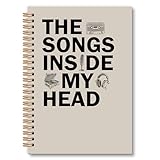
- Notebook Size: Measuring 6x8.2 inches, this notebook comes with a sturdy hardcover and smooth, premium pages. Perfect for everyday use and built to last
- Multifunctional Use: This notebook has a total of 82 sheets and 164 pages, whether it is used for school notes, work records, or as a personal diary, study notes or work journal, it can meet your diverse needs. Its exquisite design enhances the user experience and serves as stylish desk decor
- Decorative Notebook:This notebook features a distinctive design, making it a great addition to your desk decor. Whether it's the unique pattern or simple typography, this notebook isn't just a great writing tool—it's also a reflection of your personal style
- Spiral Bound Notebook:This journal notebook features a spiral design that allows it to open completely 180°flat for easy writing. It also folds seamlessly 360°without creasing. The pages are easy to tear and don't fall apart easily
- Perfect Gift Idea: These notebooks can be used not only for personal use but also as a thoughtful gift. The unique cover design of the notebooks is perfect for those who love to write. A thoughtful gift choice for students, teachers, writers, doctors, nurses, friends and more
For a lyric block, pick one thought-starter and impose a concrete limit: write four lines in the speaker’s present tense, then keep only the strongest image. For a musical block, take a progression or melody starter and change one element by ear. Signed-out songs stay on the device rather than syncing across devices, so account for that if you move between phone and computer.
3. SongIntent: Turn A Fragment Into A Craft Challenge
SongIntent can start from an idea, lyric, flow, beat, or reference, then work with cadence, rhyme, structure, and hook. Its Behind the Song feature maps craft elements such as structure, cadence, rhyme, hook behavior, melody movement, and energy in current charting songs, then turns a useful move into an original constraint. Use that as a way to study a technique and redirect it into your own material, not as a request to copy a song.
For example, bring in a rough chorus and focus on cadence: try a version with shorter phrases, then another with a pause before the hook. The free plan is limited to one active project, five AI assists monthly, and one render monthly. It is web-only, so check whether that fits the device you write on.
Free tools Windows power users keep installed
One-click scans. No signup required.
4. Songcraft: Unstick A Lyric With Chords And Rhyme
Songcraft combines lyric dictionaries and a thesaurus with syllable counting, chord suggestions, key suggestions, and progressions. Its collaborative workspace also covers lyrics, chords, tabs, and recordings, which can help when a co-writer has a different musical starting point.
Shopping ad

- Includes tips, prompts, and words of wisdom from songwriting masters to inspire your muse.
- Mix of lined pages (lyrics), staffed pages (music), and fret diagrams.
- Room to write 72 songs.
- Acid-free, archival-quality 120 gsm paper takes pen or pencil beautifully.
- Sturdy hardcover binding protects your work.
Take the line you keep rewriting and count its syllables; then look for a rhyme or chord direction that changes its emotional color. The Basic plan holds five songs and includes one weekly exercise. It is web-based, so check the vendor’s site for current plan details before building a larger song library there.
5. Song Cage: Start From Whatever You Already Have
Song Cage is designed for the work before recording and lets a writer start with a chord progression, melody, or lyric line, then develop the song through chords, melody, lyrics, arrangement, playback, and recording. Its support for web, Windows, macOS, iOS, Android, and an AU/VST3 plugin makes it an option for writers who move between devices or a DAW.
Choose the fragment you can already hum or play. If it is a lyric line, add a melody; if it is a chord loop, write a line that answers the mood rather than describing it. The free plan is limited to one song; PDF and MIDI export require a paid plan.
Best Tools For Hearing A Musical Spark
6. Ableton Note: Sketch By Playing
Ableton Note is an iOS app for forming musical ideas. It offers multiple starting points, and its 25-pad grid and piano roll let you play a melody or chord progression after choosing a sound. This suits a block where the words are not the problem—the problem is that no musical direction feels compelling yet.
Pick a sound, record a short melodic gesture, and make a second version that changes only its rhythm. Use the contrast to decide what kind of lyric scene belongs over it. The listed support is for iOS; check Ableton’s site for other platform details.
7. MIDI Morph 2: Generate A Piano-Roll Part From A Mood
MIDI Morph 2 generates a musical part from a selected mood, key, and scale. You can also start from scratch in the piano roll, play live, or transcribe existing audio. It is a practical choice when an arrangement has an empty space and staring at the piano roll is stopping the writing session.
Set a mood and a key and scale that suit the song, then generate a part. Keep one small gesture—a rhythm, contour, or interval—as the prompt for a new melody you play yourself. It is available as VST3, AU, and a standalone app for macOS 11+ and Windows 10+; check the vendor’s site for current price and purchase terms.
What’s actually slowing this PC down?
Pick the symptom - the matching free tool is one click away.
8. LandChords: Build A Progression By Ear
LandChords focuses on combining AI lyrics, chords, melody, recording, and drums. Its chord workflow lets you build a progression by ear, and its AI can generate one in a selected key and genre when you are stuck. The web app works on desktop and mobile without installation.
Shopping ad
Try a progression that fits the feeling of the lyric scene, then play it while speaking the words instead of singing them. That can reveal where the natural stresses fall. The free plan is limited to two songs and seven sections, and WAV and MIDI export require Pro. The free plan includes a daily taste of the AI tools; check the site for the current details.
Independent reader supportYour contribution helps us test, update, and keep practical guides available for everyone.Best Tools For Getting Lyric Drafts Moving
9. Prompt Maschine: Make A Concept More Specific
Prompt Maschine is a lyric toolkit for turning a song idea into two lyric drafts and a music style prompt for Suno and other music platforms. Its rhyme engine, rap-flow modes, audio analysis, and configurable song structures support different ways to move from a broad concept toward a section you can revise.
Start with a concrete premise such as “someone rehearses an apology on the ride home,” then choose the section and structure you need. Keep a striking image or phrase from a draft and discard the rest if it does not sound like you. Free users are limited to three generations per day. The listed writing languages are English, Spanish, French, German, Italian, Portuguese, and Romanian; check the vendor’s site for current platform and plan details.
Do these 3 things before closing this tab:
1Fix the driver behind crashes, sound loss and screen glitches2Clear out junk files and repair common Windows errors3Scan for outdated or missing drivers - takes under a minute10. VoiceBend: Generate Or Rewrite A Song Section
VoiceBend is a free web tool for lyric drafts, rewrites, and song-section ideas, including hooks, choruses, verses, and bridges. It supports lyric translation across 10+ languages and offers copy and download options. It is focused on lyric creation rather than complete music production.
Shopping ad
Give it a situation and a speaker’s attitude, then request a chorus idea or a rewrite of your own rough lines. Use the result to find a new angle or rhyme, and revise it into your own voice; the tool notes that artist-style-inspired writing may not suit a fully distinctive voice. VoiceBend says its lyric generations are free to use without attribution, including for recording, selling, or licensing; for material involving another person’s voice or samples, get consent and check the relevant platform’s terms.
11. Suno: Hear A Feeling As A Song
Suno can turn a melody, written lyrics, or a feeling into a song, and its library can be browsed by genre, mood, and occasion for references or a spark. It is the most direct option here for hearing a song-shaped interpretation of a vague starting point; use the result to notice a direction you want to develop in your own writing.
For example, describe the emotional turn of a scene rather than naming a specific artist: “starts guarded, then admits relief.” Suno’s free plan does not include commercial rights or stem separation. If you use a voice or sample belonging to someone else, get consent and check Suno’s current terms for applicable use rights.
Quick wins for a faster PC:
Fix the driver behind crashes, sound loss and screen glitchesFind Drivers →Clear out junk files and repair common Windows errorsFree Scan →Scan for outdated or missing drivers - takes under a minuteDriver Scan →Keep The Prompt Small Enough To Write From
Idea tools work best as a way to create a constraint you can act on. Pick one scene, one musical gesture, or one line, then write a short passage before asking for another suggestion. If an output points toward a genre, platform, language, or workflow the tool entry does not establish, check the vendor’s site before relying on that detail.
Quick Recap
Product prices and availability are accurate as of the date/time indicated and are subject to change. Any price and availability information displayed on Amazon at the time of purchase will apply.





