
What’s actually slowing this PC down?
Pick the symptom - the matching free tool is one click away.
Inferse is reader-supported. When you buy through links on our site, we may earn an affiliate commission. As an Amazon Associate I earn from qualifying purchases. Learn more
AI music and audio creation uses machine learning to turn a written idea, lyrics, reference audio, or other input into a song or musical material. Depending on the tool, that can mean a complete vocal track, a generated soundtrack, editable stems, or help shaping lyrics and prompts. The practical choice is whether you need a finished song, material to edit, or assistance preparing an idea for another music tool.
What AI Music Creation Can Make
These tools do not all do the same job. Some generate complete tracks from prompts or lyrics; others focus on editing, audio exports, or the words and instructions that feed a generator. For example, a request such as “a quiet instrumental bed for a short video” is a starting brief, not a guarantee of a particular duration, arrangement, genre interpretation, or mix. Check the tool’s own controls for those specifics.
Choose A Workflow For Your Goal
Make A Complete Song
Suno, Mureka, Musicful, Somio AI, and Vocuno all have support for generating songs from text or lyrics. Suno describes generating vocals, lyrics, instrumentation, and production from a text prompt. Mureka accepts prompts, lyrics, styles, or reference audio. Musicful also accepts a hum; Somio AI accepts references and lets users customize vocals, styles, and sounds; Vocuno offers song generation from a text prompt with a style and lyrics.
Start with a compact brief: name the intended use, vocal or instrumental preference, mood, and any musical ingredients that matter. Then generate and revise the brief based on what is missing. These examples are prompt-writing suggestions, not claims that every service exposes a control for each detail:
Shopping ad
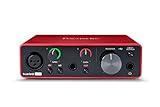
- Pro performance with great pre-amps - Achieve a brighter recording thanks to the high performing mic pre-amps of the Scarlett 3rd Gen. A switchable Air mode will add extra clarity to your acoustic instruments when recording with your Solo 3rd Gen
- Get the perfect guitar and vocal take with - With two high-headroom instrument inputs to plug in your guitar or bass so that they shine through. Capture your voice and instruments without any unwanted clipping or distortion thanks to our Gain Halos
- Studio quality recording for your music & podcasts - Achieve pro sounding recordings with Scarlett 3rd Gen’s high-performance converters enabling you to record and mix at up to 24-bit/192kHz. Your recordings will retain all of their sonic qualities
- Low-noise for crystal clear listening - 2 low-noise balanced outputs provide clean audio playback with 3rd Gen. Hear all the nuances of your tracks or music from Spotify, Apple & Amazon Music. Plug-in headphones for private listening in high-fidelity
- Everything in the box: Includes Pro Tools Intro+, Ableton Live Lite, Cubase LE, and Hitmaker Expansion: a suite of essential effects, powerful software instruments, and easy-to-use mastering tools
- “Instrumental background music for a calm product walkthrough; restrained percussion, warm keys, and a gradual lift.”
- “A short, energetic song about a weekend road trip; bright mood, group vocals, and a memorable chorus.”
Genre coverage, exact duration, language, and fine-grained arrangement controls are not established for every product. Check the vendor’s site before choosing a tool for a specific musical style or production requirement.
Refine Lyrics And Prompts
Prompt Maschine is a lyric and prompt toolkit rather than a complete music production tool. It can turn an idea into lyric drafts and a music-style prompt for Suno, with section tags and text users can copy into a music generator. Its prompt generator covers genre, mood, instrumentation, tempo, groove, era influence, and production notes. Treat generated text as a draft: revise lyrics for voice, meaning, and structure before using them.
Shopping ad

- PIYONE Plug-and-Play USB C Audio Interface. Experience seamless connectivity with this class-compliant audio interface for Mac and PC. The modern audio interface USB C port handles both high-speed data transfer and bus power, eliminating bulky external power supplies. No drivers are required—simply plug into your laptop and start creating with this portable xlr audio interface.
- Studio-Grade 24-bit/192kHz Fidelity. Capture every nuance with professional resolution and a wide dynamic range. This 2 channel audio interface features high-performance converters that ensure crystal-clear, low-noise recordings. Whether you need an audio interface for PC or mobile, the Q28 delivers the high-fidelity sound required for professional music production.
- Elegant Design with Illuminated Control. Enhance your interface for recording music with signature fixed LED light rings on each gain knob. This premium aesthetic ensures easy visibility in dimly lit studios while adding a modern, professional look to your setup. It’s the perfect blend of style and function for your home recording audio interface.
- Versatile 2 Channel XLR USB Interface. Connect any source with maximum flexibility via two combo jacks. This 2 input audio interface is perfect for recording vocals with a condenser mic or using the Hi-Z input as a guitar interface for PC. With integrated 48V phantom power supply audio interface capabilities, it provides clean, ample gain for even the most demanding microphones.
- Zero-Latency Monitoring & 3.5mm Connectivity. This home recording audio interface is built for performance. The Direct Monitor feature allows for silent, zero-latency tracking, while the built-in 3.5mm headphone jack ensures compatibility with standard headsets without needing adapters. Powerful, portable, and ready to perform, it’s the ultimate xlr interface for laptop users and mobile creators.
Edit And Export Musical Material
If you expect to work with parts after generation, compare the export and editing workflow before committing. Suno supports editing, remixing, extensions, section replacement, and stem export; stem separation is excluded from its Free Plan. Mureka supports remixing, extensions, multitrack editing, stem separation, and audio or MIDI export, while access to Mureka Studio and splitting up to 12 stems are reserved for Premier. ACE-Step Studio is a Windows desktop studio for ACE-Step 1.5, an open music model; its project page describes covers, remixes, repainting, stems, MIDI, karaoke, and video clips, and says it runs offline on NVIDIA cards from 4 GB of VRAM.
AudioDirector offers AI lyrics-to-song and AI music creation within its audio workflow. TopMediai AI Music Generator can create songs, beats, and soundtracks from lyrics, prompts, images, or videos. These descriptions do not establish detailed editing controls, supported file formats, or compatibility with a particular device or project, so verify those details with the vendor.
Shopping ad

- The new generation of the songwriter's interface: Plug in your mic and guitar and let Scarlett Solo 4th Gen bring big studio sound to wherever you make music
- Studio-quality sound: With a huge 120dB dynamic range, the newest generation of Scarlett uses the same converters as Focusrite’s flagship interfaces, found in the world's biggest studios
- Find your signature sound: Scarlett 4th Gen's improved Air mode lifts vocals and guitars to the front of the mix, adding musical presence and rich harmonic drive to your recordings
- All you need to record, mix and master your music: Includes industry-leading recording software and a full collection of record-making plugins
- Everything in the box: Includes Pro Tools Intro+, Ableton Live Lite, Cubase LE, and Hitmaker Expansion: a suite of essential effects, powerful software instruments, and easy-to-use mastering tools
Compare The Supported Starting Points
| Tool | Supported input or focus | Supported output or workflow |
|---|---|---|
| Suno | Text prompts | Complete songs with vocals, lyrics, instrumentation, and production; editing and stems |
| Mureka | Text, lyrics, styles, or reference audio | Complete tracks, editing, stems, audio and MIDI export |
| Musicful | Text, lyrics, or a hum | Songs across 100+ music styles |
| Somio AI | Text, lyrics, references, or ideas | Songs with customizable vocals, styles, and sounds |
| Vocuno | Text prompt, style, and lyrics | Full songs; separate AI vocal tracks and covers or remixes |
| Prompt Maschine | Song idea or rough prompt | Lyric drafts and music-style prompts for use in a music tool |
| TopMediai AI Music Generator | Lyrics, prompts, images, or videos | Songs, beats, and soundtracks |
| AudioDirector | Lyrics or ideas | AI songs, vocals, and royalty-free music |
| ACE-Step Studio | ACE-Step 1.5 model workflow | Full songs and desktop tools including stems and MIDI |
Check Cost And Usage Rights Before Publishing
Published plan details differ, and rights can depend on the plan or track. The figures below retain the billing qualification given by each service; confirm current terms and the exact track’s eligibility on the vendor’s site before release.
| Tool | Published price or free access | Rights information established here |
|---|---|---|
| Suno | Free Plan; Pro from $8/month in the directory listing | Free Plan does not include commercial rights. Suno says songs created as a paid subscriber may be used for purposes including video background music or an album. |
| Mureka | Freemium; paid from $8/month billed annually at $96 for Basic Music & Speech | Mureka says downloaded tracks have full commercial rights; verify the terms for the chosen plan and track. |
| Musicful | Not stated | Musicful describes a non-exclusive perpetual license for downloaded tracks, retains ownership of generated tracks, and says commercial use is allowed with a commercial licence certificate. |
| TopMediai AI Music Generator | Not stated | Download the license certificate before using an eligible paid-plan track commercially. |
| AudioDirector | AudioDirector Essential is free with output format restrictions and duration limits; annual subscription is $69.99/year | Not stated |
| Somio AI | 10 credits for new users | Somio says every generated track is ready for personal and commercial use. |
| ACE-Step Studio | Not stated | Not stated |
| Vocuno | Not stated | Not stated |
| Prompt Maschine | Free plan; PRO from $9.99/month | Not stated |
When a workflow involves a real person’s voice, a cover, or uploaded reference audio, make sure you have consent to use the material and follow the platform’s terms. Rights statements above describe the vendors’ published claims; they do not establish permission for every source recording, voice, or release context.
Shopping ad

- The new generation of the artist's interface: Connect your mic to Scarlett's 4th Gen mic pres. Plug in your guitar. Fire up the included software. Start making your first big hit
- Studio-quality sound: With a huge 120dB dynamic range, the newest generation of Scarlett uses the same converters as Focusrite’s flagship interfaces, found in the world's biggest studios
- Never lose a great take: Scarlett 4th Gen's Auto Gain sets the perfect level for your mic or guitar, and Clip Safe prevents clipping, so you can focus on the music
- Find your signature sound: Air mode lifts vocals and guitars to the front of the mix, adding musical presence and rich harmonic drive to your recordings
- With Scarlett 4th Gen, you have all you need to record, mix and master your music: Includes industry-leading recording software and a full collection of record-making plugins
Use A Short Creation And Review Loop
- Write down the use case and the musical qualities that matter, such as whether you need vocals, lyrics, or an instrumental background.
- Choose a tool whose stated inputs and outputs match that need. Use a lyric-and-prompt tool if you already plan to create the audio elsewhere.
- Generate a draft, then adjust the prompt or lyrics to address a specific gap. Avoid relying on unsupported assumptions about genre coverage, language, length, or controls.
- Before using the track publicly or commercially, check the current plan, license, and any consent requirements for voices, covers, and source audio.
- If you need parts for a DAW or a particular device workflow, confirm the export format, platform support, and availability on the plan you intend to use.
What To Verify For Your Setup
The supplied product details do not establish full compatibility across phones, computers, DAWs, or audio formats for every service. Suno is specifically described as available on web, iOS, and Android, with Suno Studio on Premier; ACE-Step Studio is described as a Windows desktop app requiring an NVIDIA card with at least 4 GB of VRAM for its offline workflow. For other platform, language, genre, duration, and export questions, check the vendor’s current product information rather than assuming support.
Quick Recap
Shopping ad

- Capture every detail of your sound: Imagine the perfect take, every note and beat, captured as if by magic. That's the MAONO PS22 Lite audio interface—designed for the recording enthusiast and streamer in you. With high-resolution recording at 24-bit/192kHz and a dynamic range of 106dB, this USB audio interface for PC and Mac ensures your sound is as clear and realistic as the original performance
- For Microphone Lovers: Podcasters and Voice Actors, the PS22 Lite XLR audio interface is perfect. It can handle condenser and dynamic microphones with up to 56 dB of preamp and 48V phantom power. Enjoy a warm and clear sound for your podcasts or voice-over work
- Create Your Music with Guitar: Whether you are a musician or a guitar enthusiast, an interface for recording music gives you rich, realistic sound. Plug into the audio interface's dedicated instrument input, adjust the impedance, and get guitar and vocal effects quickly. Stand out from the crowd with our recording music audio interface, and make sure every note you play is memorable
- Powerful ProStudio Routing Software: Live-Streamers or Social Media Influencers, take control of your live streams with the PS22 Lite. The ProStudio Routing Software included with this computer recording audio interface opens up a world of possibilities with additional virtual channels and loopbacks, and it's compatible with ASIO drivers for low-latency output, providing the flexibility needed for your broadcast
- For Beginners: Content Creators just starting in recording, The USB audio interface for pc is designed with intuitive modes for recording, live broadcast, and instruments, making it easy to switch between setups. Its plug-and-play capability and direct monitoring switch save time and streamline your creative process
Product prices and availability are accurate as of the date/time indicated and are subject to change. Any price and availability information displayed on Amazon at the time of purchase will apply.





