
Free tools Windows power users keep installed
One-click scans. No signup required.
Inferse is reader-supported. When you buy through links on our site, we may earn an affiliate commission. As an Amazon Associate I earn from qualifying purchases. Learn more
Free podcast editing software is enough for an audio-only interview show when each speaker supplies a clean local recording, the producer can align tracks and make manual cuts, and the monthly workload is modest. Paying becomes worthwhile when repeated work—guest-file cleanup, transcription, silence and filler removal, captions, video exports, collaboration or publishing—costs more in labor than the subscription. The practical choice follows the bottleneck: Audacity or GarageBand cover basic local editing, Descript centers spoken-word editing around a transcript, Riverside combines remote video recording with publishing, and Zencastr offers an unusually broad free capture tier. The products below are listed alphabetically, not ranked.
At a glance
| Name | Best for | Key spec | Free plan / price | Checked |
|---|---|---|---|---|
| Audacity | Audio-only shows with a hands-on editor | Local multitrack recording and waveform editing; Windows, macOS and Linux | Free and open source | November 2026 |
| Descript | Transcript-led edits and an integrated remote workflow | Rooms records each participant locally and transcribes files into the project | Free start; Hobbyist $16/person/month annual billing ($24 monthly) | November 2026 |
| GarageBand | Apple users building a simple audio-only workflow | Flexible audio-only recording and editing base | Free for Apple users | November 2026 |
| Riverside | Video interviews, polished guest rooms and publishing in one browser workflow | Separate-track capture; Pro supports up to 4K video and 48 kHz audio | Free: 2 hours multitrack, 720p, watermark; Pro price varies | November 2026 |
| Zencastr | Cash-constrained shows needing many participants and isolated tracks | Free Vibecastr: six participants, 4K video, 48 kHz WAV and local recording | Free Vibecastr tier; paid pricing should be checked before purchase | November 2026 |
Prices checked November 2026.
Is free podcast editing software good enough?
Yes, if your show is audio-only and the recording process already produces usable files. A free local editor can deliver broadcast-ready results when the host and guest record separate WAV tracks, the producer knows how to synchronize them, and there is enough time for manual cleanup. The software is not the limiting factor in that situation; microphone placement, headphones, room noise and a consistent editing routine matter more.
Free stops being economical when the same repetitive tasks consume several hours every episode. Typical warning signs are typing a transcript by hand, hunting through a waveform for every filler word, creating captions separately, downloading and renaming guest files, lining up tracks from a call, or exporting video and social clips in multiple applications. A paid plan can remove those handoffs, but only if it addresses the task that is actually slowing production.
Do not treat “free” as synonymous with “trial.” Audacity is a free, open-source editor rather than a time-limited demo, while browser platforms may attach hours, resolution, watermarks, storage or AI-credit limits to their no-cost tiers. Before switching, write down the work your current process requires and the limits you hit; that record is more useful than a generic promise of faster editing.
Shopping ad

- [Natural Audio Clarity] Operated with frequency response of 50Hz-16KHz, the podcasting XLR mic delivers balanced audio range, likely to resonate with your audience. Directional cardioid dynamic microphone corded will not exaggerate your voice, while rejects unwanted off-axis noise for vocal originality and intelligibility during your PS5 gaming streaming video recording. (Tips: Keep the top of end-addressing XLR dynamic microphone AM8 facing audio source, and suggested recording range is 2 to 6 in.)
- [XLR Connection Upgrade-Ability] To use XLR connection, connect the podcast microphone to an audio interface (or mixer) using a separate XLR cable (NOT Included) . Well-connected and smooth operation improves audio flexibility to make you explore various types of music recording singing. The streaming mic isolates the pristine and accurate sound from ambient noise with greater no interference and fidelity. (RGB and function key on mic are INACTIVE when using XLR connection.)
- [USB Connection with Handy Mute] Skip the hassle of setting something up and plug the cable to play the dynamic USB microphone directly, which suits for beginner creators or daily podcast. You can quickly control the gamer mic with tap-to-mute that is independent of computer/Macbook programs to keep privacy when live streaming. LED mute reminder helps you get rid of forgetting to cancel the mute. (RGB and function key are only available for USB connection, but NOT for XLR connection)
- [Soothing Controllable RGB] RGB ring on the desktop gaming microphone for PC, with 3 modes and more than 10 light colors collection, matches your PC gears accessories for gaming synergy even in dim room. You can control the RGB key button of the dynamic microphone USB directly for game color scheme gaming or live streaming. Configured memory function, the streaming microphone RGB no need to repeated selections after turnning off and brings itself alive when power on. (Only available for USB connection)
- [More Function Keys] Computer microphone with headphones jack upgrades your rhythm game experience and gets feedback whether the real-time voice your audience hear as expected. Get the desired level via monitoring volume control when gaming recording. Smooth mic gain knob on the PC microphone gaming has some resistance to the point, easily for audio attenuation or boost presence to less post-production audio. (Only available for USB connection)
What should interview producers compare before paying?
The deciding difference is usually workflow, not a longer feature list. Compare these eight areas against your actual production calendar.
- Capture model. Separate local tracks preserve each speaker when the internet connection is poor. A mixed call recording cannot restore a clipped or interrupted guest after the fact.
- Editing model. Waveform and timeline tools provide detailed control. Transcript-led and AI-assisted tools make spoken-word cuts, filler removal and captions faster, but still need human review.
- Guest friction. Check whether a guest can join from a browser, needs an account, must install software, can use a phone, and receives a clear recording status.
- Audio and video ceiling. Note sample rate, WAV availability, video resolution, separate-track downloads and watermarks. A 4K ceiling matters for a video show; it does not improve an audio-only RSS file.
- Transcription and cleanup. Speaker labels, filler-word detection, silence removal, noise reduction and caption export can replace several manual passes. Automatic processing is a speed aid, not a substitute for good microphones or editorial judgment.
- Collaboration. Shared projects, comments, roles and a clean handoff matter when a producer, host and video editor work in different places.
- Export and publishing. Confirm the formats you need and whether the service can host, distribute to an RSS feed, publish to YouTube or make social clips without another subscription.
- Metering. Count media hours, AI credits, separate-track downloads, storage, transcription hours and overage charges. A low monthly price can cost more in labor if it meters the step you use most.
1. Audacity: who it is for
Audacity suits an audio-only interview show whose producer is comfortable doing the technical work. Its official site describes it as free and open source and reports more than 100 million downloads since 2000. It records and edits on Windows, macOS and Linux, and exports finished files without a subscription or watermark. Audacity’s official site is the reference for its current availability.
The economical workflow is simple: have every speaker record a clean WAV locally, collect the files, label them, import them into separate tracks, synchronize the starts, remove unwanted sections, apply noise and level adjustments, add the intro and outro, then export the master. Keep the original isolated files and the project file so you can revise an edit later.
Do these 3 things before closing this tab:
1Clear out junk files and repair common Windows errors2Fix the driver behind crashes, sound loss and screen glitches3Repair Windows errors before they cause bigger problemsAudacity does not provide the hosted guest room, automatic browser capture, integrated transcription or publishing workflow found in newer browser services. You must arrange the remote recording method, move files between people, identify speakers and create captions or show notes elsewhere. Those steps are manageable for a small monthly schedule and become expensive when repeated several times a week.
There is no paid Audacity plan to upgrade to. Pay for another service only when the labor around Audacity—not its basic audio editing—has become your bottleneck. It remains a sensible first month for validating a format, testing a publishing cadence and learning what your show actually needs.
2. Descript: who it is for
Descript is designed for producers who edit spoken-word material by reading a transcript. Its editor transcribes recordings, lets you delete text to remove the matching audio or video, and adds tools such as filler-word removal, Studio Sound, captions, clips and show-note assistance. The workflow is particularly useful when an interview contains many pauses, repeated phrases or sections that need to be found by meaning rather than by waveform.
Descript’s current pricing card lists Hobbyist at $16 per person per month on annual billing or $24 month to month. Hobbyist includes 10 media hours, 400 AI credits and 1080p watermark-free export. Creator is $24 per person per month on annual billing or $35 monthly, with 30 media hours, 800 AI credits and 4K export. Prices and included allowances can change, so confirm the live card before subscribing.
Shopping ad

- Studio-Quality Sound for Clear Podcast Recording – The K66 USB podcast microphone delivers studio-quality, broadcast-level audio using a high-performance condenser capsule and cardioid pickup pattern that focuses on your voice while reducing unwanted background noise. Designed as a reliable microphone for PC, it features a wide 40Hz–18kHz frequency response and a 46kHz sampling rate to reproduce rich lows, smooth mids, and clear highs for natural, detailed vocals. With –45dB ±3dB sensitivity, it captures balanced sound without distortion during expressive speaking. Ideal for podcasting, voice-over, online classes, meetings, and professional content creation.
- Intelligent Noise Reduction Mode for Cleaner Podcast Audio – This podcast microphone features an advanced Noise Reduction Mode designed for clearer, more focused voice recording in real-world environments. Press and hold the mute button to enable noise reduction (blue indicator). In this mode, the microphone helps reduce keyboard clicks, PC fan noise, air conditioner hum, and background chatter. Default Mode maintains a warm, natural vocal tone for quiet spaces. Designed as a reliable microphone for PC, it allows creators to identify the active mode instantly and adapt as needed, ensuring clear audio for podcasting, gaming, streaming, online classes, meetings, and recording.
- True Plug-and-Play USB Microphone with Wide Device Compatibility – Engineered for effortless plug-and-play use, the K66 USB microphone requires no drivers, apps, or software installation. Simply connect and start recording on Windows PC, Mac, laptops, PS4, PS5, and tablets. Included USB-C and Lightning adapters ensure seamless compatibility with iPhone, iPad, and modern USB-C phones and devices, making it easy to switch between desktop and mobile recording. Ideal for creators working across multiple platforms, this microphone delivers consistent, high-quality audio for YouTube, TikTok, Twitch, Zoom, Discord, OBS Studio, Streamlabs, podcasting, livestreaming, and professional voice recording.
- Real-Time Zero-Latency Monitoring with Adjustable Volume Control – This podcast microphone features real-time, zero-latency monitoring through a built-in 3.5mm headphone jack, allowing you to hear exactly what’s being recorded without delay. Designed as a reliable microphone for PC, it includes a dedicated monitoring volume control that lets you adjust headphone listening levels independently for accurate and comfortable audio monitoring. Real-time feedback helps identify distortion, background noise, or uneven volume before it affects your final recording, making this podcast microphone ideal for podcasting, streaming, online teaching, voice-over work, and professional content creation.
- Precision Audio Adjustment Knobs for Full Sound Control – This podcast microphone gives creators hands-on control with dedicated knobs for microphone volume, monitoring volume, and echo adjustment. Fine-tune mic gain to maintain clear, balanced vocal output, adjust headphone monitoring levels independently for comfortable listening, and add or reduce echo to enhance depth and presence. Designed as a reliable PC microphone, these intuitive physical controls allow fast, on-the-fly adjustments without software, helping identify distortion, background noise, or level inconsistencies instantly. Ideal for podcasting, streaming, ASMR, voice-overs, singing, and professional multi-platform recording.
Hobbyist fits a single editor whose monthly recordings stay within 10 media hours and who needs clean 1080p exports. Creator is the more relevant step when 4K video is required, the schedule approaches 30 media hours, or additional AI credits prevent repeated pauses while waiting for a limit to reset. The useful calculation is not the number of features; it is the value of the hours saved on transcription, searching and caption preparation.
For remote interviews, Descript Rooms runs in a browser. Each participant records locally in up to 4K, and the files arrive in the project already transcribed. That can remove the download, synchronization and separate transcription stages that often make a free local-editor workflow feel slow. You still need sensible microphone technique, headphones and a quality check before publishing; automatic cleanup cannot repair a distorted source.
Descript is less compelling when the show is audio-only, the producer prefers detailed waveform processing, or the project repeatedly exceeds its media-hour and AI-credit allowances. In those cases, a local editor or a different capture service may cost less overall.
3. GarageBand: who it is for
GarageBand is a free audio-only base for Apple users who want a familiar multitrack timeline without paying for a podcast platform. The comparison material places it alongside Audacity as a flexible starting point for recording and editing. It is appropriate when the host can obtain separate recordings, import them, align speakers and perform manual cleanup.
Recommended Free Tools
A GarageBand workflow still requires the producer to manage guest files, identify speakers, remove noise and breaths, balance levels, add music and export the episode. It does not solve the browser guest-room, automatic local capture, transcript editing or publishing handoffs that motivate many upgrades. If those tasks are occasional, the free editor can remain sufficient; if they dominate every episode, moving to a service with capture and transcription may save more time than learning additional timeline shortcuts.
The available data supplies no separate paid podcast tier or price for GarageBand. Treat it as a no-cost Apple editing option rather than as a subscription platform, and evaluate any companion services separately. Keep a standard export format and the original tracks so an eventual move to another editor does not lock the archive to one application.
4. Riverside: who it is for
Riverside fits a video interview show that wants a polished guest experience, isolated recordings and recording, editing, hosting and distribution in one browser workflow. Its free tier is useful for trying the room or producing occasional episodes, but the limits become visible quickly: two hours of multitrack recordings, up to 720p video, a watermark and 44.1 kHz audio, according to the current pricing page.
Shopping ad

- Custom three-capsule array: This professional USB mic produces clear, powerful, broadcast-quality sound for YouTube videos, Twitch game streaming, podcasting, Zoom meetings, music recording and more
- Blue VO!CE software: Elevate your streamings and recordings with clear broadcast vocal sound and entertain your audience with enhanced effects, advanced modulation and HD audio samples
- Four pickup patterns: Flexible cardioid, omni, bidirectional, and stereo pickup patterns allow you to record in ways that would normally require multiple mics, for vocals, instruments and podcasts
- Onboard audio controls: Headphone volume, pattern selection, instant mute, and mic gain put you in charge of every level of the audio recording and streaming process
- Positionable design: Pivot the mic in relation to the sound source to optimize your sound quality thanks to the adjustable desktop stand and track your voice in real time with no-latency monitoring
The Pro description adds up to 4K video, 48 kHz audio, unlimited transcription, AI editing and 15 hours of separate-track downloads. The pricing page viewed for this comparison carried a staging-environment warning, so verify the live dollar amount and current allowances immediately before purchase. Do not budget from an old screenshot or a remembered promotion.
Quick wins for a faster PC:
Clear out junk files and repair common Windows errorsFree Scan →Fix the driver behind crashes, sound loss and screen glitchesFind Drivers →Paying Riverside makes sense when the show’s value depends on video quality, a low-friction browser room, separate-track recovery or integrated publishing. For an audio-only show, the recurring fee is justified only when remote capture, guest management or hosting removes enough production work to exceed the subscription cost. A 4K plan does not make an audio RSS file sound better, and a watermark may be irrelevant if you never publish video.
Before committing, check how many hours your regular episodes consume, whether you need every separate track downloaded, and where the service stores your masters. Export the isolated files and final mixes on a schedule so a plan change or platform migration cannot strand your archive.
5. Zencastr: who it is for
Zencastr’s free Vibecastr tier is aimed at interview producers who need a browser-based room and high-quality isolated recordings without an immediate subscription. The official card lists six participants, unlimited separate audio and video recording and downloads, 4K video, 48 kHz WAV, local recording, cloud backups, unlimited transcription hours and unlimited track storage. Those allowances are unusually broad for a $0 starting point, especially for a cash-constrained show with several guests.
The local-recording model protects quality because each speaker’s source is captured on the device rather than being dependent on the call connection. Cloud backups provide another recovery path, but a producer should still download and archive the original tracks after each session. Confirm export behavior, retention, support and current participant rules before making the service the only home for a production archive.
What’s actually slowing this PC down?
Pick the symptom - the matching free tool is one click away.
Zencastr is a practical choice when participant count, separate tracks and high-resolution capture matter more than a sophisticated transcript editor. If your main bottleneck is cutting spoken passages by text, compare its editing workflow with a transcript-centered application. If the show is audio-only and guests can reliably record locally, a desktop editor may remain simpler.
Plan names, limits and paid pricing can change quickly. Review the current Zencastr pricing card for any paid upgrade, especially if you need additional collaboration, storage or publishing controls beyond the free tier.
Shopping ad
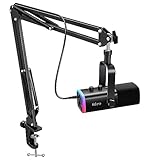
- USB/XLR Connectivity-AM8T comes with a dynamic microphone and a boom arm stand. Versatile PC gaming microphone kit with USB compatibility plug and play for PC in streaming or recording, without additional drivers. And also, while in XLR compatibility for mixer or sound card connection, the XLR studio vocal microphone is good at vocal, podcast, or musical instruments creation.
- Vibrant RGB Light-The streaming microphone RGB illuminates your gaming setup with customizable RGB lighting for a visually stunning game experience. You can easily control the RGB mode/colors or turn off by simply tapping the RGB button without making any complicated settings on specific software.
- Enhanced Features-Featured -50dB sensitivity and cardioid polar pattern, the USB recording mic kit not easily pick up background noise for delivering clear audio. The PC gaming microphone USB kit includes a boom arm for easy positioning, mute button and gain knob for precise control, headphones jack for real-time monitoring, and headphone volume control while streaming or recording.
- Decent for Gamers and Streamers-The XLR microphone designed specifically to meet the needs of gaming enthusiasts and streamers. Ideal for various applications, including gaming, streaming, podcasting, voiceovers, and more, which also works with popular streaming software like OBS and Streamlabs.
- Recording Microphone Kit-The dynamic microphone is more convenient for working from home or going out for podcasts, and the complete accessories allow for faster recording work due to its simple straightforward assembly. External windscreen of the XLR dynamic microphone filter out plosive voice.
When should I pay for podcast software?
Upgrade when the same measurable bottleneck appears on nearly every episode, a quality requirement is blocked by the free tier, or the value of saved labor exceeds the recurring fee. Do not upgrade simply because a service advertises more AI features.
- Repeated manual transcription: You spend substantial time producing a transcript, captions or searchable quotes.
- Guest-file friction: Download links, missing tracks, mismatched sample rates or manual synchronization repeatedly delay publication.
- Video requirements: You need 4K, 48 kHz audio, separate video tracks or watermark-free exports.
- Collaboration: Several people need comments, shared projects, roles or a dependable handoff.
- Publishing overhead: Recording, editing, hosting and distribution in separate tools create avoidable exports and uploads.
- Plan ceilings: Media hours, AI credits, transcription hours or downloads interrupt the schedule more often than they help it.
Calculate the case from your own numbers: monthly hours saved multiplied by the producer’s realistic hourly value, plus the expected cost of a failed or unusable guest recording. There is no universal episode count at which a subscription pays for itself. A weekly audio show with clean local tracks may stay free for years; a video show with several guests can justify payment immediately.
How do I run a practical upgrade test?
Use three representative episodes rather than a single unusually easy or difficult interview.
- Log setup. Record guest-invite time, account or installation problems, microphone checks and time spent waiting for files.
- Log recovery. Note dropped connections, missing channels, resync work, corrupted exports and any session that had to be re-recorded.
- Log editing. Separate waveform cuts, transcription, filler and silence cleanup, captions, clips, mixing and publishing.
- Map limits. Compare hours, AI credits, storage, participant count, resolution, sample rate and separate-track downloads with each plan.
- Price the alternative. Multiply avoidable labor by its real value, then add the risk and cost of an unusable recording.
- Check the exit path. Confirm that you can download isolated tracks, final mixes and captions before relying on a platform.
Upgrade if the same constraint appears in all three episodes, a required quality level is unavailable, or the paid feature saves more valued labor than it costs. Keep the original isolated tracks and project exports regardless of the platform so a later migration remains possible.
What equipment still matters after you upgrade?
Software cannot compensate for a poor microphone signal. A microphone and headphones are basic podcast equipment; headphones let the host catch clipping, room noise and bleed while recording. A USB microphone is the simpler path for a solo or small setup. An XLR microphone can fit a more expandable studio, but it requires an interface and a willingness to manage that additional hardware.
Record in the quietest practical room, keep the microphone position consistent and monitor levels before the guest begins. Local isolated tracks, whether captured by a desktop editor or a browser room, preserve options; they do not turn a distorted source into a clean one. For video, decide whether 4K is genuinely part of your delivery spec before paying for it.
Crashes, No Sound, or Screen Glitches?
Random freezes, missing sound and display glitches usually trace back to one bad driver. Find and replace yours safely.Free scan · under a minutePC Slower Than It Used to Be?
A free scan shows the junk files, broken settings and background clutter dragging Windows down - then fixes them in one click.Free scan · Windows 10 & 11Can a free workflow remain reliable as the show grows?
Yes, if you standardize it. Give guests a short recording checklist, require separate WAV files, use a naming convention, keep a project template for intro and outro elements, and archive both isolated tracks and the final master. A repeatable process reduces the hidden labor that makes a free editor appear slower than it is.
Shopping ad

- Cut the Cables, Free to Pod - Dynamic microphone MAONO PD200W hybrid enjoy 3 ways for broadcast audio: go wireless for maximum freedom, USB for easy plug-and-play on phone, tablet, or computer, or XLR for a pro-level stable setup with audio interfaces
- Simple Setup, Studio-Level Sounds - With a premium 30mm dynamic capsule and cardioid pickup, the mic delivers studio-quality vocal reproduction for podcasting, streaming, and vocal recording. It achieves an ultra-clean 82dB signal-to-noise ratio and handles up to 128dB SPL without distortion
- Two Voices, One Perfect Conversation - PD200W supports a single receiver to connect two wireless desktop mics for duo podcasts or interviews. Records each mic to its own track so you can edit with precision, and keep every conversation crystal clear. The device also captures audio and video in perfect sync directly on the camera, eliminating the need for post-production alignment. (Note: Camera/Lightning accessories are sold separately.)
- Focus on Voice, Not Noise - Built for No-worries Recording even without a soundproof booth. Cardioid microphone design and advanced three-stage noise cancellation ensures your voice remains rich and focused, effectively minimizing background noise and room echo for broadcast-ready clarity
- Personalize Your Sound with MaonoLink - Take full command of your audio directly from your PC or smartphone through the MaonoLink app. Access 4 master-tuned preset modes to instantly adapt to different scenarios, while the powerful app enables precise adjustments to key parameters like EQ and reverb for a personalized sound profile
Reassess whenever the format changes: adding video, multiple guests, frequent captions, a second producer or a faster publishing cadence can move the bottleneck from editing to capture, collaboration or distribution. At that point, compare the specific paid feature that removes the new constraint rather than replacing every tool at once.
How to choose without overpaying
Start with the least expensive workflow that meets your non-negotiable quality and delivery requirements. Choose Audacity or GarageBand for manual audio editing; choose Descript when transcript-led spoken-word edits and integrated remote recording save substantial time; choose Riverside when video, guest experience and publishing belong in one browser workflow; and consider Zencastr when a generous free participant and isolated-track allowance is the main requirement. Recheck current plan cards before subscribing because prices, credits, participant caps, watermarks and storage rules change.
Frequently Asked Questions
Can Audacity record remote podcast guests directly in a browser?
Audacity is a local recorder and editor, not a hosted guest room. Each speaker generally records a separate file and sends it to the producer, who then imports and synchronizes the tracks.
The Tool Desk
Outbyte Driver Updater FREEScan for outdated or missing drivers - takes under a minuteDriver Scan →Outbyte PC Repair FREEClear out junk files and repair common Windows errorsFree Scan →How much time does paid podcast software save?
There is no reliable universal number. Track three normal episodes, including guest setup, file recovery, transcription, editing and publishing, then compare the hours you could remove with the subscription cost and your hourly labor value.
Do audio-only interview podcasts need 4K video?
No. Four-k video matters when you publish video interviews or need to crop footage for social clips. For an audio RSS feed, clean isolated audio and an appropriate sample rate matter more than video resolution.
What should I do if a free plan’s hours or AI credits run out?
Archive the isolated recordings and project exports first, then compare the cost of upgrading with the cost of finishing the episode in a local editor. Avoid deleting source files just to stay under a platform’s meter.
Should I pay for transcription or for a better remote recorder first?
Fix the failure that threatens publication. If guest connections produce unusable or mixed tracks, prioritize local isolated capture; if recordings are clean but editing and captions consume the schedule, transcript and cleanup tools are the more relevant upgrade.
Quick Recap
Product prices and availability are accurate as of the date/time indicated and are subject to change. Any price and availability information displayed on Amazon at the time of purchase will apply.





