
What’s actually slowing this PC down?
Pick the symptom - the matching free tool is one click away.
Inferse is reader-supported. When you buy through links on our site, we may earn an affiliate commission. As an Amazon Associate I earn from qualifying purchases. Learn more
Free SD-card recovery software is worth trying first, but paying becomes sensible when a preview shows the files you need and the free tool’s export limits, command-line work, or manual sorting would cost more than the license. Paid software can make recovery easier and increase the amount you can export, but it cannot guarantee that a damaged card will yield intact files or reverse physical failure.
This guide is for US readers choosing software for camera cards, phone cards, drones, and other Secure Digital media. The products and recovery options below are listed alphabetically, not ranked. Start with a read-only workflow, save recovered data to a different drive, and upgrade only after confirming that the software can actually identify representative files.
At a glance
| Name | Best for | Key spec | Free plan / price | Platforms | Checked |
|---|---|---|---|---|---|
| PhotoRec | People who can sort recovered files manually | Read-only, signature-based recovery; more than 480 file extensions | Free and open source | Windows, macOS and other supported systems | November 2026 |
| R-Studio Demo | Checking whether a card and file system are recognized before purchase | Demo or trial can test recognition; it does not prove every file is intact | Demo or trial; paid price is edition-specific | Windows and macOS product family | November 2026 |
| R-Studio for business use | Organizations handling recovery across more than one role or case | Scalable product family for business recovery work | Demo or trial; paid pricing should be confirmed for the required edition | Windows and macOS product family | November 2026 |
| R-Studio for personal use | Advanced users who want a commercial recovery workflow | Product family separates personal, business and technician use | Demo or trial; paid pricing should be confirmed for the required edition | Windows and macOS product family | November 2026 |
| Windows File Recovery | Technically confident Windows users | Command-line recovery with regular and extensive modes | Free | Windows | November 2026 |
| R-Studio for technicians | Technicians who recover data for multiple people or cases | Technician-oriented option within a scalable product family | Demo or trial; paid pricing should be confirmed for the required edition | Windows and macOS product family | November 2026 |
Details checked November 2026.
The R-Studio entries describe separate documented audiences and access paths within one product family, rather than unrelated applications from different vendors. The comparison keeps them separate because the reason to upgrade and the licensing decision differ for a home user, a business and a technician.
When is paying for SD-card recovery software worth it?
Paying is usually justified by value and risk, not by an assumption that commercial software always recovers more data. Upgrade when a free scan or trial identifies the photos, videos or documents you need and at least one of these conditions applies:
Shopping ad

- CAPTURE LARGER THAN LIFE. Unlock startling 5K[3] point-of-view and pristine high-res stills with video speed class ratings of U3 and V30[4].
- SPEED BARRIERS SHATTERED. Save precious moments with rapid read speeds up to 245MB/s[2] and write speeds up to 170MB/s[2] [256GB-1TB capacities[1]].
- MAXIMIZE WITH MASSIVE CAPACITY. Record longer and store more with up to 2TB[1] of storage.
- DURABILITY YOU CAN COUNT ON. SANDISK microSD cards are temperature proof, humidity proof, waterproof, shock proof, drop proof, magnet proof, X-ray proof and wear-out proof[7].
- EASY CONTENT MANAGEMENT. Easily back up, organize, and transfer your photos and videos with the SANDISK Memory Zone desktop or Android mobile app[10].
- The free tool cannot export enough of the recoverable data.
- You need a graphical workflow instead of command-line syntax.
- Manual sorting of generic filenames would take longer than the license is worth.
- The card contains irreplaceable work, and reducing operator error has meaningful value.
Stay with a free tool when the recovery set is small and replaceable, the card is stable, you can work safely from a separate destination, and you are comfortable with command-line instructions or manual organization. A zero-dollar license is not necessarily free in practice: time spent identifying the correct drive, choosing a mode, repeating scans and sorting unnamed files is part of the real cost.
There is no universal break-even price. Compare the current license total with the replacement value of the files, the hours you would spend, your technical confidence and the cost of making the situation worse. For a wedding shoot, paid client work, family archives or a one-time business project, the value of avoiding a preventable mistake may outweigh the software price. For replaceable downloads, a small set of already backed-up images or a stable card that contains only a few deleted files, the free route may be enough.
What can free software recover from an SD card?
Free tools can recover real data, especially when the card is still readable and the lost sectors have not been overwritten. They differ sharply in how they work, what they preserve and how much effort they require.
Microsoft Windows File Recovery is a free command-line app. Its documented command structure identifies a source drive, a destination drive, a recovery mode and optional filters. Microsoft requires the source and destination to be different drives. Its documentation identifies FAT and exFAT as common SD-card file systems and directs those media to extensive mode. That makes it a practical baseline for a confident Windows user, but drive identification and output management are part of the job.
PhotoRec is free and open source. CGSecurity describes it as using read-only access and supporting Secure Digital cards. It ignores the file system, so it can continue when the directory structure is severely damaged or the card has been reformatted. Its signature-based approach recognizes more than 480 file extensions according to the associated version 7.2 documentation. The trade-off is organization: recovered files commonly have generic names, and the reader may need to sort them manually.
Free software therefore works particularly well in three situations: the card is detected consistently, the amount of data is manageable and the user can follow a careful workflow. It is less attractive when a large photo library must be sorted quickly, when a graphical preview is essential, or when the only copy of irreplaceable data is on unstable media.
What does paid recovery software actually add?
Paid software mainly buys workflow, capacity and sometimes support. It does not buy a guarantee that every thumbnail will become a usable photo or that a physically failing card will become readable.
| Decision factor | What free tools may require | What a paid route may change |
|---|---|---|
| Interface | Command-line syntax or a technical recovery screen | A more guided graphical process |
| Preview | May require a separate method of checking results | A demo or trial may let you scan and preview candidates before purchase |
| Export capacity | Some free tools or free allowances can limit how much data is saved | A paid license may remove that allowance limit |
| Organization | Signature recovery can produce generic names and folders | Filtering, preview and a more structured export workflow can reduce sorting work when supported |
| Technical effort | You must select the source, mode, filters and destination correctly | Guided controls can reduce entry errors, though the source and destination still need to be checked |
| Physical failure | Cannot repair a broken controller, cracked card or failing flash memory | Cannot reverse physical failure either; a laboratory may be more appropriate |
Do not treat a scan result as a promise. A thumbnail or filename means the software found a file candidate. It does not prove that a video will play, a raw image will open correctly or a document will contain all of its original content. Preview several representative files before paying, including the file types that matter most to you.
What should you do before running any recovery scan?
The safest upgrade decision begins with protecting the card, not with installing more software. Use this sequence whether the tool is free or paid.
- Stop writing to the card. Do not take more photos, copy files onto it, accept a repair prompt or format it. New writes can overwrite sectors that contain deleted data.
- Remove the card safely. If it is connected through a camera or phone, disconnect it using the device’s safe-removal process. Connect it to a computer with a reliable card reader rather than repeatedly reconnecting an unstable device.
- Record the symptoms. Note whether the card appears with the expected capacity, whether it disconnects, whether the operating system asks to format it and whether folders are visible. These observations help distinguish a deleted-file problem from a recognition or hardware problem.
- Use a separate destination. Recovered files must not be written back to the affected card. Microsoft explicitly requires different source and destination drives for its utility; applying the same rule to commercial software is a prudent safeguard.
- Image an intermittent card first. If the card disappears, repeatedly disconnects or reports read errors, make a sector-by-sector image or clone and perform recovery from the copy. Repeated scanning of unstable media can increase the chance that the card stops responding.
- Run a free scan or trial when preview is available. Look for several representative photos, videos and documents rather than relying on one thumbnail. Check whether filenames, folders and file sizes are usable.
- Check the destination capacity. The destination must have enough free space for the recovered set, not merely for the scan results. Large videos and multiple versions can consume more space than expected.
- Choose whether to upgrade. Compare the license total with the value of the files and the time required to export and organize them. Purchase only after the preview supports the files you actually need.
- Validate and back up. Open recovered files, make a second backup and only then consider reformatting or replacing the card.
When should you stop trying to recover an SD card yourself?
Stop DIY scanning when the card is physically cracked, unusually hot, repeatedly disconnecting or not detected at all. Software can analyze readable sectors, but it cannot repair damaged flash memory or a failed controller.
Professional laboratory recovery is the safer escalation for the only copy of irreplaceable data, especially when the card’s condition is worsening. Do not keep inserting a failing card into multiple readers or running repeated full scans simply because a paid program offers another mode. Every additional operation can add stress without improving the underlying hardware.
Do these 3 things before closing this tab:
1Scan for outdated or missing drivers - takes under a minute2Repair Windows errors before they cause bigger problems3Fix the driver behind crashes, sound loss and screen glitchesShopping ad

- Compatible with Nintendo-Switch (NOT Nintendo-Switch 2)
- Save time with card offload speeds of up to 190MB/s powered by SanDisk QuickFlow Technology (Up to 190MB/s read speeds, engineered with proprietary technology to reach speeds beyond UHS-I 104MB/s, requires compatible devices capable of reaching such speeds. Based on internal testing; performance may be lower depending upon host device interface, usage conditions and other factors. 1MB=1,000,000 bytes. SanDisk QuickFlow Technology is only available for 64GB, 128GB, 256GB, 400GB, 512GB, and 1TB capacities. 1GB=1,000,000,000 bytes and 1TB=1,000,000,000,000 bytes. Actual user storage less.)
- Pair with the SanDisk Professional PRO-READER SD and microSD to achieve maximum speeds (sold separately)
- Up to 130MB/s write speeds for fast shooting (Based on internal testing; performance may be lower depending upon host device interface, usage conditions and other factors. 1MB=1,000,000 bytes.)
- 4K and 5K UHD-ready with UHS Speed Class 3 (U3) and Video Speed Class 30 (V30) (Compatible device required. Full HD (1920x1080), 4K UHD (3840 x 2160), and 5K UHD (5120 X 2880) support may vary based upon host device, file attributes and other factors. See HD page on SanDisk site. UHS Speed Class 3 (U3) designates a performance option designed to support real-time video recording with UHS-enabled host devices. Video Speed Class 30 (V30), sustained video capture rate of 30MB/s, designates a performance option designed to support real-time video recording with UHS-enabled host devices. See the SD Association’s official website.)
If the card is still detected reliably and the data has a backup elsewhere, a free or paid software workflow is more reasonable. If it is the only copy of a once-in-a-lifetime event, the cost comparison should include the possibility that further DIY attempts reduce the chance of a later laboratory recovery.
1. PhotoRec: who it is for
PhotoRec suits technically comfortable users who want a genuinely free option and can tolerate manual sorting after recovery. It is particularly relevant when the card has been reformatted or its directory structure is badly damaged.
What it does: CGSecurity describes PhotoRec as free, open source and read-only. It works with Secure Digital cards and ignores the file system, using file signatures to identify recoverable content. That design lets it continue in situations where normal folders and filenames are no longer available. The documentation associated with version 7.2 lists more than 480 recognized file extensions.
Free plan and limits: There is no paid plan required to use the software. The practical limits are effort and organization rather than a stated license cap. Recovered files may have generic names, and the user may need to sort them by extension, size, timestamps or visual content. Signature-based recovery also cannot recreate information that has been overwritten.
Free tools Windows power users keep installed
One-click scans. No signup required.
Who should upgrade instead: Consider a commercial graphical workflow if you need to preview many candidates, preserve a workable folder structure, export a large set quickly or avoid manual sorting. Upgrade only after a scan demonstrates that the required file candidates are present. PhotoRec is a strong choice when budget is the main constraint and the user can spend time organizing the output.
Important limitation: Ignoring the file system helps when directories are damaged, but it does not make every recovered file complete. A file can be listed because its signature was found while still containing missing or corrupted data. Open representative files before treating the recovery as successful.
2. R-Studio Demo: who it is for
The R-Studio demo or trial route suits someone who wants to check recognition and preview behavior before committing to a paid license. It is a decision tool first: use it to learn whether the card and its file system are visible and whether the results include the files that matter.
What it does: The R-Tools Technology product page presents R-Studio as a scalable recovery software family for personal, business and technician use. A demo or trial can test whether a card and file system are recognized. That can narrow the decision between continuing with a free tool, purchasing the relevant edition or escalating to professional recovery.
PC Slower Than It Used to Be?
A free scan shows the junk files, broken settings and background clutter dragging Windows down - then fixes them in one click.Free scan · Windows 10 & 11Outdated Drivers Are Slowing You Down
One free scan finds every outdated or missing driver and matches the right update for your exact hardware.Free scan · exact hardware matchFree plan and limits: The demo or trial should be treated as an evaluation path, not proof of complete recovery. Recognition of a card and a list of candidates do not establish that every file is intact. Confirm what the current trial permits you to preview and export before relying on it for a large recovery.
Paid plan and price: Paid licensing is available within the product family for different user types, but the total depends on the required edition and current checkout terms. Confirm the edition, currency, tax and license conditions on the product page before purchase.
Who should upgrade: Upgrade when the demo identifies the needed files and the commercial workflow saves meaningful time or reduces the chance of a source-destination mistake. It is less sensible to pay merely because a scan displays many filenames. The quality of the preview matters more than the length of the result list.
Shopping ad
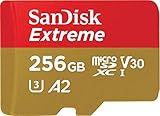
- With SanDisk QuickFlow Technology10 (64GB - 1TB), this card optimizes performance for timesaving media offloads with quick read speeds up to 190MB/s.9 Pair with the SanDisk Professional PRO-READER SD and microSD to achieve maximum speeds (sold separately).
- Capture fast-action photos or shoot 4K UHD video2 with write speeds of up to 130MB/s.9The SanDisk Extreme microSDXC UHS-I Card lets you shoot more and faster.
- Ideal for recording outdoor adventures, weekend trips, or sporting events without skipping frames. With up to 1TB1, the SanDisk Extreme microSD UHS-I card lets you capture uninterrupted 4K UHD and Full HD video with its UHS Speed Class 3 (U3) and Video Speed Class 30 (V30) ratings.5
- Get faster app performance for an outstanding smartphone experience thanks to the SanDisk Extreme microSD card’s A27Specification.
- SanDisk Extreme microSDHC and microSDXC UHS-I Cards are shockproof, temperature-proof, waterproof, and X-ray-proof,4 so you can enjoy your adventures without worrying about the durability of your memory card.
3. R-Studio for business use: who it is for
The business-oriented R-Studio path suits an organization that handles recovery as a recurring operational task rather than a single household incident. Its relevance comes from the product family’s stated separation of personal, business and technician use.
What it does: R-Studio is presented as a scalable data-recovery product family for personal, business and technician users. A business decision should focus on repeatability, role requirements and the cost of staff time. A business may value a more structured workflow even when a free utility could recover the same sectors in a one-off case.
Free plan and trial: A demo or trial can be used to determine whether the affected SD card and file system are recognized. It cannot prove that every listed file is healthy, and it should not be used as a reason to skip a backup or a separate destination.
Paid plan and price: The business route is paid and edition-specific. Confirm the current price, licensing scope, renewal terms and number of permitted users or devices directly on the product page before buying. Do not compare an organization-focused license with a personal license without checking what each permits.
Who should upgrade: Upgrade when the organization has recurring recovery cases, staff members who need a consistent process or data whose interruption cost exceeds the license total. For one stable card containing a small number of replaceable files, a free workflow may remain more economical.
Recommended Free Tools
4. R-Studio for personal use: who it is for
The personal-use R-Studio path suits an advanced home user who wants a commercial recovery workflow but does not necessarily need technician-oriented use. It is most relevant when the card is readable enough for a preview and the files have substantial personal value.
What it does: The product family covers personal recovery as one of its documented audiences. The important question is not whether the software carries a paid label, but whether its scan results identify the photos, videos or documents you need and whether its workflow is easier to control than a command-line utility or signature-based free tool.
Free plan and trial: Use the demo or trial to test card and file-system recognition where the current edition permits it. Treat preview as evidence of discoverability, not a guarantee that recovered files will open. Check several file types, especially long videos and less common camera formats.
Paid plan and price: The personal route requires a paid license when the trial’s permitted recovery is not enough. The current total is edition-specific and should be confirmed at checkout, including currency, tax, renewal language and any device or upgrade conditions.
Who should upgrade: A home user should upgrade when the card contains irreplaceable family photographs, travel footage or important documents and the preview shows usable candidates. Do not upgrade solely to chase a larger scan list if the card is physically failing; that problem may require a laboratory instead of another license.
5. R-Studio for technicians: who it is for
The technician-oriented R-Studio path suits professionals who recover data for multiple people or cases and need software aligned with that role. It is not automatically the right purchase for a single household card.
Shopping ad

- CAPTURE LARGER THAN LIFE. Unlock startling 5K[3] point-of-view and pristine high-res stills with video speed class ratings of U3 and V30[4].
- SPEED BARRIERS SHATTERED. Save precious moments with rapid read speeds up to 245MB/s[2] and write speeds up to 170MB/s[2] [256GB-1TB capacities[1]].
- MAXIMIZE WITH MASSIVE CAPACITY. Record longer and store more with up to 2TB[1] of storage.
- DURABILITY YOU CAN COUNT ON. SANDISK microSD cards are temperature proof, humidity proof, waterproof, shock proof, drop proof, magnet proof, X-ray proof and wear-out proof[7].
- EASY CONTENT MANAGEMENT. Easily back up, organize, and transfer your photos and videos with the SANDISK Memory Zone desktop or Android mobile app[10].
What it does: R-Tools describes R-Studio as a scalable family serving technician use as well as personal and business recovery. The technician decision is therefore about recurring workload, case handling and the value of a professional workflow, not simply about whether one deleted photo can be recovered.
Free plan and trial: A demo or trial can help determine whether a card and file system are recognized before a purchase. It does not establish that every candidate is intact, and a technician should still work from an image or clone when the source is intermittent.
Quick wins for a faster PC:
Scan for outdated or missing drivers - takes under a minuteDriver Scan →Clear out junk files and repair common Windows errorsFree Scan →Paid plan and price: The technician path is paid and edition-specific. Confirm the current license scope and price for the intended use before purchase. Check whether the terms fit the number of people, machines or cases involved rather than assuming that a personal license covers professional work.
Who should upgrade: Upgrade when recovery is a recurring service, when staff time has a measurable cost or when a consistent commercial workflow is more valuable than a free command-line or signature-based process. For a single stable card, a technician-oriented license is likely unnecessary.
Independent reader supportYour contribution helps us test, update, and keep practical guides available for everyone.6. Windows File Recovery: who it is for
Windows File Recovery suits a technically confident Windows user who wants a free Microsoft command-line utility and can manage drive letters, modes and output locations carefully.
What it does: Microsoft documents a command structure containing the source drive, destination drive, recovery mode and optional filters. The source and destination must be different. Microsoft’s file-system table identifies FAT and exFAT as common SD-card formats and directs those media to extensive mode.
The Tool Desk
Outbyte PC Repair FREEClear out junk files and repair common Windows errorsFree Scan →Outbyte Driver Updater FREEScan for outdated or missing drivers - takes under a minuteDriver Scan →A typical workflow therefore requires identifying the correct source letter, choosing extensive mode for the relevant SD-card file systems, selecting a separate destination and applying filters only when they are understood. A wrong source or destination can turn a recovery attempt into an avoidable data-management problem.
Free plan and limits: The utility is free and has no paid upgrade path inside the tool. The cost is technical effort: command syntax, drive identification, mode selection and organizing the output. It is not the natural choice for someone who needs a guided graphical preview.
Who should upgrade instead: Consider a commercial option when command-line work creates a meaningful error risk, when preview and filtering are central to the decision or when the free workflow cannot export enough of the identified recovery set. Stay with Microsoft’s utility when the card is stable, the data is limited and the operator is comfortable following the documented syntax.
How should you choose between free and paid recovery software?
Use the following decision framework rather than choosing by price alone.
- Classify the loss. Deleted files on a readable card are a different problem from a card that asks to be formatted, shows the wrong capacity or repeatedly disconnects.
- Protect the source. Stop writing immediately. Never format the card or accept an automatic repair prompt before recovery.
- Choose a free baseline. Use the command-line route if you are comfortable with it, or use a read-only signature-based tool if manual sorting is acceptable.
- Preview before paying. A paid decision is stronger when the scan shows the exact file types and representative files you need.
- Price your time. Include scan setup, repeated attempts, filename cleanup, duplicate handling and validation, not only the checkout total.
- Price the risk. If a mistake could permanently reduce the chance of recovery, a professional service may be more rational than either a free or paid application.
- Recover to another drive. Never send output back to the affected SD card.
- Validate the result. Open recovered files and make a second backup before changing the card’s format or using it again.
What can paid software not fix?
Paid software cannot recover sectors that have been overwritten, reconstruct every fragmented file, repair a failed controller or make unreadable flash memory respond reliably. Recovery results depend on the card’s readability, the extent of file-system damage, fragmentation, overwritten sectors and hardware health.
Shopping ad

- Up to 160MB/s read speeds to save time transferring high res images and 4K UHD videos (2); Requires compatible devices capable of reaching such speeds
- Up to 90MB/s write speeds for fast shooting; Requires compatible devices capable of reaching such speeds
- 4K UHD and Full HD Ready with UHS speed class 3 (U3) and video speed class 30 (V30)
- Rated A2 for faster loading and in app performance
- Built for and tested in harsh conditions: Temperature Proof, Water Proof, shock Proof and x ray Proof
A commercial tool may improve filtering, preview, export capacity and workflow. Those are meaningful benefits, especially when the files are valuable or the operator is not comfortable with command-line recovery. They are not the same as a promise of a higher recovery rate.
Formatting is also not a recovery strategy. If the card has been reformatted, a signature-based tool may still find data when the underlying sectors remain readable, but the result can be incomplete and poorly organized. Do not write new photos, videos or recovered files to the card while trying to retrieve older content.
What costs do people miss when comparing plans?
The visible license amount is only one part of the decision. Check the following before paying:
Recommended Free Tools
- Currency and tax: A product page may display a localized amount while checkout adds tax or uses a different currency.
- Monthly versus annual billing: A recurring plan can cost less initially but renew later. Confirm the renewal interval and cancellation terms.
- One-time versus subscription licensing: A lifetime-style license and a one-year subscription are different commitments and should not be compared without labeling the term.
- Edition scope: Personal, business and technician use may have different licensing conditions.
- Device limits: Confirm how many computers or installations the license covers before installing on multiple machines.
- Refund rules: Some software terms restrict refunds after delivery except where consumer law applies. Read the current conditions before purchase.
- Destination storage: You may need another drive large enough for the recovery output, especially when the card contains video.
- Professional escalation: If the card is physically failing, a software purchase may not solve the problem and can consume time before laboratory recovery.
How can you prevent the next SD-card recovery problem?
Recovery software is a last resort, so prevention should focus on reducing the number of occasions when the card is the only copy.
Copy important photos and videos to a computer or cloud service as soon as practical. Keep a second backup rather than treating the camera card as archival storage. Replace cards that repeatedly report errors, disconnect or show unexplained capacity changes. A new card can reduce future risk, but it cannot recover files already missing from an old card.
For replacement media, review the manufacturer’s specifications and buy from a reliable source. For example, the SanDisk Extreme microSDXC UHS-I Card is a storage option, not a recovery tool; purchasing new storage does not restore data from a damaged card. The practical prevention rule remains the same regardless of brand: keep the original files in more than one place.
How we selected the options
The comparison prioritizes tools and product paths documented for SD-card or general data recovery, then separates them by the decision a reader must make: free command-line recovery, free signature-based recovery, trial-based recognition, personal use, business use or technician use. The criteria are recovery workflow, read-only handling, file-system approach, preview or trial availability, output organization, licensing model, technical effort and suitability for stable versus failing cards. No recovery option is presented as a guarantee, and the list is alphabetical rather than a performance ranking.
Bottom line: when should you upgrade?
Try a free tool or trial first when it can preview the files you need. Upgrade when the preview is convincing and the free route leaves out too much export capacity, requires more manual work than your time is worth or creates an unacceptable risk of operator error. Stay free when the data is limited, replaceable and the card is stable. If the card is cracked, hot, repeatedly disconnecting or invisible to the computer, stop buying software and consider professional recovery instead.
Frequently Asked Questions
Can I recover photos from an SD card without formatting it?
Yes, provided the card remains readable and the relevant sectors have not been overwritten. Cancel formatting and repair prompts, stop using the card, and scan it without writing recovery output back to the same media.
Does seeing a thumbnail mean the recovered photo is safe?
No. A thumbnail shows that software found a candidate, but the full file may still be truncated or corrupted. Open several recovered files, including large videos or important camera formats, before deleting anything from the source.
Should I clone an SD card before using recovery software?
Clone or image the card first when it intermittently disappears, disconnects or reports read errors. Work from the copy so repeated scans do not add unnecessary stress to the original media.
Quick wins for a faster PC:
Fix the driver behind crashes, sound loss and screen glitchesFind Drivers →Clear out junk files and repair common Windows errorsFree Scan →Scan for outdated or missing drivers - takes under a minuteDriver Scan →Can recovery software restore files after an SD card was reformatted?
Sometimes, if the old sectors remain readable and have not been overwritten. Signature-based recovery can continue when directory information is gone, but filenames and folders may be lost and recovered files may be incomplete.
What should I do if my computer says the SD card must be repaired?
Do not accept the repair automatically when the card contains unrecovered data. Remove it safely, preserve the source, and use a separate destination for recovery; if the card is also disconnecting or physically damaged, stop DIY attempts and seek specialist help.





