ActiveCollab Software Review
activecollab.com · checked 16 Nov 2026
Project and client coordination for agencies, consultancies, and service teams.
How it plugs in
Signal on Project Management Software6.3#73 of 188
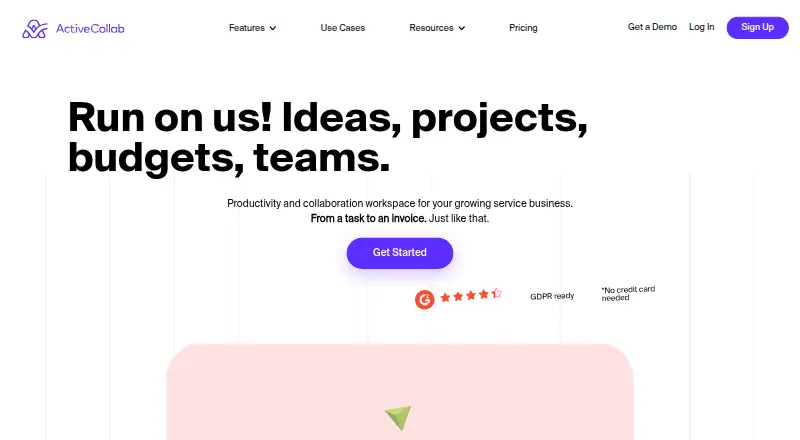
ActiveCollab provides a workspace for service businesses. It combines project planning, task views, time tracking, budgets, invoicing, expenses, and client access. Teams can use browser, desktop, or mobile apps through cloud hosting or self-hosting. Connections include storage, accounting, payment, chat, automation, webhook, and API options.
Review
In a line
Agencies, consultancies, and other service businesses can use ActiveCollab to coordinate projects with client work.
It brings project work and client work into one system.
What it does
Projects have no stated limit, and tasks and subtasks can be arranged in List, Board, or Gantt views. Task dependencies show which work must happen first. Automation rules can handle routine actions.
Workload and capacity planning sit alongside time-off management, time tracking, client access, budgets, estimates, invoicing, and expense tracking.
How it connects
ActiveCollab connects with Google Drive, Dropbox, and QuickBooks. It also lists Stripe, PayPal, and Slack integrations, along with Zapier automation.
Webhooks and an API provide other connection options. An MCP server is listed among its connected tools. ActiveCollab says the product began as open-source software in summer 2006.
The cloud version is available alongside installation on your own network. For self-hosting, supported setups use Linux or Windows with Nginx or Apache, PHP, and MySQL or MariaDB.
Good fit
ActiveCollab suits service businesses that need project planning tied to time, money, and client work. Agencies and consultancies can use client access, estimates, invoices, budgets, and profitability tracking.
Windows and macOS have native desktop apps, while iOS and Android users get mobile apps. For cloud customers, each instance has its own database and filesystem locations, SSL-only connections, AES256 transmission encryption, replicated infrastructure, and routine on-site and off-site backups.
Watch for
There is no free plan. Check which member limits, storage amounts, and billing terms match your team: the plans differ considerably.
Self-hosting is sold as a one-time purchase through a sales quote. After the first year, support is a separate yearly plan, and your administrator is responsible for upkeep and backups.
ActiveCollab places cloud servers in Canada, the United States, and France. Organizations that need data kept on their own network should consider self-hosting.
Pricing
ActiveCollab is paid software with a 14-day cloud trial covering the full feature set and requiring no credit card. Plus is $15 per month, or $12.50 per month with yearly billing, for up to three members, unlimited clients, projects, and tasks, and 10GB of storage.
Pro costs $11 a month per user, or $10 a month per user when billed yearly. It has unlimited members, 100GB of monthly storage or 125GB yearly, time reporting, and expense tracking. Pro+ (Get Paid) costs $17 a month per user, or $15 a month per user when billed yearly, adding invoicing, project budgeting, workload management, and profitability tracking.
For 100 or more seats, pricing starts at $3.50 per user each month, with a custom seat amount and transfer help from development and customer success teams. Self-Hosted is quoted by sales as a one-time purchase; it includes unlimited users, projects, and storage, plus one production installation and a development and testing copy. The first year of support and upgrades is included.
Verdict
Choose ActiveCollab if your service business wants project controls alongside time, expenses, client access, and billing features. Its web, desktop, mobile, cloud, and self-hosted choices cover different working arrangements.
The lack of a free plan means you should use the 14-day trial to confirm the fit. Teams comparing plans should pay close attention to member limits, storage, and whether yearly billing is suitable. Self-hosting offers network control but shifts maintenance and backup work to your organization.
Our take
ActiveCollab can suit agencies and consultancies seeking a single place for project delivery and client finances. It is particularly relevant when time reports, budgets, invoices, expenses, or workload planning matter as much as task lists. The 14-day full-featured trial can help you compare the plans before paying. Smaller teams should check the Plus member cap, while larger groups should review per-user pricing and storage. Choose self-hosting only if your organization can manage the required server stack, backups, and ongoing maintenance.
- Projects, tasks, and subtasks have no stated limit
- List, Board, and Gantt views include task dependencies
- Time tracking, budgets, invoicing, and expense tracking
- Cloud or self-hosted deployment
- Web, desktop, iOS, and Android apps
- No free plan
- Plans have different member and storage limits
- Self-hosted pricing requires a sales quote
- Self-hosting puts maintenance and backups on your administrator
- Pick it ifAgencies and consultancies managing client projects; Service teams linking tasks with time and billing; Organizations needing a self-hosted option
- Skip it ifYou need a permanently free plan; You want to avoid checking plan-specific storage and member limits; Your team cannot manage self-hosted maintenance
Pricing
ActiveCollab uses a paid model and offers a 14-day trial with every feature and no card requirement. Plus is $15 monthly, or $12.50 with yearly billing.
- Plus$15 per month flat; $12.50/month billed yearly · Up to 3 members · Unlimited clients · Unlimited projects and tasks · 10GB storage$15/mo
- Pro$11 per user per month; $10/month billed yearly · Unlimited members · 100GB storage monthly or 125GB yearly · Time reporting · Expense tracking$11/mo
- Pro+ (Get Paid)$17 per user per month; $15/month billed yearly · Unlimited members · 100GB storage monthly or 125GB yearly · Invoicing · Project budgeting · Workload management · Profitability tracking$17/mo
- 100+ seats$3.5 per user/month · 100+ seats · Custom seat amount · Dev and Customer Success teams assist with transfer$3.50/mo
- 100+ seats (annual)per user/month · Custom amount of seats; for teams with 100+ seats$3.50
- Pro (yearly)per user/month, billed yearly · Unlimited members; 125GB storage (upgradeable)$10
- Pro (monthly)per user/month · Unlimited members; 100GB storage (upgradeable)$11/mo
- Plus (yearly)billed yearly · 3 seats included; unlimited clients for free$12.50/yr
As activecollab.com lists them, checked 7 Oct 2026.
Questions
Is a free tier available?
No. ActiveCollab is paid software, but its cloud version has a 14-day trial with all features and no credit card requirement.
Which platforms does ActiveCollab support?
You can use ActiveCollab in a browser or through Windows, macOS, iOS, and Android apps. A self-hosted option is also available.
Can ActiveCollab connect to other apps?
Yes. Listed connections include Google Drive, Dropbox, QuickBooks, Stripe, PayPal, Slack, Zapier, webhooks, an API, and an MCP server.
What does ActiveCollab cost?
Plus is $15 a month flat, Pro is $11 a month per user, and Pro+ is $17 a month per user. Yearly billing lowers those monthly rates. Plans for 100 or more seats start at $3.50 a month per user.
Is self-hosting available?
Yes. Self-Hosted is purchased once through a sales quote. It includes unlimited users, projects, and storage, with the first year of support and upgrades included.
Who is ActiveCollab for?
ActiveCollab describes itself as a workspace for service businesses such as agencies and consultancies, bringing together project, client, time, budget, invoice, and expense tools.