
Backblaze Computer Backup Review
backblaze.com · checked 28 Sept 2026
Back up one Mac or PC to unlimited cloud storage, with mobile access and several restore options.
How it plugs in
Signal on Backup software6.6#25 of 151
Backblaze Computer Backup sends files from Mac and Windows computers into cloud storage without a capacity cap. Saved files can be recovered on the web, in mobile apps, or via a mailed hard drive. Encryption happens before transfer, and users can add a private key and two-step verification. A paid subscription is required after the 15-day trial.
Review
In a line
Backblaze Computer Backup is a paid cloud service that protects files on Mac and Windows computers. It also lets you reach saved data from the web and mobile apps.
What it does
Computer files are backed up without caps on storage, file formats, or individual file size. Ransomware protection is included.
Files can be recovered from the website, iOS or Android apps, or a mailed hard drive. Users may also share single backed-up files.
How it connects
Mac and PC users install native software to run the backup. Backed-up data is available through web, iOS, and Android apps.
Data is encrypted on the computer before transmission and remains encrypted in Backblaze data centers. A private encryption key is available for extra control. Two-factor verification works with TOTP and SMS.
For businesses, the service provides user and administrative management plus deployment through MSI Installer, JAMF, and Munki. Business SSO connects with Google and Microsoft; enterprise SSO also supports Okta and Azure AD. See cloud backup services for related options.
Good fit
It works well for people seeking unlimited cloud protection for a Mac or Windows computer with several recovery routes.
Organizations can use the business controls, user management, deployment tools, and SSO options.
Watch for
Coverage is for computer files rather than mobile devices or servers, and backup and restore focus on files.
A subscription is required after the trial. Check that computer-only backup matches your needs before choosing it.
Pricing
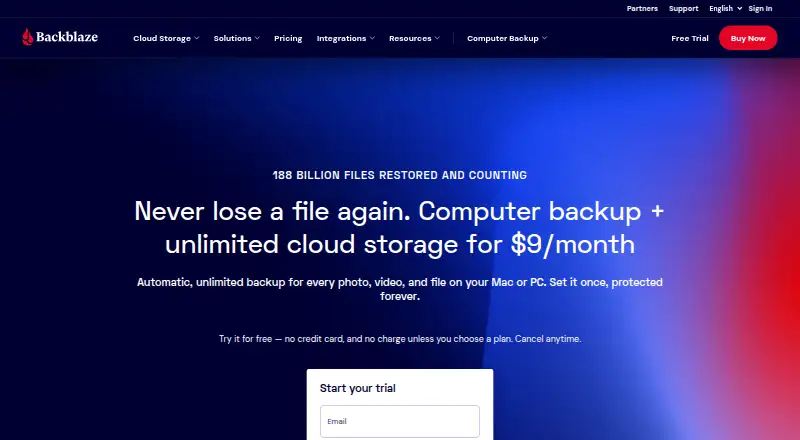
Monthly billing is $9 with unlimited backup data; annual billing lowers the monthly equivalent to $8.25, and the two-year option is $7.88 per month with 8% savings.
The service includes a 15-day trial, then requires a paid plan.
Verdict
Choose Backblaze Computer Backup for uncomplicated, unlimited file protection on a Mac or Windows computer, with encrypted storage and several recovery methods.
Look elsewhere if your plan must cover phones or servers, or if you require a permanently free service. Businesses should review the available administration, deployment, and SSO features against their setup.
Our take
Backblaze Computer Backup protects files on Mac and Windows computers with unlimited cloud capacity. It combines encryption, ransomware protection, mobile access, and several restore routes. Coverage excludes mobile devices and servers, and continued use requires payment after the trial. Businesses may value its account controls and sign-in integrations, while individual users get a simpler computer-focused service. Choose it for computer file protection, not for wider device coverage.
- Cloud backup has no limits on storage, file type, or file size
- A 15-day trial is offered alongside monthly, annual, and two-year billing
- Encrypted files, optional private key, and ransomware protection
- Files can be recovered via web, mobile apps, or a mailed hard drive
- A paid subscription follows the trial
- Does not back up mobile devices or servers
- Backup and restore are limited to files
- Pick it ifMac and Windows users needing unlimited file backup; Businesses needing user controls, deployment, or SSO
- Skip it ifYou need mobile-device or server backup; You require a permanently free backup plan
Pricing
Plans cost $9 monthly, $8.25 per month with annual billing, or $7.88 per month on the two-year option, which saves 8%. A 15-day trial is available, with no free plan afterward.
- Monthlybilled monthly · Unlimited backup data$9/mo
- Yearlypaid annually · Unlimited backup data$8.25/yr
- Yearlypaid annually · Unlimited backup data$8.25/mo
- Two Yearspaid bi-annually · Unlimited backup data$7.88/mo
- Two Yearspaid bi-annually · Unlimited backup data$7.88/yr
- Personal Two Years$7.88/mo paid bi-annually$7.88/mo
- Personal Yearly$8.25/mo paid annually$8.25/mo
- Personal Monthly$9/mo$9/mo
As backblaze.com lists them, checked 20 Sept 2026.
Questions
Does Backblaze Computer Backup have a free plan?
No. You can test it for 15 days, after which a paid subscription is needed.
How much does the monthly plan cost?
Monthly billing is $9 and includes unlimited backup data.
Is storage limited?
There is no storage ceiling, and file type and size are unrestricted.
What devices can it back up?
Computer files from Mac and Windows are supported; mobile and server backup are not.
How can I restore files?
Recovery is possible on the web, through iOS or Android apps, or with a mailed hard drive.
Are backups encrypted?
Encryption occurs before files leave the computer and continues in Backblaze data centers. An optional private key is available.
Does it support business accounts?
Business plans provide user and administrative management, deployment tooling, and SSO choices.
Near it
All alternatives →- VA
 Veeam Agent for Microsoft Windows#24 on this board
- ETEaseUS Todo Backup#26 on this board
- B
 BackupPC#23 on this board
- IBIperius Backup#27 on this board
- D
 Duplicacy#22 on this board
- C
 Clonezilla#28 on this board
- IB
 iCloud Backup#21 on this board
- UBUranium Backup#29 on this board
- J
 Jottacloud#20 on this board
- BC
 Bacula Community#30 on this board