EaseUS Todo Backup: Backup and Recovery Software
easeus.com · checked 15 Oct 2026
Windows and Mac backup software for files, disks, partitions, and systems.
How it plugs in
Signal on Backup software6.6#26 of 151
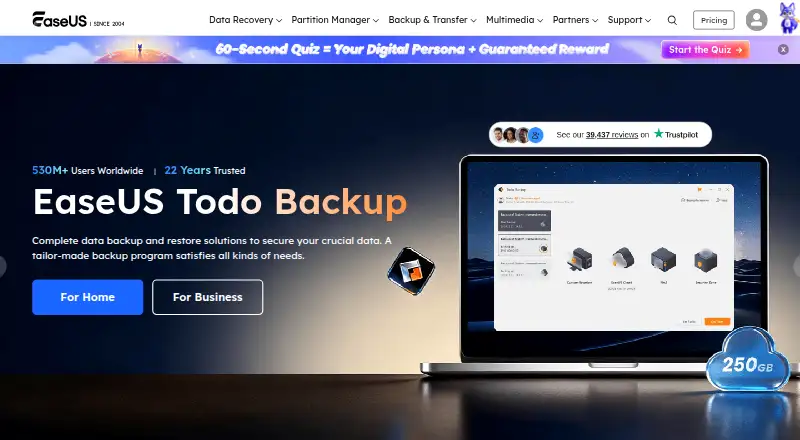
EaseUS Todo Backup creates backups of files, folders, disks, partitions, and operating systems, then restores them after data loss or damage. It also offers scheduling, cloning, and file synchronization on Mac. A free plan is available, with paid options for home computers, workstations, and servers. Check which features and storage destinations are supported by the edition you plan to use.
Review
In a line
EaseUS Todo Backup is backup and recovery software for Windows and macOS. It can save copies of files, disks, partitions, and operating systems.
What it does
Users can choose individual files and folders, whole disks, or partitions for backup. System Backup selects the partitions needed to start Windows. Backups can run on a schedule as full copies or as incremental or differential updates, which save changes since an earlier backup.
Smart Backup checks for changed files every half hour. The software also includes disk and system cloning, system transfer, and restore tools for crashes, corruption, malware, or lost data. Home features include backups of Outlook email and Chrome data such as history, bookmarks, and saved passwords.
How it connects
Listed cloud destinations include OneDrive, Dropbox, Google Drive, Amazon S3, Wasabi, Box, and pCloud. Other named options include SugarSync, Mega, and HiDrive. However, PCWorld reports that the 2026 edition does not support third-party online storage directly, so check the destination support for your edition.
There is no available public API. A Windows command-line tool can create and run backup tasks without pop-up windows. For business use, EaseUS Backup Center provides a web portal to group client PCs, deploy tasks, and monitor jobs. The product is not open source.
Good fit
It may suit people who want scheduled backups for Windows computers, or who need to copy a disk or move a system. Home editions include backup options for selected email, browser, and game-save data.
Businesses can choose workstation or server plans. Advanced Server adds SQL and Exchange backup. Business editions also support WinPE bootable media, PXE network booting, and physical-to-virtual conversion.
Watch for
Smart Backup does not cover disks, partitions, or files on network drives. PCWorld reports that direct support for third-party online storage is absent in the 2026 edition, despite cloud destinations appearing in the product feature details; confirm this before choosing a plan.
Reported drawbacks include sync bugs, interface issues, pop-ups, setup that may be difficult for newcomers, and occasional restore or advanced-function limits. The Mac edition supports macOS 11 through 14; listed home Windows support covers Windows 7 through 11.
Pricing
The free plan covers file, system, disk, and partition backup and recovery. Home yearly costs $39.95 a year for one computer and 1 TB of cloud storage. Home perpetual costs $59.95 one time, while Home Lifetime Upgrades costs $79.95 one time.
Other listed prices include $29.95 one time for Todo Backup for Mac, $49 a year for Workstation, $199 a year for Server, and $299 a year for Advanced Server. The product also offers a free trial.
Verdict
Consider EaseUS Todo Backup if you need scheduled computer backups, disk cloning, or a way to restore files and systems, and its supported operating system and plan match your needs. The free plan offers a way to start without paying, while paid plans cover Mac, workstation, and server use.
Before buying, confirm that the edition includes the backup destinations and features you need. It is a weaker fit if you depend on direct cloud-storage support in the 2026 edition, advanced functions, or a public API.
Our take
EaseUS Todo Backup is worth considering for people who want scheduled file or system backups, disk cloning, or recovery tools on Windows or Mac. Its free plan covers several core backup types, and paid plans extend to Mac, workstations, and servers. The main decision point is edition fit: verify operating-system support, cloud destinations, and the specific features included before paying. People who need a public API or depend on direct third-party cloud storage in the 2026 edition should look elsewhere.
- Free plan includes file, system, disk, and partition backup and recovery.
- Can schedule full, incremental, and differential backups.
- Includes disk and system cloning tools.
- Business plans include Windows Server backup options.
- Smart Backup does not cover disks, partitions, or network-drive files.
- No public API is available.
- The 2026 edition reportedly lacks direct third-party online storage support.
- Users report occasional restore issues and limits in advanced functions.
- Pick it ifWindows users who need scheduled backups and recovery.; People who want disk cloning or system transfer tools.; Businesses seeking workstation or Windows Server backup plans.
- Skip it ifYou rely on a public API or direct cloud-storage support in the 2026 edition.; You need Smart Backup to cover disks, partitions, or network-drive files.
Pricing
The free plan covers core backup and recovery. Home yearly is $39.95 a year, while perpetual options cost $59.95 or $79.95 one time. Mac, workstation, and server plans have separate prices.
- FreeFile, system, disk, and partition backup and recoveryFree
- Home YearlyYearly · 1 computer · 1 TB cloud storage$39.95/yr
- Home PerpetualPerpetual · 1 computer$59.95 one-time
- Home Lifetime UpgradesLifetime Upgrades · 1 computer$79.95 one-time
- Todo Backup FreeWindows personal use · system, disk, partition and file backup · 16TB disk capacity · cloud backup · cloning · MBR/GPT · RAID · NAS · WinPEFree
- Todo Backup for MacDisplayed as $29.95 sale price · macOS backup archive · disk clone · file sync$29.95 one-time
- Todo Backup Home yearlyYearly · 1 computer · 1TB cloud storage · one-year upgrades · standard support$39.95/yr
- Todo Backup Workstation1-year · PC, laptop and workstation backup$49/yr
As easeus.com lists them, checked 20 Sept 2026.
Questions
Is EaseUS Todo Backup free?
Yes. Its free plan includes file, system, disk, and partition backup and recovery.
Which operating systems does it support?
The product supports Windows and macOS. The home Windows download lists Windows 7 through 11; the Mac edition supports macOS 11 through 14.
Can it back up individual files?
Yes. Users can choose individual files and folders. Smart Backup checks for changed files every half hour, but does not handle disks, partitions, or network-drive files.
Does it connect to cloud storage?
Listed destinations include OneDrive, Dropbox, Google Drive, Amazon S3, and others. PCWorld reports that the 2026 edition does not support third-party online storage directly, so confirm support for your edition.
Does EaseUS Todo Backup have a public API?
No public API is available. Windows users can use its command-line tool to create and run backup tasks.
How much does the home plan cost?
Home yearly costs $39.95 a year. Perpetual costs $59.95 one time, and Lifetime Upgrades costs $79.95 one time.
Near it
All alternatives →- BC
 Backblaze Computer Backup#25 on this board
- IBIperius Backup#27 on this board
- VA
 Veeam Agent for Microsoft Windows#24 on this board
- C
 Clonezilla#28 on this board
- B
 BackupPC#23 on this board
- UBUranium Backup#29 on this board
- D
 Duplicacy#22 on this board
- BC
 Bacula Community#30 on this board
- IB
 iCloud Backup#21 on this board
- OAOpen Android Backup#31 on this board