
Bigjpg AI Image Enlargement Review
bigjpg.com · checked 3 Oct 2026
AI enlargement for photos, anime, artwork, and illustrations, offered through web, desktop, mobile, and API channels.
How it plugs in
Signal on Image Upscaling Software8.5#1 of 99
Using AI, Bigjpg enlarges images that users provide, limiting noise and compression artifacts while improving sharpness. It handles photos, anime, artwork, and illustrations, with scale controls spanning 2x through 16x. A no-cost tier exists; subscriptions increase upload sizes and add quicker servers, parallel and batch jobs, and API use.
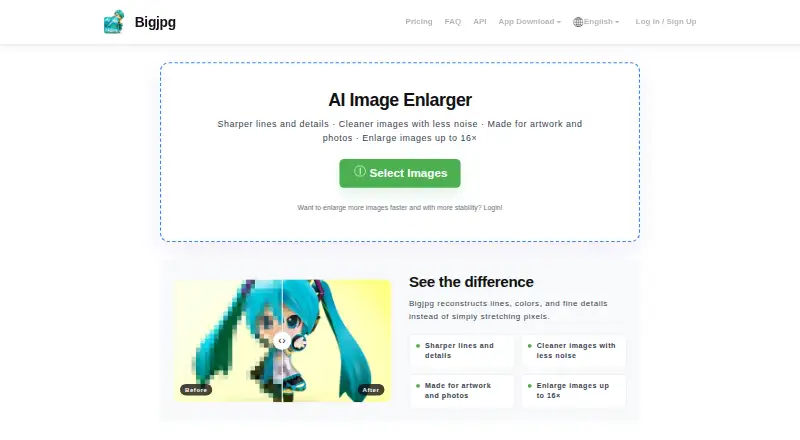
Review
In a line
Bigjpg is an AI service for enlarging images. It uses deep neural networks to improve detail and sharpness in photos, anime, artwork, and illustrations.
What it does
Provide an image, pick a 2x–16x enlargement, and select noise reduction anywhere from None to Highest. Bigjpg can reduce compression artifacts while increasing image size.
It supports single-image enhancement and batch processing on paid plans. Regular photographs, anime, artwork, and illustrations are all supported.
How it connects
The service is available in a browser, with Windows, Mac, iOS, and Android applications. Paid members can also call its API to upload images, request enlargements, query results, and retry tasks.
Files are processed to deliver the requested enhancement, are not displayed publicly, and are automatically removed after 24 hours on free accounts or 72 hours on premium accounts. Bigjpg says it will not train or improve models with uploads unless users provide explicit, informed consent. TLS 1.2 or newer protects communications, while stored data and backups use industry-standard encryption.
Good fit
Bigjpg suits people who need larger versions of photos, anime, artwork, or illustrations without manually redrawing them. The adjustable enlargement and noise settings help match different source images.
Paid plans fit users who process many files or need 16x enlargement, offline work, parallel jobs, batch processing, or API access.
Watch for
On the free tier, usage is capped at 20 pictures monthly, uploads at 5MB, and enlargement at 4x. Processing runs on a shared server, with no parallel enlarging or batch mode.
The homepage FAQ lists free uploads up to 3000x3000 pixels and 5M, while the pricing table lists a 5MB free limit. Paid uploads are limited to 50MB.
If you are not logged in, keep the browser open during processing or the enlarged image can be lost. Logged-in users can close the browser because offline enlarging is supported.
Pricing
Bigjpg's free offering permits 20 pictures each month, uses a shared server at slow speed, accepts 5MB uploads, and reaches 4x enlargement. Offline enlarging is included, but parallel and batch processing are not.
Basic costs $6 one-time, billed for 2 months, and includes 500 pictures per month, priority processing, a high-performance server, 50MB uploads, 16x enlargement, offline, parallel, and batch enlarging.
Standard costs $12 one-time, billed for 6 months, with 1,000 pictures per month and the same paid features. Premium costs $22 one-time, billed for 12 months, with 2,000 pictures per month and those same features.
Verdict
Choose Bigjpg if you want straightforward AI enlargement across web, desktop, and mobile, or need an API for an image workflow. Its free allowance is useful for occasional, smaller files.
Check the upload size, monthly picture allowance, and processing speed before choosing a plan. Users needing frequent batch jobs, 16x output, or larger files will need a paid tier. For alternatives, compare AI image upscalers and image upscaling software.
Our take
Bigjpg is a practical choice for enlarging photos and artwork when you want selectable scale and noise reduction rather than a manual editor. The free tier covers light use, but its file size, monthly count, shared server, and 4x ceiling are restrictive. Paid tiers raise those limits and add batch, parallel, offline, and API capabilities. Confirm that the plan’s billing period and monthly image allowance match your workload, especially if you process large files or need predictable turnaround.
- Supports 2x to 16x enlargement with adjustable noise reduction
- Handles photos, anime, artwork, and illustrations
- Access through web, Windows, Mac, iOS, and Android
- Paid plans include API, batch, parallel, and offline processing
- Uploaded images are automatically deleted after a stated period
- The free tier permits only 20 pictures monthly
- Free uploads are limited to 5MB and 4x enlargement
- Free processing uses a shared server and is slower
- Unauthenticated browser processing can lose results if the browser closes
- Paid uploads are limited to 50MB
- Pick it ifPeople enlarging photos, anime, or artwork; Teams needing batch or API image processing; Users seeking both desktop and mobile access
- Skip it ifYou need more than 50MB uploads; You need unlimited free processing
Pricing
Bigjpg offers a no-cost tier. Paid access begins with a $6 one-time charge covering 2 months; other levels are $12 for 6 months and $22 for 12 months, and provide higher allowances and processing functions.
- Free Plan20 pictures/month · Slow speed · Shared server · 5MB max upload · 4x max enlargement · Offline enlarging · No parallel enlarging or batch modeFree
- Basic2 Months · 500 pictures/month · Top priority · High Performance server · 50MB max upload · 16x max enlargement · Offline, parallel and batch enlarging$6 one-time
- Standard6 Months · 1000 pictures/month · Top priority · HighPerformance server · 50MB max upload · 16x max enlargement · Offline, parallel and batch enlarging$12 one-time
- Premium12 Months · 2000 pictures/month · Top priority · HighPerformance server · 50MB max upload · 16x max enlargement · Offline, parallel and batch enlarging$22 one-time
As bigjpg.com lists them, checked 3 Oct 2026.
Questions
What is Bigjpg?
Bigjpg uses AI to enlarge user-supplied photos, anime, artwork, and illustrations, while reducing noise and compression artifacts.
How large can Bigjpg make an image?
The enlargement control runs from 2x through 16x; free accounts reach 4x, while paid accounts can use the full 16x range.
Does Bigjpg have a free plan?
Yes. The free plan includes 20 pictures per month, slow speed, a shared server, and a 5MB upload limit.
Does Bigjpg offer an API?
Paid members receive API endpoints that handle image uploads, enlargement requests, result checks, and task retries.
What happens to uploaded images?
Uploaded files remain private and are automatically removed after 24 hours on free accounts or 72 hours on premium accounts.
Which devices support Bigjpg?
You can use Bigjpg on the web, Windows, Mac, iOS, and Android.
Can Bigjpg process images in batches?
Paid plans provide batch and parallel enlarging; neither option is part of the free plan.
Near it
All alternatives →- KE
 Krea Enhancer#2 on this board
- REReal-ESRGAN#3 on this board
- SSupaRes#4 on this board
- LLetsEnhance#5 on this board
- PI
 PixelPanda Image Upscaler#6 on this board
- UM
 Upscale.media#7 on this board
- DI
 Deep Image#8 on this board
- IU
 Image Upscaler#9 on this board
- CPCutout.Pro#10 on this board
- PAPhot.AI#11 on this board