SupaRes: AI Image Enhancement and API
supares.com · checked 9 Oct 2026
AI image enhancement for upscaling, restoration, denoising, and image optimization.
How it plugs in
Signal on Image Upscaling Software8.2#4 of 99
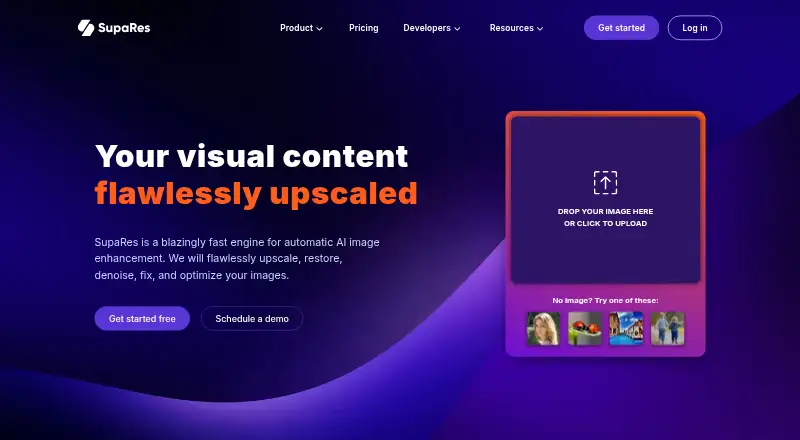
SupaRes is an AI image enhancement service with a browser image manager and an HTTP API. It can upscale, restore, denoise, adjust tones, reduce artifacts, improve low-light images, and optimize file size. A free plan is available, while paid subscriptions start at $9 per month. It runs on the web and through its API.
Review
In a line
SupaRes is an AI platform for improving and enlarging images. SupaRes, a product of Optidash GmbH in Berlin, offers a web app and an API.
What it does
The service can upscale, restore, denoise, and optimize images. Its tools include super-resolution, face enhancement, tone changes, artifact reduction, low-light improvement, and noise removal.
An image optimization engine aims to balance visual quality with file size. In the browser, an image manager provides cloud storage and team collaboration. One credit covers one processed image, even when several enhancements are applied to it.
How it connects
SupaRes works in a browser or through an HTTP API. The API accepts uploaded files or public image URLs and can run enhancement and optimization operations programmatically.
You can use webhooks and connect external storage such as AWS S3. API calls require an API key and HTTPS, with HTTP Basic Auth or Bearer Auth available. Temporary result URLs expire after one hour; external storage URLs can point to permanent storage.
There is no desktop app. SupaRes says users keep full ownership of uploaded images and that it does not share them with third parties. Two-factor authentication is available for account security.
Good fit
SupaRes suits web design, real estate, marketing, publishing, businesses, and individual users who need image enhancement.
Its browser manager fits teams that need shared cloud storage. The API fits workflows that send images directly, use public URLs, trigger webhooks, or store results externally.
Watch for
The free plan has a one-time quota of 10 processing credits and a 64-megapixel limit. Paid plans list a 128-megapixel limit, so check image sizes before choosing a plan.
API results stored in SupaRes temporary URLs are removed after one hour. Plan for external storage if your workflow needs longer access. API usage is limited to 100,000 requests per API key per 15-minute interval, although support may temporarily raise that limit.
There is no desktop application. User counts, support type, credits, and billing terms differ across plans.
Pricing
SupaRes has a Free plan billed at $0/month with 10 one-time processing credits, a 64-megapixel limit, unlimited cloud storage, email support, and one user.
Monthly plans are Basic at $9/month for 100 credits, Advanced at $39/month for 500 credits, and Premium at $99/month for 1,500 credits. Each lists a 128-megapixel limit and unlimited cloud storage; user allowances are 1, 3, and 10.
One-time options are $9 for 20 credits, $19 for 50, $39 for 120, and $79 for 300. All list a 128-megapixel limit and unlimited cloud storage; the 20-credit plan has chat support and one user, while the others have email support and one user.
Verdict
Choose SupaRes if you want browser-based image enhancement with cloud storage, team access, or an API for automated processing. Its credit system counts each processed image, including images receiving multiple enhancements.
The free allowance can cover occasional jobs. Monthly plans make more sense for recurring volume, while one-time credit bundles fit less regular work. Skip it if you need a desktop app or cannot manage one-hour temporary API result links without external storage.
Our take
SupaRes is a practical option for people who need AI image improvements in a browser or inside an automated workflow. The free tier lets you try 10 images, and paid choices cover both recurring work and one-off batches. Teams should compare user limits and support channels, while API users should account for one-hour temporary result links and the documented request cap. It is not a fit for desktop-only workflows, and the free plan’s one-time quota may be too small for regular production use.
- Browser image manager with cloud storage and team collaboration
- HTTP API accepts uploads or public image URLs
- Multiple enhancement tools can apply to one credited image
- Free plan available with 10 processing credits
- No desktop app
- Free credits are a one-time quota
- Temporary API result URLs expire after one hour
- Plan limits include 64 or 128 megapixels
- Pick it ifWeb, marketing, publishing, and real-estate image work; Teams needing shared browser storage; Automated image processing through an API
- Skip it ifYou require a desktop application; You need temporary API result links to last longer than one hour; You process more than the free plan’s one-time 10-credit quota
Pricing
Each credit processes one image, and paid plans list 128 megapixels.
- Basic$9/month · 100 processing credits · 128 megapixels · unlimited cloud storage · chat support · 1 user$9/mo
- Advanced$39/month · 500 processing credits · 128 megapixels · unlimited cloud storage · chat support · 3 users$39/mo
- Premium$99/month · 1500 processing credits · 128 megapixels · unlimited cloud storage · chat support · 10 users$99/mo
- Pay-As-You-Go 20 credits$9/one-time · 20 processing credits · 128 megapixels · unlimited cloud storage · chat support · 1 user$9 one-time
- Pay-As-You-Go 50 credits$19/one-time · 50 processing credits · 128 megapixels · unlimited cloud storage · email support · 1 user$19 one-time
- Pay-As-You-Go 120 credits$39/one-time · 120 processing credits · 128 megapixels · unlimited cloud storage · email support · 1 user$39 one-time
- Pay-As-You-Go 300 credits$79/one-time · 300 processing credits · 128 megapixels · unlimited cloud storage · email support · 1 user$79 one-time
- Free$0/month · 10 processing credits, one-time quota · 64 megapixels · unlimited cloud storage · email support · 1 userOn request
As supares.com lists them, checked 9 Oct 2026.
Questions
Does SupaRes have a free plan?
Yes. The Free plan is billed at $0/month and includes 10 processing credits as a one-time quota, a 64-megapixel limit, unlimited cloud storage, email support, and one user.
What does one SupaRes credit cover?
One credit covers one processed image, including applying multiple available enhancements to that image.
Can SupaRes process images through an API?
Yes. Its HTTP API supports image enhancement and optimization, accepts uploads or public image URLs, and supports webhooks and external storage such as AWS S3.
How long do API result links last?
Temporary processed-image URLs are deleted after one hour. External storage URLs can instead point to permanent storage.
What are SupaRes monthly prices?
Basic costs $9/month, Advanced costs $39/month, and Premium costs $99/month. They include 100, 500, and 1,500 processing credits respectively.
Is there a SupaRes desktop app?
No. SupaRes is available through its web interface and API.
Near it
All alternatives →- REReal-ESRGAN#3 on this board
- LLetsEnhance#5 on this board
- KE
 Krea Enhancer#2 on this board
- PI
 PixelPanda Image Upscaler#6 on this board
- B
 Bigjpg#1 on this board
- UM
 Upscale.media#7 on this board
- DI
 Deep Image#8 on this board
- IU
 Image Upscaler#9 on this board
- CPCutout.Pro#10 on this board
- PAPhot.AI#11 on this board