
Blitzz Visual Remote Assistance
blitzz.co · checked 21 Oct 2026
A visual support and inspection service that runs in a browser, so guests can join without downloading software.
How it plugs in
Signal on Remote Video Support Software6.3#1 of 14
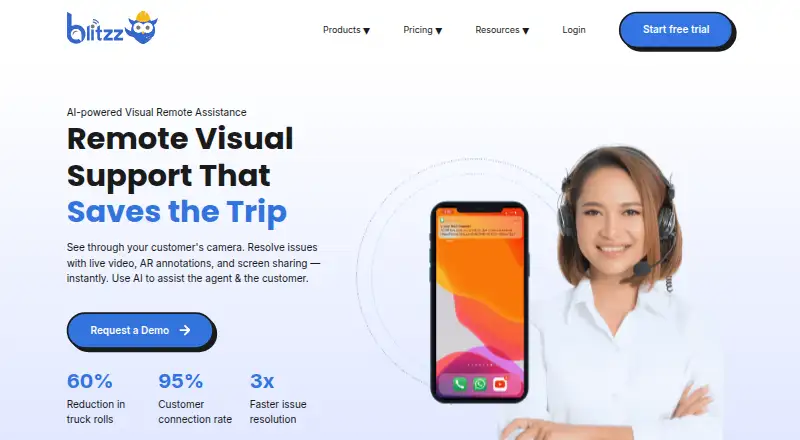
With Blitzz Visual Remote Assistance, agents connect with customers and field workers by live video in a browser. Agents can guide the view with pointers and drawings, adjust camera zoom, operate the flashlight, take photos, and share screens. Other tools support offline capture, inspection reports, OCR, session summaries, and business integrations. Its paid product lineup offers a 14-day trial across several plans.
Review
In a line
Blitzz offers browser-based sessions for live assistance, inspections, and customer troubleshooting. Guests join through their browser, with no app installation needed.
What it does
Agents guide customers during live sessions using pointers, drawings, camera zoom, and flashlight controls. They can also share screens, take photos, and mark up video or captured images. Blitzz supports co-browsing and video recording.
Inspect records timestamped photos with GPS data and produces downloadable Word reports. Offline mode lets participants collect images and other data, then upload them automatically once connectivity is back.
Owlbert AI can create session summaries and extract image text through OCR. Its other described functions include serial-number reading, equipment recognition, knowledge-base answers, and jobsite photo tagging.
How it connects
The integrations page names Salesforce, Genesys, Zendesk, HubSpot, Microsoft Dynamics 365, Procore beta, NICE, Accela beta, Five9 beta, Zapier, and a REST API. Teams can use the API to create sessions and invitations, and retrieve photos, recordings, annotations, OCR data, and analytics.
Mobile embedding uses Android WebView or iOS Safari/SFSafariViewController and does not require a bundled native library. The Co-Browse JavaScript SDK requires a license key. Blitzz supports web, Windows, macOS, iOS, Android, browser extensions, and API access.
Blitzz recommends Chrome 100 or newer on PC and Mac, Safari 13 or newer on iOS, and Chrome 109 or newer on Android. Minimum operating-system versions are iOS 15 and Android API 24. The documented connection floor is 540 kbps in each direction, while 10–15 Mbps or higher is recommended.
Good fit
Blitzz says its audience includes contact center and field service teams, inspectors, auditors, and organizations carrying out remote inspections. It can help when a technician needs to see a problem, provide visual guidance, or document site conditions.
Customers can enter a session from a link without installing an app. Inspection teams can collect location-tagged photos, work offline, and produce Word reports.
Watch for
Live video relies on a stable mobile or Wi-Fi connection. GetApp reviewers report that poor service can make virtual inspections difficult, so check coverage and the bandwidth requirement before rollout.
The Concierge FAQ says sessions end automatically after 30 minutes without activity. Reviewers also cite feature limitations or omissions, such as full-session recording, payment collection, longer bookmark text, and more augmented-reality functions.
Blitzz says its data is stored in Microsoft Azure data centers, with US hosting by default and a different region available on request. Check regional hosting, retention, and support needs. Email and a knowledge base are available for support, and Sales can discuss support SLAs.
Pricing
Blitzz has no free plan; a 14-day trial is offered. The stated general starting price is $35 per user per month with annual billing, and five agent seats are included.
ScreenShare for Browser is $19 per month with annual billing; ScreenShare Everywhere is $25 per month with annual billing. BlitzzCam costs $39.99 monthly on annual billing or $49.99 on monthly billing. Both options include three users, with additional-user charges.
Concierge Professional is priced at $175 per month with annual billing and covers five users. Inspect Professional is $334 per month with annual billing and comes with 600 inspection credits per year. Inspect Enterprise and Concierge Enterprise pricing is provided on request.
Verdict
Consider Blitzz for work that involves live visual guidance, remote evidence collection, or browser-based customer access. Its API and listed business integrations can link sessions with existing systems, while offline capture supports teams working beyond reliable coverage.
Compare each product’s capabilities and price with your needs: ScreenShare, BlitzzCam, Concierge, Inspect, and Co-Browse serve different workflows. Organizations with specific regional hosting, retention, or response-time requirements should confirm those terms with Blitzz.
Our take
Blitzz may suit teams that troubleshoot problems or conduct inspections by viewing what another person sees. Browser access means guests do not have to install software, while live guidance, photos, OCR, reports, and offline uploads support a range of field workflows. Pricing depends on product, user count, and billing term, and there is no free plan. Check network quality, session timeout behavior, data-region requirements, and any feature gaps before committing.
- Guests join from a browser without installing an app
- Live pointers, markup, camera zoom, flashlight controls, and screen sharing
- Capture work offline and upload it later
- API and integrations connect with CRM, contact-center, and field-service systems
- Inspection reports include timestamped photos and GPS data
- No free plan; products and billing terms have different prices
- Weak mobile or Wi-Fi connectivity can interrupt virtual inspections
- Concierge sessions end after 30 minutes of inactivity
- Reviewers point to gaps such as payment collection and additional AR tools
- Pick it ifContact centers and field teams needing visual remote guidance; Inspectors and auditors who document locations with photos; Organizations seeking browser access for guests without app downloads
- Skip it ifUsers often lack the documented bandwidth or reliable mobile coverage; You require a free tier or confirmed support response-time terms; You depend on functions reviewers say are limited or absent, such as payment collection
Pricing
Paid plans include a 14-day trial, but there is no free tier. Annual and monthly options are listed for ScreenShare and BlitzzCam; Concierge and Inspect plans are also available, with enterprise pricing on request.
- ScreenShare for Browserannually · browser screen sharing · guided cursor · live annotation/markup · high-resolution streaming · consent-based sessions$19/mo
- ScreenShare Everywhereannually · web and mobile screen sharing · iOS/Android embedding · AR markup · session insights$25/mo
- BlitzzCam annualannually · 3 users included · additional users $11.99/month · 20% annual saving$39.99/mo
- BlitzzCam monthlymonthly · 3 users included · additional users $14.99/month · 14-day trial$49.99/mo
- Concierge Professionalannually · first 5 users included · extra users $35/mo · no-app customer access · HD zoom/OCR/live pointers · photos/markups · SMS, email and WhatsApp invites · screenshare$175/mo
- Inspect Professionalannually · 600 inspection credits/year · no-app access · GPS/date/time photo capture · SMS, email and WhatsApp invites · screenshare$334/mo
- Inspect EnterpriseUsage-based pricing; contact Blitzz · Custom storage and data retention · Advanced admin controls · Designated technical support and custom SLAOn request
- Concierge Enterpriseadvanced admin controls · SSO/SAML · dedicated success manager · custom retention/storage · call recording add-onOn request
As blitzz.co lists them, checked 21 Oct 2026.
Questions
Can guests join sessions without downloading software?
Yes. Guests can access visual assistance through browser-based sessions without downloading an app.
Which integrations are listed for Blitzz?
Available integrations named by Blitzz include Salesforce, Genesys, Zendesk, HubSpot, Microsoft Dynamics 365, Procore beta, NICE, Accela beta, Five9 beta, Zapier, and a REST API.
Can participants work offline?
Participants can capture images and data without connectivity; the system uploads them automatically when a connection returns.
What can teams do with the REST API?
It provides token authentication, session and invitation creation, and access to photos, recordings, annotations, OCR data, and analytics.
Which browsers and devices are supported?
The recommended versions are Chrome 100+ on PC and Mac, Safari 13+ on iOS, and Chrome 109+ on Android. Device minimums are iOS 15 and Android API 24.
How much does Blitzz cost?
A 14-day trial is available, but there is no free tier. General starting pricing is $35 per user per month with annual billing; product and enterprise pricing varies.
Where does Blitzz host data?
Blitzz says data is stored in Microsoft Azure data centers, with US hosting by default. A different region is available on request.
Near it
All alternatives →- SVSalesforce Visual Remote Assistant#2 on this board
- OROnSight RVX#3 on this board
- GGoShowMe#4 on this board
- VAVisual Assistance#5 on this board
- XR
 XMReality Remote Guidance#6 on this board
- VViewabo#7 on this board
- IC
 IFS Cloud Field Service Management#8 on this board
- NNatterbox#9 on this board
- GVGrypp VideoAssist#10 on this board
- VOVirtually OnSite#11 on this board