Google Workspace Teacher Resources Software
BookWidgets Review: Digital Activities for Teachers
bookwidgets.com · checked 3 Oct 2026
BookWidgets lets teachers build, share, and assess digital exercises and activities.
How it plugs in
Signal on Google Workspace Teacher Resources Software6.4#6 of 33
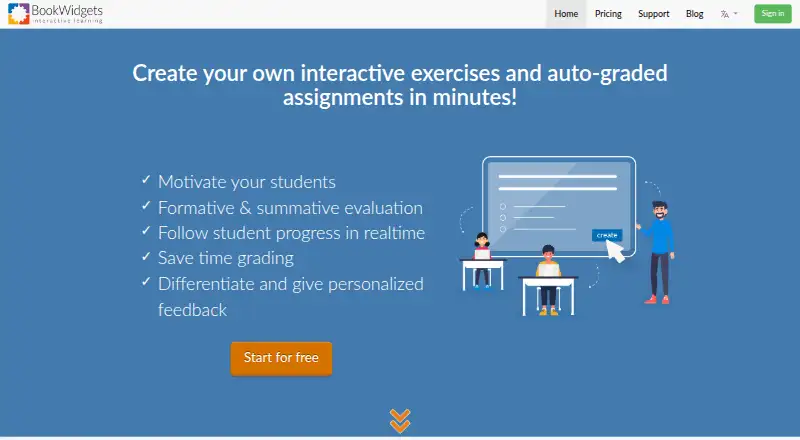
BookWidgets is a teacher-focused tool for creating digital exercises, quizzes, worksheets, games, and other interactive activities. Its library includes over 40 widget types, along with multimedia, branching paths, and live lessons. Teachers can share activities through links, QR codes, short codes, or learning platforms, then monitor work, grade it, and return feedback.
Review
In a line
BookWidgets helps teachers create and evaluate digital exercises and activities. They can then distribute those materials to students.
What it does
The library gives teachers over 40 widget formats, from quizzes and worksheets to games and interactive activities. Multimedia content, branching paths, and live lesson delivery are supported.
Across Quiz, Video Quiz, Worksheet, and Split Worksheet activities, teachers get 36 question formats. Automatic grading is available for 30 of them.
Teachers can use BookWidgets activities for both formative and summative assessment. They can watch progress, collect and review work, grade it, and return feedback.
How it connects
BookWidgets runs on the web and iOS. Students do not sign in to BookWidgets directly; teachers can send an activity by web link, learning platform, QR code, or short code.
BookWidgets lists Google Classroom, Microsoft Teams, Canvas, Moodle, Schoology, Blackboard, Brightspace, itslearning, and Smartschool among its learning-platform connections. Through a connected platform, teachers can monitor students in real time, synchronize grades, and automatically sign students in to widgets.
It also supports learning management systems, content management systems, and websites through the LTI 1.0 standard.
Good fit
BookWidgets suits teachers who need ready-made formats for digital practice and assessment. Its library spans quizzes, worksheets, games, and interactive lessons.
It fits classes already using one of its listed learning platforms, especially when teachers need live progress checks, grade syncing, and feedback on submitted work.
Watch for
Widget creation and editing are available only with an active subscription. If the subscription ends, learning-platform integrations stop working.
Students access activities without a BookWidgets login, using a link, platform connection, QR code, or short code. Submitted work remains for at least six years unless someone removes it manually or deletes the associated account.
The privacy policy says personal data is stored in the European Economic Area and handled under the GDPR. It also describes security measures and a breach-response plan.
Pricing
BookWidgets uses a paid model but also has a free plan. The free plan covers collecting, reviewing, and grading student work.
A free 30-day trial allows unlimited widget creation. Support questions during the trial can be sent to the company. After the trial, check the available paid subscription before relying on editing or learning-platform connections.
Verdict
Choose BookWidgets if you want many activity formats in one teacher tool and your class uses a compatible learning platform. Its automatic grading, progress monitoring, grade syncing, and feedback workflow cover both practice and formal assessment.
Check the subscription terms carefully: the facts do not give a paid price, and editing plus platform links require an active subscription. It is less suitable if you need students to maintain their own BookWidgets accounts or if your platform is outside the listed integrations and LTI support.
Our take
BookWidgets is a practical option for teachers who want to build varied digital activities and assess student work from one place. Its broad widget library and automatic grading can reduce repetitive marking, while platform connections help keep classes and grades together. The free plan is limited to handling student work, and the 30-day trial is the only stated route to unlimited creation without a paid subscription. Buyers should confirm the paid terms and platform compatibility before rollout, especially because editing and LMS connections stop without an active subscription.
- Over 40 widget formats for exercises, games, quizzes, and lessons
- Automatic grading covers 30 of the 36 listed question types
- Integrates with major learning platforms and supports LTI 1.0
- Real-time monitoring, grade syncing, and feedback tools
- Web and iOS access, with no student BookWidgets login required
- Creating or editing widgets requires a paid subscription
- LMS integrations stop when an active subscription ends
- Submitted student work is retained for at least six years by default
- No paid subscription price is stated in the provided facts
- Pick it ifTeachers building digital exercises and assessments; Classes using a listed learning platform
- Skip it ifYou need students to have their own BookWidgets accounts; Your school platform is not among the listed integrations or LTI systems; You need a stated paid price before starting
Pricing
BookWidgets is paid software with a free plan for collecting, reviewing, and grading student work. A free 30-day trial includes unlimited widget creation. The facts give no paid subscription amount; editing and LMS integrations require an active subscription.
- Free planCollect, review, and grade student workFree
As bookwidgets.com lists them, checked 3 Oct 2026.
Questions
Does BookWidgets have a free plan?
Yes. The free plan lets teachers collect, review, and grade student work.
How long is the free trial?
The trial lasts 30 days and includes unlimited widget creation.
Which platforms does BookWidgets integrate with?
Its listed connections include Google Classroom, Microsoft Teams, Canvas, Moodle, Schoology, Blackboard, Brightspace, itslearning, and Smartschool.
Do students need a BookWidgets account?
No. Teachers can distribute activities by web link, learning-platform connection, QR code, or short code.
Can BookWidgets grade answers automatically?
Yes. Quiz, Video Quiz, Worksheet, and Split Worksheet activities contain 36 question formats, and 30 support automatic grading.
What happens when a subscription ends?
Without an active subscription, widget creation and editing are unavailable, and learning-platform integrations cease to work.
Where is personal data stored?
The privacy policy says personal data is stored on servers in the European Economic Area and processed under the GDPR.