Buckets Budgeting App Review
budgetwithbuckets.com · checked 28 Sept 2026
A privacy-focused budgeting app for desktop and mobile, sold with a one-time license.
How it plugs in
Signal on Budgeting Software6.3#3 of 36
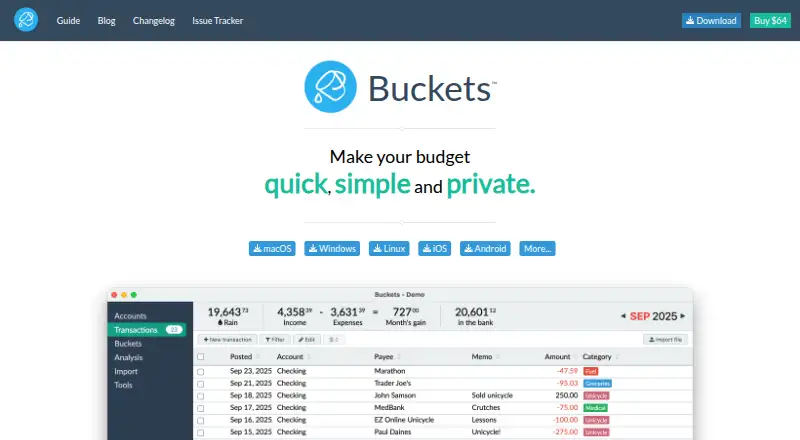
Buckets runs on macOS, Windows, Linux, iOS, and Android. It provides budgeting, bill tracking, bank-account syncing, and report export. Your financial data remains on your computer, while one license extends to the buyer and family members in the same home. The software costs $64 once, with an untimed free trial.
Review
In a line
For computers and phones, Buckets combines budgeting tools with a local-storage approach and a single upfront license.
What it does
You can set budgets, track bills, sync accounts, and export reports. Desktop and mobile apps are available for the supported operating systems.
How it connects
For bank connections, Buckets supports free sync methods, private macros, file imports, and SimpleFIN Bridge. Reports can be exported, and account syncing is supported.
Your finances stay on your computer, and you control the data.
Good fit
Buckets is suited to people who want budgeting and bill tracking on both a computer and phone, with financial information stored locally.
The same license applies to the purchaser and immediate family members at the same address, and it works on any number of eligible computers. It may fit households looking for budgeting software or personal finance software.
Watch for
The upfront $64 purchase has no refund option and no recurring subscription. Check that its sync methods and supported platforms match your accounts and devices.
Support is provided through a chat bubble. Budgeting help videos are included.
Pricing
A single $64 payment buys Buckets, with no recurring subscription and no permanent free plan.
The trial has no set time limit, so you can decide whether it works for you. The company is testing Buckets by the Loaf in some countries where $64 is too much.
Verdict
Buckets may suit anyone seeking one upfront purchase for budgeting, bill tracking, and account syncing on desktop and mobile while retaining finances on their computer. The family license and unlimited eligible computers add value for a household.
Look elsewhere if you need a refundable purchase, a free ongoing plan, or a different bank-connection method than the ones listed.
Our take
Buckets is a practical choice for households that prefer local financial storage and a single upfront payment. Its major desktop and mobile platforms support budgeting, bill tracking, account syncing, and report export. The family license can reduce the effective cost when several people share a home. Before paying, confirm that your accounts work with its available sync options, since the purchase cannot be refunded. The untimed trial gives you a chance to check compatibility first.
- A single $64 payment without recurring subscription charges
- Apps for macOS, Windows, Linux, iOS, and Android
- Financial information remains on the user's computer
- Family license covers immediate household members
- Supports account sync and report export
- No refunds for the one-time purchase
- No permanent free plan
- $64 may be too high in some countries
- Pick it ifHouseholds wanting local storage for budgeting data; People needing desktop and mobile budgeting apps; Families sharing one software license
- Skip it ifYou require a refundable purchase; You need a permanent free tier; Your bank is not compatible with the listed sync methods
Pricing
The software costs $64 once, with no monthly subscription and no refunds. You can use an untimed free trial. A lower-cost Buckets by the Loaf test may apply in some countries.
- Buckets v1 Licenseone-time $64 USD payment · License for Buckets v1 · May be used on computers belonging to the purchaser and immediate family members$64 one-time
- Free trialOn request
As budgetwithbuckets.com lists them, checked 20 Sept 2026.
Questions
How much does Buckets cost?
Buckets is purchased for $64 in one payment, with no recurring subscription charge.
Does Buckets have a free plan?
No permanent free tier is offered, though the trial has no set end date.
Where can I use Buckets?
Apps are provided for macOS, Windows, Linux, iOS, and Android.
Where is my financial data stored?
Your finances remain on your computer, and you retain control of the data.
Can my family use one license?
Yes. The purchaser's immediate family members living in the same home are covered, and the license works on any number of eligible computers.
How does bank syncing work?
Bank connections can use free sync methods, private macros, file imports, or SimpleFIN Bridge.
Can I get a refund?
No. The one-time purchase is not refundable.