
Construction invoicing software
BuildBook Construction Management Software Review
buildbook.co · checked 15 Oct 2026
Construction management software for home builders, remodelers, and specialty contractors.
How it plugs in
Signal on Construction invoicing software6.6#1 of 27
BuildBook combines sales, project management, budgeting, scheduling, communication, and client updates in one service. It runs on the web, iOS, and Android, with guest access and a free plan for one user. QuickBooks Online and iCal syncing connect it to accounting and calendars, while larger teams can choose paid plans.
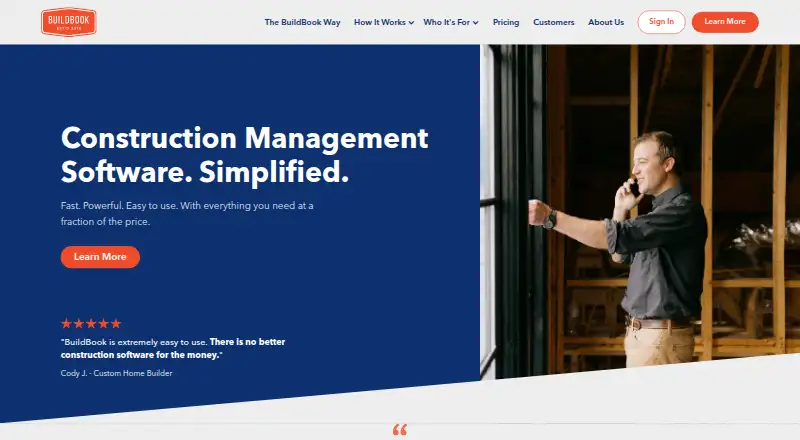
Review
In a line
BuildBook is construction management software for residential builders, remodelers, and specialty contractors. It brings project work, sales, communication, and client updates together.
What it does
You can manage sales opportunities, contacts, estimates, branded proposals, approvals, and reusable pricing. Project tools cover Gantt schedules, tasks, budgets, change orders, selections, expenses, files, photos, and videos.
Communication tools include project chat rooms, daily logs, client portals, comments, notifications, and public sharing links. Clients get a branded dashboard for updates, chat, budgets, selections, and tasks.
Tasks can include assignments, subtasks, attachments, categories, and schedule visibility. Permissions can limit access to areas such as financials, schedules, files, and chat.
How it connects
BuildBook runs on the web and has native iOS and Android apps with feature access, notifications, camera roll access, and video recording. Guest access is available.
It syncs customers, vendors, bills, expenses, and invoices to QuickBooks Online. This requires QuickBooks Online Plus or Advanced, works only in the United States with U.S. dollars, excludes QuickBooks Desktop, and sends records from BuildBook to QuickBooks rather than back.
Schedules can sync with iCal so they appear in mobile and desktop calendars. BuildBook identifies two native integrations.
Good fit
BuildBook suits residential custom home builders, remodelers, and specialty contractors that need sales, estimating, scheduling, budgeting, task tracking, and client communication in one place.
It can help teams organize selections by room or category, attach invoices and receipts to expenses, share project media, and give clients a branded view of project information.
Watch for
BuildBook says it is not intended for large commercial construction firms or tract builders with internal sales teams and custom software systems.
QuickBooks syncing has regional, plan, and one-way-transfer limits. Check that your accounting setup fits before relying on it.
The terms provide no uptime or availability guarantee. BuildBook also says its safeguards do not guarantee that stored or transmitted information cannot be accessed, changed, disclosed, or destroyed.
App store feedback includes reports of freezes, duplicate charges, slow performance, and missed notifications on iOS.
Pricing
A free plan supports one user. Paid plans include a 10-day trial with every feature, no credit card requirement, and access to human support.
Solo costs $79 a month with annual billing or $99 a month with monthly billing. Team costs $149 a month with annual billing or $179 a month with monthly billing. Business starts at $249 a month with annual billing or $299 a month with monthly billing.
The plans include unlimited projects, clients, and subcontractors, with all features included. Storage is listed as 1 TB for Solo, 5 TB for Team, and 10 TB for Business.
Verdict
Choose BuildBook if your residential construction business wants one workspace for selling work, running projects, tracking money, and keeping clients informed. Its mobile apps, guest access, calendar sync, and QuickBooks Online connection can fit teams that work away from a desk.
Look elsewhere if you run large commercial or tract construction operations, require QuickBooks Desktop or two-way accounting sync, or need a guaranteed service level. Review mobile reliability and data-handling terms before committing, especially when field notifications are important.
Our take
BuildBook is a broad fit for small and midsize residential construction teams that want sales, schedules, budgets, tasks, selections, expenses, files, and client communication together. The free plan lets one person start, while paid tiers add users and storage. Its QuickBooks Online connection is useful only for supported U.S. setups and sends records one way. Firms outside that profile, or those needing commercial-scale workflows, QuickBooks Desktop, guaranteed uptime, or stronger assurances about data access, should compare other options first.
- Free plan supports one user
- Web, iOS, and Android apps
- QuickBooks Online and iCal syncing
- Client dashboard and guest access
- Gantt schedules, budgets, tasks, and selections
- QuickBooks sync is U.S.-only and one way
- QuickBooks Desktop is not supported
- No uptime or availability guarantee
- Designed for residential, not large commercial, firms
- App reviews report iOS reliability problems
- Pick it ifResidential custom home builders and remodelers; Specialty contractors managing client projects; Teams needing client portals and field mobile access
- Skip it ifYou need large commercial or tract-builder workflows; You rely on QuickBooks Desktop or two-way accounting sync; Guaranteed uptime is required
Pricing
A free one-user plan is available. Team and Business tiers add users and storage. A 10-day, no-card trial includes all features.
- Additional Business userMonthly add-on · Additional Pro Team member on Business plan$20/mo
- Solo (annual plan)$ 79/mo, Annual Plan · 1 user · unlimited projects · unlimited clients and subs · all features included$79/mo
- SoloMonthly Plan · 1 user · unlimited projects · unlimited clients and subs · all features$99/mo
- Solo (monthly plan)Monthly Plan: $99/mo · 1 user · unlimited projects · unlimited clients and subs · all features included$99/mo
- Team (annual plan)$ 149/mo, Annual Plan · 2–5 users · unlimited projects · unlimited clients and subs · all features included$149/mo
- Team (monthly plan)Monthly Plan: $179/mo · 2–5 users · unlimited projects · unlimited clients and subs · all features included$179/mo
- TeamMonthly Plan · 2-5 users · unlimited projects · unlimited clients and subs · all features$179/mo
- Additional Business userAnnual add-on · Additional Pro Team member on Business plan$200/yr
As help.buildbook.co lists them, checked 15 Oct 2026.
Questions
Does BuildBook have a free plan?
Yes. The free plan supports one user.
What platforms does BuildBook support?
BuildBook runs on the web and has native apps for iOS and Android.
Can BuildBook connect to QuickBooks?
Yes. QuickBooks Online syncing requires Plus or Advanced, works in the United States with U.S. dollars, excludes QuickBooks Desktop, and sends records from BuildBook to QuickBooks.
Does BuildBook sync calendars?
Yes. Project schedules can sync with iCal calendars on mobile and desktop devices.
How long is the BuildBook trial?
The trial lasts 10 days, includes every feature, needs no credit card, and includes human support.
Who is BuildBook designed for?
It is designed for residential custom home builders, remodelers, and specialty contractors, not large commercial firms or tract builders with internal sales systems.