
ClearBackdrop: Background Removal, API, and Pricing
clearbackdrop.com · checked 11 Oct 2026
Use ClearBackdrop online or via its API to remove backgrounds and receive full-size transparent PNGs.
How it plugs in
Signal on AI Background Removers7.7#16 of 94
ClearBackdrop provides web-based and API access for removing image backgrounds. It accepts common image and video uploads, returns transparent PNGs, and supports replacement backgrounds and batch work. A free plan covers web use and limited API access. Paid one-time bundles add the Pro HD model, image allowances, and a personal API key.
Review
In a line
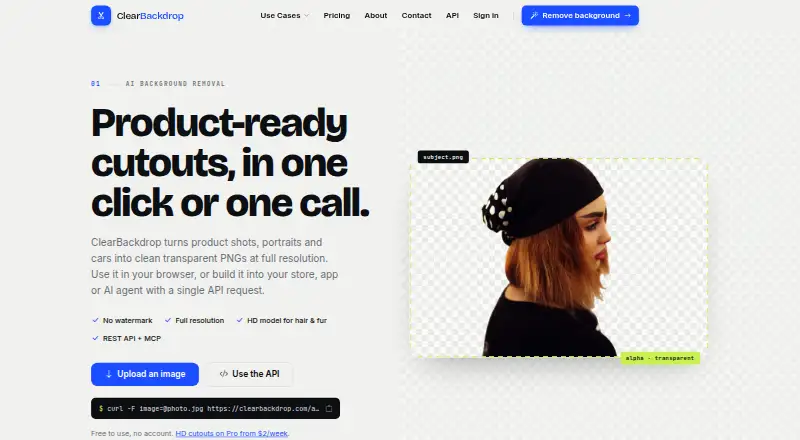
ClearBackdrop turns uploaded images into transparent PNGs at their original resolution. It runs in a browser or through an API.
What it does
The web tool handles JPG, PNG, WEBP, HEIC, AVIF, TIFF, plus video formats including MP4, MOV, and AVI. The service removes the background and can create replacement backgrounds.
For most product, car, and portrait photos, Fast is the standard model. Pro HD is geared toward details like wispy hair, fur, lace, and cluttered backgrounds.
How it connects
ClearBackdrop offers an API for automated use and exports PNG files. Up to five files can go through the browser in one operation, while an API batch request can contain as many as 10 images.
Its API documentation notes native MCP connectivity for Claude, Cursor, and other MCP clients via a Streamable HTTP endpoint. Images uploaded for processing are deleted automatically afterward and kept no longer than service operation requires.
Good fit
ClearBackdrop is positioned for e-commerce sellers, apps and marketplaces, car dealers, designers, marketers, photographers, and AI agents. Commercial use is allowed.
It suits people who need transparent product, vehicle, or portrait images, including jobs that involve processing several files together.
Watch for
The API documentation lists a 15 MB maximum upload. Free API keys allow 80 images a day and 40 an hour. Unauthenticated API calls are limited to 20 images a day until November 5, 2026; a key is required after that date.
When GPU capacity is unavailable, Pro HD may fall back to Fast. The privacy policy says security measures are used but internet transmission cannot be guaranteed completely secure.
Pricing
The Free plan costs free, needs no card, and includes the Fast model, a web tool with no account, no watermark, and an API key for up to 80 images a day. There is no free trial.
Pro Weekly costs $27 one-time. It includes the HD model, 1,000 images, and your own API key; payment can use a card or M-Pesa. Nothing renews automatically.
Pro Monthly costs $630 one-time. It includes the HD model, 5,000 images, your own API key, and unused images carry over. Nothing renews automatically.
Verdict
Choose ClearBackdrop if you need background removal with commercial use, original-resolution PNG output, and an API or MCP connection. The free web option is useful for occasional work, while the paid bundles are designed for larger image counts and HD processing.
Look elsewhere if you need guaranteed HD processing, higher API quotas, or a recurring subscription model. Check the upload limits and the API key change before building an automated workflow.
Our take
ClearBackdrop fits sellers, creatives, and software teams that need transparent images without paying for the basic web tool. Its API and MCP endpoint make it suitable for connecting background removal to other applications, while batch limits support small production runs. The paid bundles are one-time purchases rather than renewals, and the HD option focuses on difficult edges. Before choosing it, confirm that the 15 MB API cap, daily and hourly quotas, possible model fallback, and security warning match your workflow.
- Free web tool with no account or watermark
- PNG output keeps the source image's original dimensions
- API, batch endpoint, and MCP support
- Commercial use is allowed
- Processing deletes uploaded images afterward
- API uploads are capped at 15 MB
- Free API keys have daily and hourly limits
- Pro HD can fall back to Fast when GPU capacity is unavailable
- No free trial
- The privacy policy does not promise completely secure internet transmission
- Pick it ifE-commerce and marketplace image work; Apps, AI agents, and workflows using an API; Designers and photographers needing transparent PNGs
- Skip it ifYou need guaranteed HD processing on every image; Your files exceed the 15 MB API upload limit; You require higher API quotas or a recurring plan
Pricing
A free plan covers web use and limited API access. Paid Pro Weekly and Pro Monthly options are one-time purchases, not automatic renewals, with HD processing and set image allowances.
- FreeNo card · Fast model · API key: 80 images a day · Web tool with no account · No watermarkFree
- Pro WeeklyPay once; nothing renews automatically · HD model · 1,000 images · Your own API key · Card or M-Pesa$27 one-time
- Pro MonthlyPay once; nothing renews automatically · HD model · 5,000 images · Your own API key · Unused images carry over$630 one-time
As clearbackdrop.com lists them, checked 11 Oct 2026.
Questions
Is ClearBackdrop free?
Yes. The Free plan requires no card and offers web use without an account, no watermark, the Fast model, and a limited API key.
What files can the web tool accept?
The web tool accepts JPG, PNG, WEBP, HEIC, AVIF, TIFF, and video files including MP4, MOV, and AVI.
How many files can I process at once?
You can submit up to five files in the browser; an API batch call can include up to 10 images.
Does ClearBackdrop have an API?
Yes. ClearBackdrop has an API, with native MCP support documented for Claude, Cursor, and other MCP clients over a Streamable HTTP endpoint.
What does the HD model handle?
Pro HD targets fine details including wispy hair, fur, lace, and busy backgrounds, but it can change to Fast when GPU capacity is unavailable.
Are uploaded images stored?
According to the privacy policy, uploads are removed after processing and retained only as long as needed to provide the service.
How much do the Pro plans cost?
Pro Weekly is $27 one-time for 1,000 images. Pro Monthly is $630 one-time for 5,000 images, with unused images carrying over.