
Image Background Removal Software
Removal.AI: Background Removal, API and Pricing
removal.ai · checked 1 Oct 2026
Automatic background removal with editing tools, bulk processing, desktop apps, and an API.
How it plugs in
Signal on Image Background Removal Software7.8#4 of 28
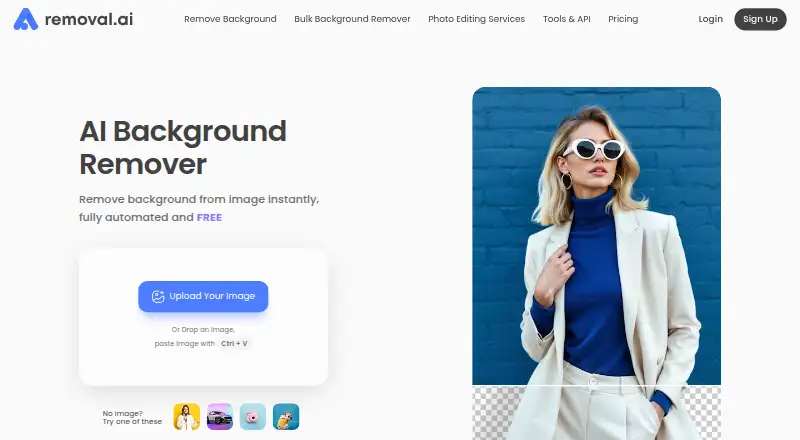
Removal.AI strips backgrounds from images and lets you swap in white, transparent, or custom alternatives. Access is available through a browser, macOS and Windows apps, or an API. Its editor includes text and effects, and bulk features handle large uploads. Personal access is free, while credit bundles begin at a one-time $1.89.
Review
In a line
Removal.AI handles image background removal. Automatic white, transparent, or customized background options appear in three seconds or less.
What it does
The browser editor lets you change backgrounds, add text and effects, and manually refine the foreground with its background eraser. Replacement backgrounds and batch processing are also supported.
Bulk Upload takes as many as 100 images at once and charges half the usual credits per image. The service reports that a single upload may contain more than 1,000 images.
How it connects
Removal.AI is available via browser, macOS, Windows, and API connections. A Figma plugin brings background removal into Figma workflows. The macOS and Windows app can process whole folders, set background colors, pause and resume jobs, optimize ecommerce images, and crop automatically.
For integrations, the API accepts direct files or image URLs and returns either a file URL or Base64 data. Processing supports resolutions through 25 megapixels, and documentation includes Python, PHP, C#, JavaScript, and Node.js examples. Each new API account starts with 10 free preview credits per month. The documented theoretical rate is up to 500 images per minute, depending on image size and internet speed.
Good fit
The service names individuals, photographers, marketers, developers, ecommerce users, and enterprises among those who may use its background removal or replacement tools. Folder processing and bulk uploads are useful for larger image sets.
JPG and PNG files are accepted up to 12 MB. Files exceeding 36 megapixels are reduced to the maximum supported resolution.
Watch for
The free plan is limited to personal use and produces 0.25-megapixel images. Commercial use is not included on that plan. The listed monthly image allowance is 3.
Help is offered only in English. Subscriptions include a 14-day money-back guarantee, capped at 50 downloads. File storage is described as GDPR-compliant, with a 99% uptime guarantee.
Pricing
A free plan is available for personal use at 0.25 megapixels. The least expensive lifetime option costs $1.89 once for 3 credits, which remain available for three years. Additional lifetime choices cost $8.99 for 25 credits, $45.99 for 150, $95.99 for 350, or $189.99 for 800.
Monthly billing is $5.99 for 100 credits, $25.99 for 450, $63.99 for 1,150, $120.90 for 2,800, or $359.90 for 9,500. On the first four monthly tiers, unused credits can carry forward up to five times the monthly allowance; credits on the 9,500-credit tier remain valid while the subscription continues.
Verdict
Removal.AI suits workflows that need automatic background changes through web, desktop, and API channels, especially when folder or bulk handling is important. Its Figma plugin and coding-language examples may help teams connecting it to existing work.
Check the free plan's personal-use restriction and low output size before relying on it for commercial images. Paid credits give more capacity, while lifetime packs avoid a recurring bill. If you are comparing services, start with image background removal software and check each option's usage terms.
Our take
Removal.AI is a practical choice for people who need background removal through a browser editor, desktop folders, or an API. Bulk uploads, replacement backgrounds, and Figma support broaden its use. The free plan permits personal use only and limits output to 0.25 megapixels. Consider the credit system, image-size limits, English-only help, and the 14-day refund cap before choosing a plan.
- Browser, macOS, Windows, and API availability
- White, transparent, and custom background replacement
- Bulk Upload supports as many as 100 images
- Figma plugin and desktop folder processing
- Free personal-use plan available
- Free plan is personal use only
- Free output is capped at 0.25 megapixels
- Help is offered only in English
- Subscriptions' refund guarantee covers 50 downloads
- Pick it ifPhotographers and ecommerce users processing many images; Teams needing desktop, Figma, or API workflows; Personal users wanting a free background remover
- Skip it ifYou need commercial use on a free plan; You require output above 25 megapixels; You need support in a language other than English
Pricing
A high-volume plan is listed for 10,000 or more images per month, with no price shown.
- Monthly — 100 creditsmonthly · 100 credits · unused credits roll over up to 5x monthly budget$5.99/mo
- Monthly — 450 creditsmonthly · 450 credits · unused credits roll over up to 5x monthly budget$25.99/mo
- Monthly — 1150 creditsmonthly · 1150 credits · unused credits roll over up to 5x monthly budget$63.99/mo
- Monthly — 2800 creditsmonthly · 2800 credits · unused credits roll over up to 5x monthly budget$121/mo
- Free0.25 megapixels · personal useFree
- Lifetime — 3 creditsPay Only Once · 3 credits · credits available within 3 years$1.89 one-time
- Lifetime — 25 creditsPay Only Once · 25 credits · credits available within 3 years$8.99 one-time
- Lifetime — 150 creditsPay Only Once · 150 credits · credits available within 3 years$45.99 one-time
As removal.ai lists them, checked 1 Oct 2026.
Questions
Is there a no-cost Removal.AI plan?
Yes. The Free plan costs nothing, allows personal use, and outputs images at 0.25 megapixels.
Which platforms support Removal.AI?
You can access it in a browser, on macOS and Windows, or through its API.
Are batch jobs supported?
Yes. Bulk Upload accepts as many as 100 images at a time and charges half the credits per image. Removal.AI also reports that one upload can contain over 1,000 images.
Can I connect through an API?
Yes. Direct files and image URLs are accepted, with results returned as a file URL or Base64 output. New API users start with 10 free preview credits each month.
Which paid package costs the least?
The smallest paid package is the 3-credit Lifetime plan at $1.89 one-time; those credits are available for three years.
Does the free plan permit commercial use?
No. The Free plan is for personal use.
Are there file-size or resolution limits?
JPG or PNG uploads can be up to 12 MB. Images above 36 megapixels are resized to the maximum supported resolution.
What kind of support is offered?
Support is currently available in English only. Its contact page says messages receive a response within 24 hours.