
CloudCasa: Kubernetes Backup and Recovery
cloudcasa.io · checked 21 Oct 2026
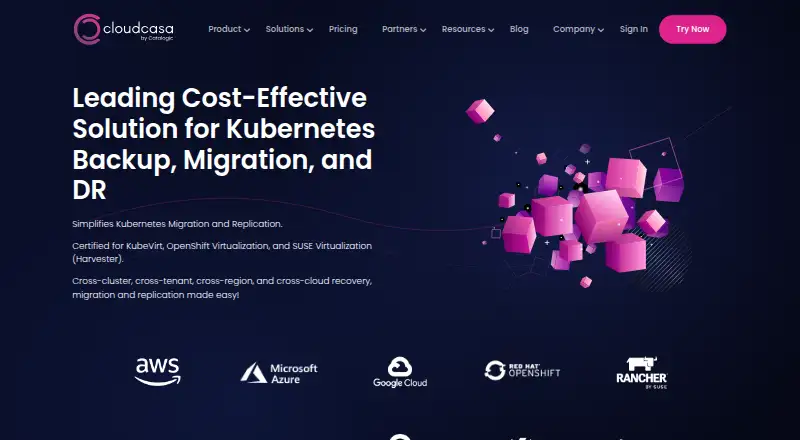
CloudCasa protects and restores Kubernetes data, applications, and virtual machines across cloud and self-hosted environments.
How it plugs in
Signal on Kubernetes Backup Software6.3#7 of 31
CloudCasa is a Kubernetes-focused backup and recovery service for developers, platform teams, and IT operations. It protects cluster resources and persistent data, supports application-aware backups and file-level recovery, and can move workloads between clusters, accounts, regions, and clouds. Choose managed SaaS or self-host it. A free plan covers up to five nodes; paid Pro starts at $69 a month with annual billing.
Review
In a line
CloudCasa is a backup, recovery, and migration service for Kubernetes environments, including cloud-native applications and virtual machines running in Kubernetes.
What it does
It backs up Kubernetes resources, persistent data, and cloud configurations. Application-aware backups cover databases and application components, with recovery down to individual persistent-volume files.
Teams can schedule backups, set retention rules, and restore or migrate data to other clusters, accounts, regions, or clouds. CloudCasa also protects KubeVirt, Red Hat OpenShift Virtualization, and SUSE Virtualization (Harvester) virtual machines, including file-level restore.
It can manage existing Velero installations and provides guided backup and recovery workflows.
How it connects
CloudCasa is available as managed SaaS or as a self-hosted deployment for on-premises, private-cloud, and edge environments. It integrates with AWS EKS and RDS, Microsoft Azure AKS, and Google Cloud GKE.
A REST API is available. SaaS API token access is limited to paid accounts; self-hosted access is enabled. Self-hosted administrators can explore the API with Swagger UI. The self-hosted system uses a server, database, cluster agents, and external S3-compatible or Azure object storage.
The software is closed source. Self-hosting requires Kubernetes 1.27 or later, or OpenShift 4.14 or later; Helm 3 and kubectl are needed for a Helm deployment.
Good fit
CloudCasa suits developers, DevOps, platform engineering, and IT operations teams that need scheduled Kubernetes backups, recovery, or workload migration across environments.
It may also fit teams managing Kubernetes-based virtual machines or existing Velero installations.
Watch for
The product focuses on Kubernetes. Reviewers have reported weaker support for applications outside Kubernetes and dependence on a third-party provider.
The free plan is limited to five nodes, 30-day retention, and three users per organization. Self-hosting also requires a supported Kubernetes or OpenShift setup and external object storage.
Paid plans have a stated 99.9% uptime SLA, subject to exclusions.
Pricing
CloudCasa Free Trial is free and supports up to five nodes, daily schedules, 30-day retention, and three users, with community support.
Pro costs $69 a month with annual billing, priced per node. It includes advanced policies, application-aware backups, cross-cluster and file-level restore, migration and replication, role-based access control, API and CLI automation, and 24x7 support.
Enterprise pricing is available on request. It includes self-hosted or air-gapped deployment and 24x7 support.
Verdict
Consider CloudCasa if Kubernetes is central to your environment and you need backup, file-level recovery, or migration across clusters and cloud locations. The free tier provides a way to start within its node, retention, and user limits; larger or more demanding setups may need paid plans.
Look elsewhere if you need broad protection for non-Kubernetes applications, or if you do not want a closed-source product tied to one vendor. For self-hosting, check the platform and storage requirements before choosing a plan.
Our take
CloudCasa is worth considering when your backup needs center on Kubernetes and include application data, persistent volumes, or Kubernetes-based virtual machines. Its cross-environment restore and migration options are useful for teams working across clusters or cloud accounts. The free tier is constrained, and Pro is billed annually per node, so estimate node counts before budgeting. If your main workloads are outside Kubernetes, or you require open-source software, this is not a strong match.
- Backs up Kubernetes resources, persistent data, and cloud configurations
- Restores persistent-volume data down to individual files
- Moves or restores data across clusters, accounts, regions, and clouds
- Offers both managed SaaS and self-hosted deployments
- Closed-source software governed by a single vendor
- Free plan caps usage at five nodes, 30-day retention, and three users
- Reviewers report weaker coverage for non-Kubernetes applications
- Self-hosting requires Kubernetes or OpenShift and external object storage
- Pick it ifTeams protecting Kubernetes applications and persistent data; Teams migrating workloads across clusters or cloud environments; Organizations backing up virtual machines running in Kubernetes
- Skip it ifYou need broad backup coverage for applications outside Kubernetes; You require open-source software; You cannot meet the self-hosted platform and storage requirements
Pricing
The free tier has limits on nodes, retention, and users. Pro is $69 a month per node with annual billing; Enterprise pricing is on request. Compare node count and support needs before budgeting.
- CloudCasa Free Trialup to 5 nodes · daily schedules · 30-day retention · maximum 3 users · community supportFree
- CloudCasa ProAnnual Subscription · per node/month · advanced policies · application-aware backups · cross-cluster and file-level restore · migration and replication · RBAC · API and CLI automation · 24x7 support$69/mo
- CloudCasa Enterpriseself-hosted or air-gapped · advanced policies · application-aware backups · cross-cluster and file-level restore · migration and replication · RBAC · API and CLI automation · 24x7 supportOn request
As cloudcasa.io lists them, checked 21 Oct 2026.
Questions
Does CloudCasa have a free plan?
Yes. The free plan supports up to five nodes, 30-day retention, and three users per organization, with community support.
How much does CloudCasa Pro cost?
Pro costs $69 a month per node with annual billing. It includes 24x7 support and advanced backup, restore, migration, and automation features.
Can CloudCasa be self-hosted?
Yes. It can be self-hosted on-premises, in private clouds, or at edge locations. It requires Kubernetes 1.27 or later or OpenShift 4.14 or later.
Which cloud platforms does CloudCasa integrate with natively?
It natively integrates with AWS EKS and RDS, Microsoft Azure AKS, and Google Cloud GKE.
Can CloudCasa restore data to another cluster?
Yes. Restores and migrations can target other clusters, accounts, regions, and clouds.
Does CloudCasa support Kubernetes virtual machines?
Yes. It supports KubeVirt, Red Hat OpenShift Virtualization, and SUSE Virtualization (Harvester), including file-level restore.
Is CloudCasa open source?
No. CloudCasa is closed-source software.
Near it
All alternatives →- BE
 Bacula Enterprise#6 on this board
- HRHYCU R-Cloud#8 on this board
- VK
 Veeam Kasten for Kubernetes#5 on this board
- KK8up#9 on this board
- VVelero#4 on this board
- AK
 Afi Kubernetes Backup#10 on this board
- VBVinchin Backup & Recovery#3 on this board
- B
 Bnkr#11 on this board
- SB
 Storware Backup & Recovery#2 on this board
- KBKubeSphere Backup#12 on this board