
Video Customer Support Software
Cobrowse.io: Real-Time Co-Browsing for Support Teams
cobrowse.io · checked 15 Oct 2026
Live collaboration lets human and AI support agents browse customers’ web and mobile experiences together.
How it plugs in
Signal on Video Customer Support Software7.5#1 of 26
Cobrowse.io gives support agents a shared view for guiding customers across websites, mobile apps, PDFs, and related digital content. Tools include remote control, annotations, screen sharing, session replay, voice and video, and camera sharing from mobile devices. Public SDK and API documentation, support-platform integrations, private deployment choices, and paid plans with a free trial are available.
Review
In a line
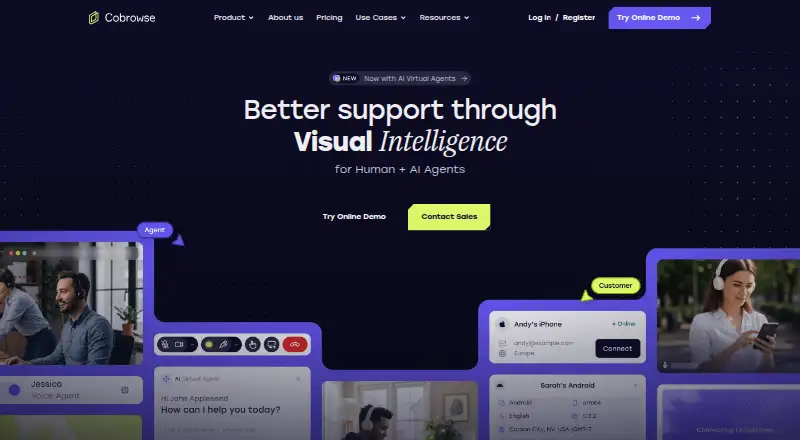
Cobrowse.io brings human and AI support agents into the same live customer session. They can follow and help navigate web, mobile, and other digital experiences.
What it does
Agents can watch a customer session, use a laser pointer, draw or annotate, and assume remote control. The feature set also includes full-device sharing, session replay, voice and video, and mobile camera feeds.
The connection can persist as customers visit third-party sites, apps, PDFs, or other content. Virtual agents can likewise inspect screens and apply visual guidance.
By default, customer text, images, and other material may remain concealed until explicitly allowed. Recorded interactions can preserve customer and agent actions for training or handling disputes.
How it connects
Documented integrations include Intercom, Zendesk, Talkdesk, Salesforce, Genesys, Freshdesk, Microsoft Dynamics 365, Five9, ServiceNow, and Amazon Connect. White-label agent integrations can plug into existing call handling, routing, queuing, and reporting.
The public API describes an agent SDK configured with an API location, authorization token, and license key, including endpoints for private deployments. Platform links cover web, iOS, Android, React Native, Flutter, Xamarin, .NET Mobile, macOS, and Windows; the web SDK is available through a CDN script or the cobrowse-sdk-js NPM package.
Organizations may deploy through a selected cloud provider and region, on premises, or in air-gapped infrastructure. Managed hosting includes global, EU-only, and US-only processing and storage choices.
Good fit
Cobrowse.io suits customer-focused businesses that need agents to guide people through web and mobile applications in real time. It fits support teams using the listed contact-center and help-desk systems.
It can help with complex workflows where seeing the customer's screen matters, while redaction controls address sensitive content. A free technical proof-of-concept is available for business evaluations.
Watch for
Mobile Chrome and mobile Safari cannot deliver full-device sharing because of browser restrictions, so native SDKs are needed for that function. Web support covers Chrome 105+, Firefox 142+, Safari 11+, Opera 120+, and Edge 139+.
G2 feedback includes reports of lag or slower loading at busy times. Several reviewers also want more capable administration, analytics, session insights, and reporting.
The software is proprietary. Its terms prohibit reverse engineering, redistribution, and unauthorized modification.
Pricing
Cobrowse.io has no ongoing free tier, though users can try the service and open a free development account. The Web co-browse plan is listed at $18 per month when billed annually, with per-agent billing.
The Named agents — web and mobile apps plan is listed at $36 per year, with billing shown as $36 per agent per month, billed annually. The Web and mobile co-browse plan is $36 per month when billed annually, with per-agent billing.
The Named agents — web plan is listed at $216 per year, equivalent to $18 per agent each month when billed annually. A Custom plan requires a quote and includes large agent counts, alternate licensing, enablement services, 24/7 incident response, and self-hosting.
Verdict
Choose Cobrowse.io if your support operation needs shared viewing and guidance across websites and mobile apps, especially when it already uses one of the documented service platforms. Its SDKs, API, deployment choices, and redaction controls support both hosted and private setups.
Look elsewhere if mobile browser users need full-device sharing without a native app, or if detailed administration and reporting are central requirements. The paid-only model and proprietary license also make it a less natural fit for teams seeking free or open-source software.
Our take
Cobrowse.io is a practical choice for support teams guiding customers through changing web, mobile, PDF, and third-party content while keeping sensitive data hidden by default. Its public SDKs, API, integrations, and private deployment options suit organizations with technical resources and compliance needs. There is no free plan, and listed plans use per-agent billing while the Custom option supports alternate licensing. Check browser limits, reporting expectations, and the need for native mobile SDKs before committing. Teams wanting open-source software or unrestricted mobile-browser screen sharing should consider other tools.
- Real-time co-browsing with remote control, annotations, and screen sharing
- SDKs and API for web, mobile, desktop, and self-hosted setups
- Integrates with major help-desk and contact-center platforms
- Redaction controls keep non-allowlisted data on the user's device
- A free trial and free development account are available
- There is no free plan; listed plans use per-agent billing, while Custom supports alternate licensing
- Mobile Chrome and Safari cannot provide full-device sharing
- Some reviewers report lag or slower session loading
- Reviewers ask for stronger analytics, administration, and reporting
- Proprietary terms restrict reverse engineering and redistribution
- Pick it ifSupport teams guiding customers through web and mobile workflows; Businesses needing private hosting or compliance controls; Teams using the documented contact-center integrations
- Skip it ifYou need open-source software or a permanent free plan; You require full-device sharing from mobile browsers without native SDKs; Advanced reporting and administration are essential
Pricing
A free trial and development account are available, but there is no free plan. Custom pricing supports alternate licensing and requires a quote.
- Web co-browseannually; per agent · Web co-browsing · named agents$18/mo
- Named agents — web and mobile apps$36 /agent per month, billed annually · Co-browse on web and mobile apps$36/mo
- Web and mobile co-browseannually; per agent · Web and mobile app co-browsing · named agents$36/mo
- Named agents — web$216.00 per agent per year (= $18.00 per agent/month, billed annually) · Co-browse on web$216/yr
- CustomLarge agent counts · alternate licensing · enablement services · 24/7 incident response · self-hostingOn request
As cobrowse.io lists them, checked 15 Oct 2026.
Questions
Does Cobrowse.io have a free plan?
No. A free trial and free development account support evaluation and testing, while ongoing plans are paid.
What platforms does Cobrowse.io support?
Documented SDKs cover web, iOS, Android, React Native, Flutter, Xamarin, .NET Mobile, macOS, and Windows, with public API documentation.
Can Cobrowse.io be self-hosted?
Yes. Customers can use a chosen cloud provider and region, on-premises infrastructure, or an air-gapped deployment. Self-hosted API endpoints are documented.
Which support tools integrate with it?
Named integrations include Intercom, Zendesk, Talkdesk, Salesforce, Genesys, Freshdesk, Microsoft Dynamics 365, Five9, ServiceNow, and Amazon Connect.
Can it share a mobile customer's full device?
Not through mobile Chrome or mobile Safari. Browser restrictions mean native SDKs are required for full-device mobile sharing.
How does Cobrowse.io handle private data?
Content may be redacted by default, with granular allowlisting. Redacted data stays on the end user's device and is not processed by Cobrowse or a self-hosted customer.
Near it
All alternatives →- L
 LiveCall#2 on this board
- S
 Surfly#3 on this board
- ZA
 Zoho Assist#4 on this board
- BV
 Blitzz Visual Remote Assistance#5 on this board
- M
 Median#6 on this board
- SRSightCall Remote Visual Support#7 on this board
- RL
 Recursive Labs Visual Engagement Platform#8 on this board
- SVSalesforce Visual Remote Assistant#9 on this board
- CCardina#10 on this board
- OROnSight RVX#11 on this board