Colorize by Photomyne Features, Pricing and Limits
photomyne.com · checked 21 Oct 2026
Turn black-and-white photos and videos into color with AI.
How it plugs in
Signal on AI Image Colorizers6.6#5 of 26
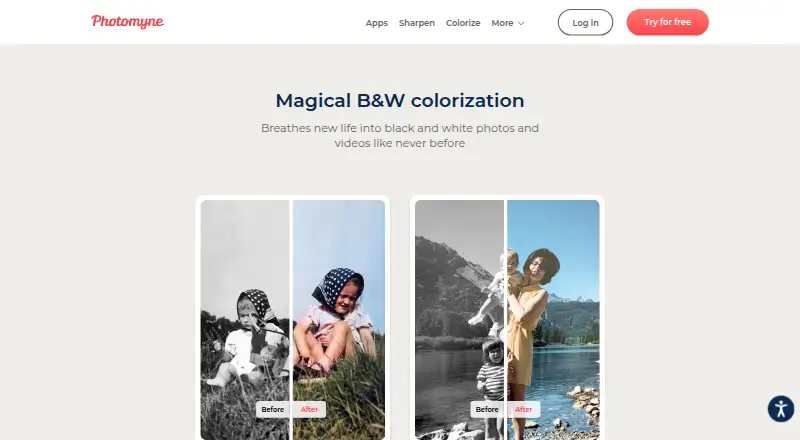
Colorize by Photomyne converts scanned or uploaded monochrome photos to color on Android, iOS and the web. Take a picture with the device camera or bring one in from the camera roll, then start processing with one tap. Limited colorization is free, while membership adds uncapped processing, saving, sharing and cloud features.
Review
In a line
Photomyne’s proprietary Colorize service uses AI to make color versions of black-and-white photos and videos. The app is available on Android and iOS, with web access as well.
What it does
Pick a monochrome photo from your camera or camera roll, tap once, and view the result in the in-app gallery. You can save or share finished images; membership removes the limits on those actions.
Colorize joins Photomyne’s four-app Scanning Suite, alongside Photo Scan, SlideScan and FilmBox. The broader Photomyne app offers color filters, face sharpening, album sorting, searches by name, place or year, metadata, and photo reordering.
How it connects
The service is closed-source and has no public user API or SDK. Subscribers get cloud backup plus access through supported mobile devices and the Photomyne website.
After permission is granted, Photomyne Apps may upload materials you select to Google Photos. The app does not access other content already stored there. Albums or groups larger than five photos can be shared through private web links that open without the app.
Good fit
Colorize suits people preserving family photographs, slides and negatives who want a quick phone-based color conversion. Photos may be scanned or camera-captured and stay in the app’s gallery.
It can also fit users who want online and cross-device access to a photo library, provided they choose a paid plan.
Watch for
Automatic coloring may skip spots or alter hues. Users report glare, unintended edits and occasional faces that no longer look like the original, so inspect important pictures carefully.
Free use is limited. When membership expires, cloud backup, web and other-device access, and some saving, sharing and enhancement capabilities are restricted. Reviews also mention charges around trials or cancellations and difficulty exporting larger batches.
Pricing
Colorize Basic provides a limited number of black-and-white colorizations at no cost; the Android listing says the first few photos are free, with ads or other limits possible. A 3-day trial is available.
The annual membership is $59.99 per year and auto-renews after the trial unless canceled. It provides unlimited colorization, saving and sharing, backup, and online plus other-device access.
Verdict
Choose Colorize if you want an uncomplicated way to color old photos on phone and web and value backup and sharing. The free tier allows a trial run before payment.
Before starting the trial, review renewal and cancellation terms, especially if you plan to keep only a few finished images.
Our take
Colorize by Photomyne suits personal photo preservation when quick processing and multi-device access matter more than exact restoration. Its one-tap workflow and free starter allowance make testing easy. Unlimited processing, backup and broader saving or sharing require membership, with the annual option priced at $59.99. Color outcomes vary, and some users report export restrictions or unexpected subscription charges.
- One-tap colorization from camera or imported photos
- Available on Android, iOS and the web
- Paid plans include backup and cross-device access
- Free tier and 3-day trial available
- Free colorizations are limited
- Automatic results can shift colors or miss areas
- Membership renews automatically unless canceled
- Pick it ifFamilies preserving and sharing old photographs; People wanting phone, web and cross-device access; Users who prefer automatic edits
- Skip it ifYou need precise, manual color correction; You require an open API or open-source software; You want unlimited use without a paid membership
Pricing
Free plan with limited use. Annual membership is $59.99 per year after a 3-day trial.
- Colorize BasicLimited number of black-and-white photo colorizationsFree
- BasicFirst few photos free · ads/limited useFree
- Membership annualauto-renews annually after 3-day trial · Unlimited B&W colorization · unlimited saving/sharing · backup · online and other-device access$59.99/yr
- Yearly membership3-day free trial, then $59.99/year; auto-renews until canceled · Unlimited black-and-white colorization · unlimited saving and sharing · photo backup and access on other devices and online$59.99/yr
- Membership monthlyauto-renewing · Unlimited B&W colorization · unlimited saving/sharing · backup · online and other-device accessOn request
- Monthly membershipMonthly auto-renewing subscription; price not shown on the opened page · Unlimited black-and-white colorization · unlimited saving and sharing · photo backup and access on other devices and onlineOn request
- One-Time plansingle upfront payment; valid for 2 years · Unlimited B&W colorization · unlimited saving/sharing · backup · online and other-device accessOn request
As photomyne.com lists them, checked 4 Oct 2026.
Questions
What does Colorize by Photomyne do?
It uses AI to convert scanned or uploaded black-and-white photos and videos into color.
Which devices support Colorize?
Colorize runs on Android and iOS and can also be used on the web.
Is there a free version?
Yes. The free plan permits only a limited number of colorizations, and the Android listing says the first few photos are free.
What does the annual plan include?
For $59.99 per year, it offers unlimited black-and-white colorization, saving and sharing, cloud backup, and access online and from other devices.
Does Colorize work with Google Photos?
With your permission, Photomyne Apps can upload materials you choose to Google Photos; it does not access other existing Google Photos content.
What happens when I cancel?
After membership ends, cloud backup, web and other-device access, plus some saving, sharing and enhancement features, become limited.
Near it
All alternatives →- SAsnapnedit AI Photo Colorizer#4 on this board
- P
 Palette#6 on this board
- I
 ImageColorizer#3 on this board
- HA
 Hotpot AI Photo Colorizer#7 on this board
- PPPicWish Photo Colorizer#2 on this board
- MPMolyin Photo Colorizer#8 on this board
- CI
 Colorize Images#1 on this board
- TTrueColorizer#9 on this board
- PCPicture Colorizer#10 on this board
- VP
 VanceAI Photo Colorizer#11 on this board